AI photo editing is becoming one of the hottest trends on the internet. Everything can now be created using just a prompt, from aesthetic portraits to cinematic visuals. And guess what? You don’t need to be a professional photographer or designer to do it!
That’s where ChatGPT Photo Editing Prompts come in. With ChatGPT, you can easily create perfect, detailed prompts that make your AI-generated photos look amazing. Whether you use Midjourney, Gemini AI, Leonardo AI, or any other AI image tool, ChatGPT can help you craft stunning photo ideas in seconds.
Before diving in, let’s understand what a “photo editing prompt” means.
A photo editing prompt is a short text or description telling an AI image generator what image to create.
For example:
A realistic photo of a young man standing in sunlight, wearing white clothes, with a bright blue sky behind him.
This short sentence gives the AI all the clues — pose, outfit, lighting, and background. The better your prompt, the better your image result will be.
AI tools like Gemini AI, Midjourney, and Leonardo AI use these prompts to generate ultra-realistic photos that look just like professional photography.
How ChatGPT Helps in Creating Photo Editing Prompts
Writing a good prompt is not easy. It takes creativity, camera knowledge, and a sense of aesthetics. That’s where ChatGPT can help!
ChatGPT understands language naturally. You can tell it what kind of image you want — and it will generate a perfect, detailed photo prompt.
For example:
You say:
Make a cinematic portrait of a boy standing in front of mirror.
ChatGPT creates:
Ultra-realistic 8K cinematic portrait of a handsome young man standing in front of bright mirror, golden reflections lighting his face, captured using 85mm lens, shallow depth of field.
See the difference? ChatGPT adds professional details like lighting, camera lens, and depth of field — making your prompt 10× more powerful.
Best ChatGPT Photo Editing Prompts (Ready to Copy)
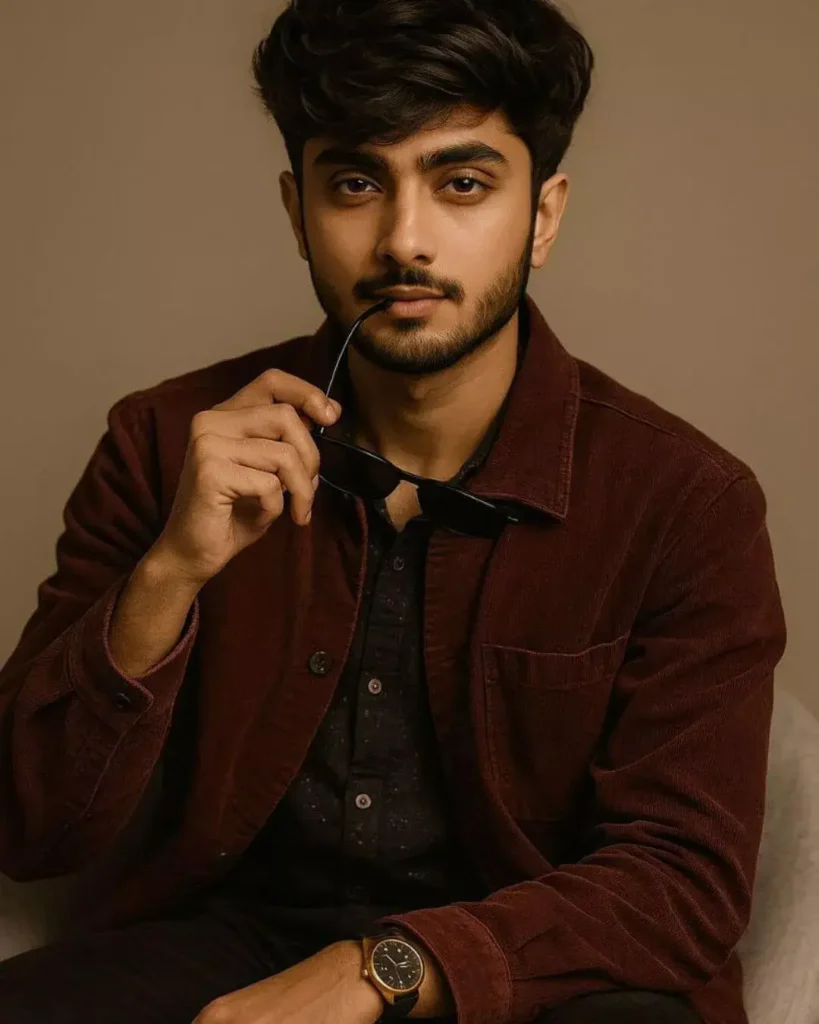
A stylish young man with voluminous, well-styled hair and a neatly groomed beard, sitting casually on a modern chair against a plain background. He is wearing a deep maroon jacket over a black outfit, accessorized with a wristwatch. He holds a pair of sunglasses near his lips in a confident, charismatic pose, exuding modern elegance and charm. The image should be hyper-detailed with sharp focus on the subject, rich color grading, and have a cinematic quality. 8k resolution, hyperrealistic, FHD. –ar 9:16 –style raw "Keep my face same 100% same as in the reference image."
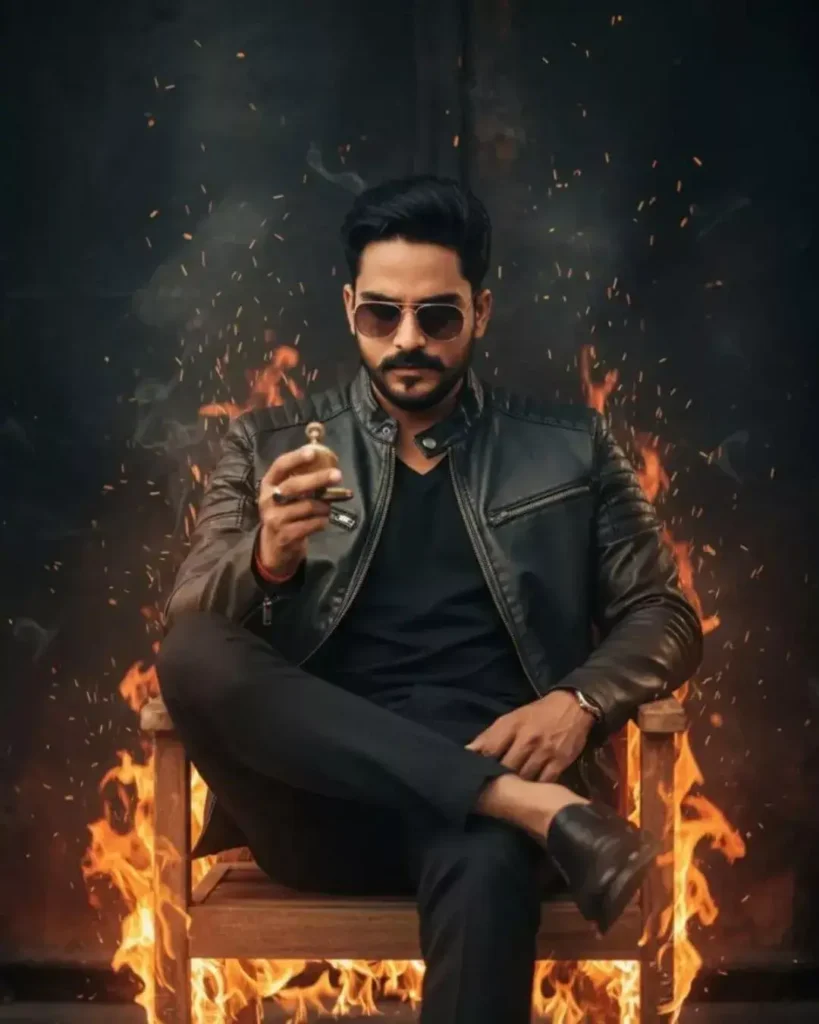
A man wearing a stylish jacket, sunglasses, and trousers is seated in a wooden chair, with one leg casually propped up. He is holding a small, round object in his hand, possibly a watch or a similar accessory, and is looking downwards with a focused expression. Flames are erupting from around the chair and the man's lower body, creating a dramatic and intense atmosphere. Sparks and embers are flying upwards against a dark, textured background." Keep my face same 100% same as in the reference image.
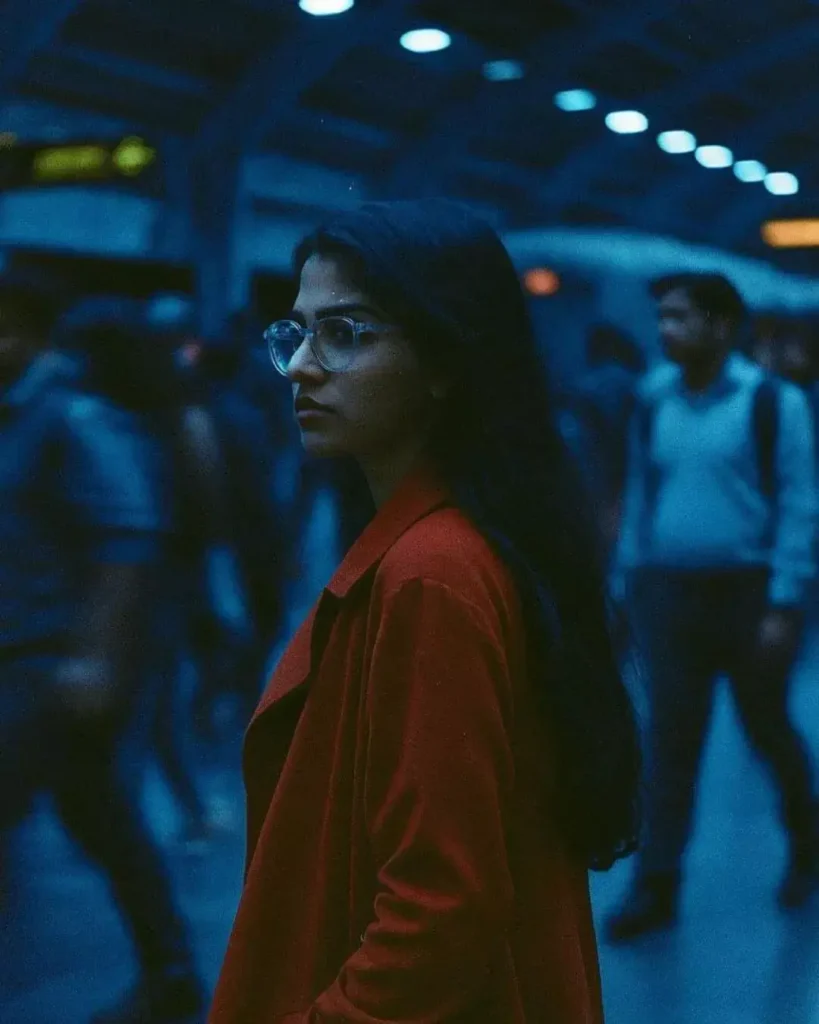
Hey . Here it is…. Slow-motion cinematic side profile shot of me walking against a rushing metro station crowd, all other are blurred with motion trails, I'm in focus with a serious face, wearing a long red trench coat. cool blue tones, 35mm film lighting. " Keep my face same 100% same as in the reference image."
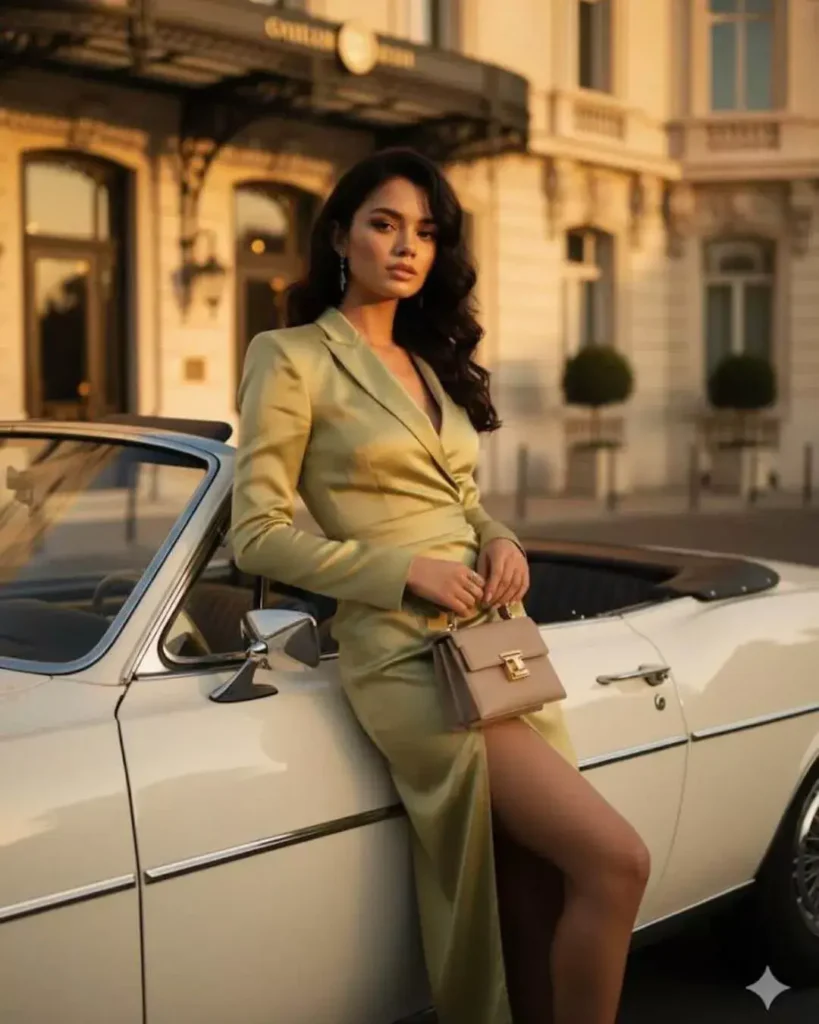
A MODEL LEANING ELEGANTLY ONA VINTAGE WHITE CONVERTIBLE CAR OUTSIDE A LUXURY HOTEL, WEARING A GREEN TAILORED DRESS WITH SIDE SLIT, STRUCTURED SILHOUETTE, CARRYING A DESIGNER BAG, GOLDEN HOUR LIGHTING, CINEMATIC FRAMING, LIFESTYLE EDITORIAL PHOTOGRAPHY. " Keep my face same 100% same as in the reference image."
ChatGPT Photo Editing Prompts for Boys
v
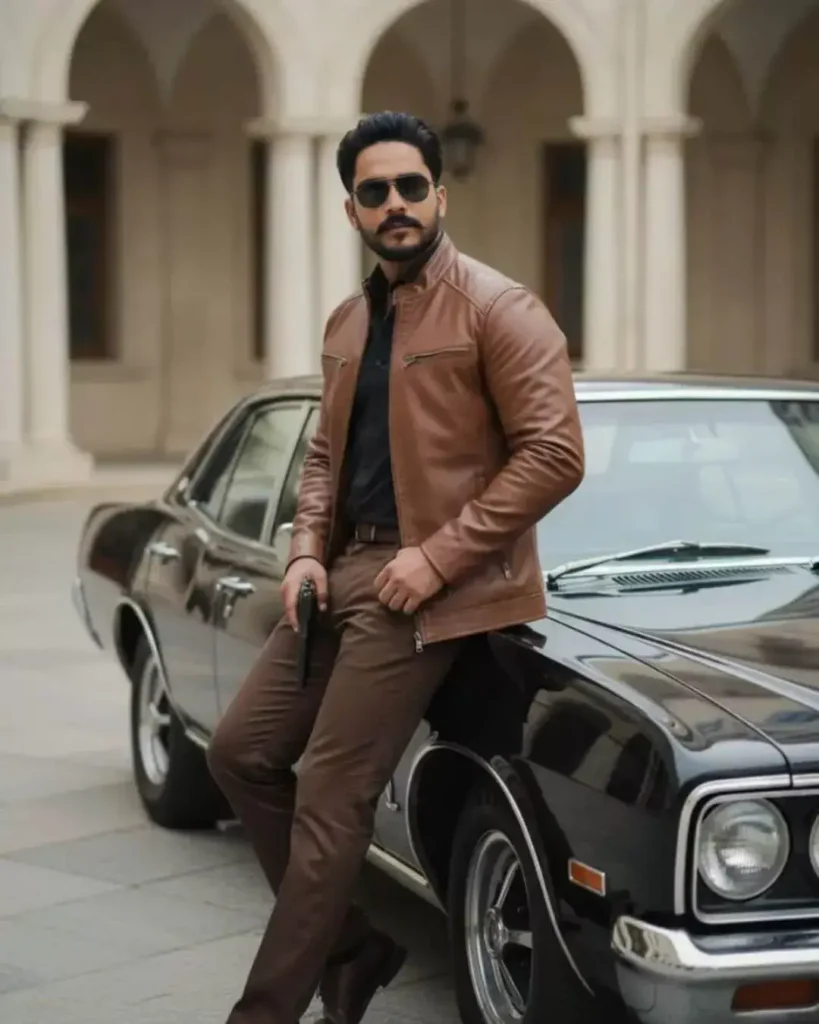
A stylish man with dark hair and sunglasses, wearing a brown jacket, dark shirt, and matching brown pants, stands leaning against a vintage black car. He holds a pistol in his Left hand. The background features light-colored architecture with pillars, suggesting an elegant or classic setting. The overall mood is cool and confident, with a hint of mystery. Keep mny face same 100% same as in the reference image.
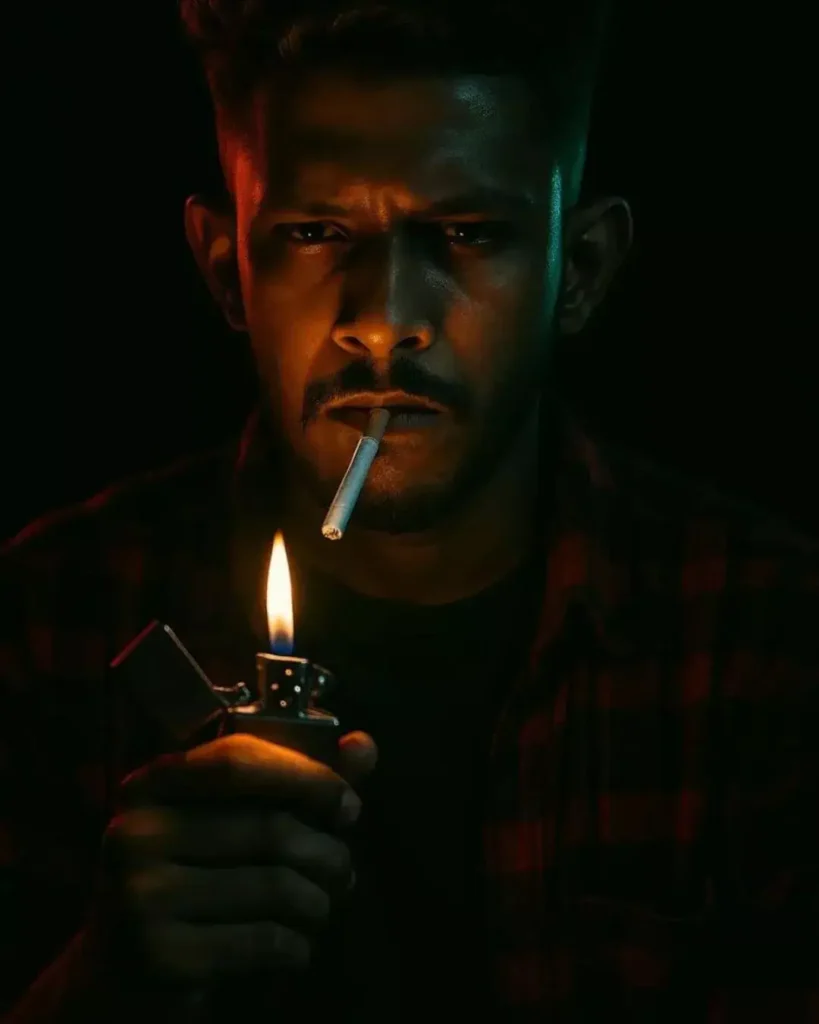
Create a cinematic close-up portrait of a man in a dark environment. The man is wearing a red-and-black checkered shirt and a black inner shirt. His expression is intense and moody, with a cigarette in his mouth. He's 配么,C0 1 holding a metallic Zippo lighter near his face, flame visible. The lighting is dramatic and low-key: warm 28 firelight from below illuminating the lower face, with subtle red and green rim lights on. " Keep my face same 100% same as in the reference image."
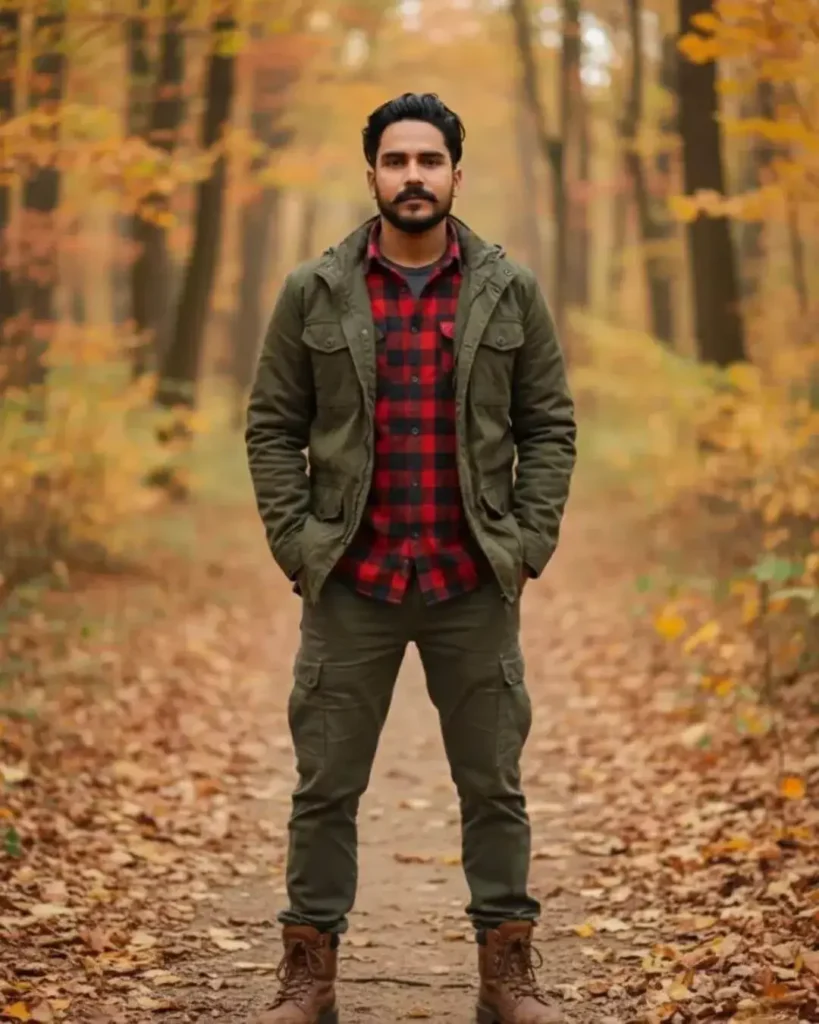
A full-body shot of a rugged man with medium-length curly brown hair anda beard, standing on a path in an autumn forest. He is wearing a dark olive green field jacket overa red and black plaid shirt, dark olive green cargo pants, and sturdy brown boots. His hands are in his pockets, and he is looking directly at the camera with a confident expression. The background features blurred trees with fall foliage and fallen leaves on the ground, creating a natural and outdoorsy atmosphere." Keep my face same 100% same as in the reference image.
ChatGPT Photo Editing Prompts for Girls
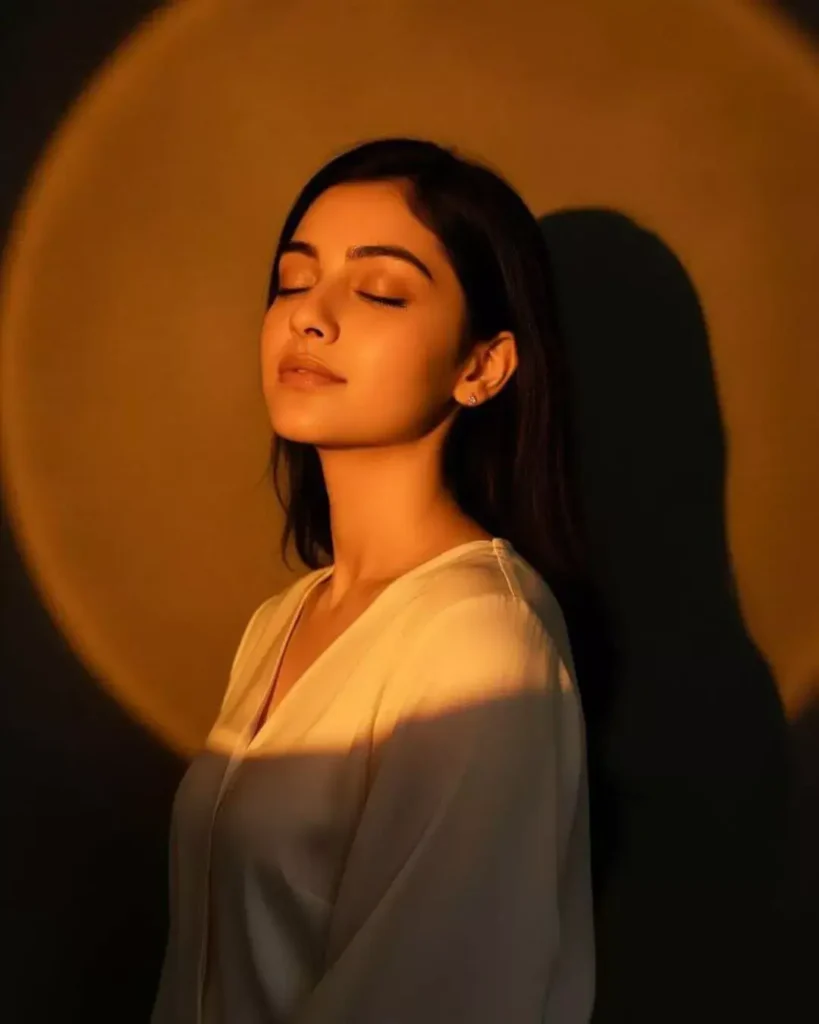
This is a photo of me. Craft a moody studio portrait of the uploaded person, bathed in golden-orange spotlight that creates a glowing circular halo behind them on the walL. The warm light should sculpt the face and upper body with soft, sunset-like tones, while casting a strong head shadow to the right. Style the person. Her eyes are closed and chin tilted slightly up.
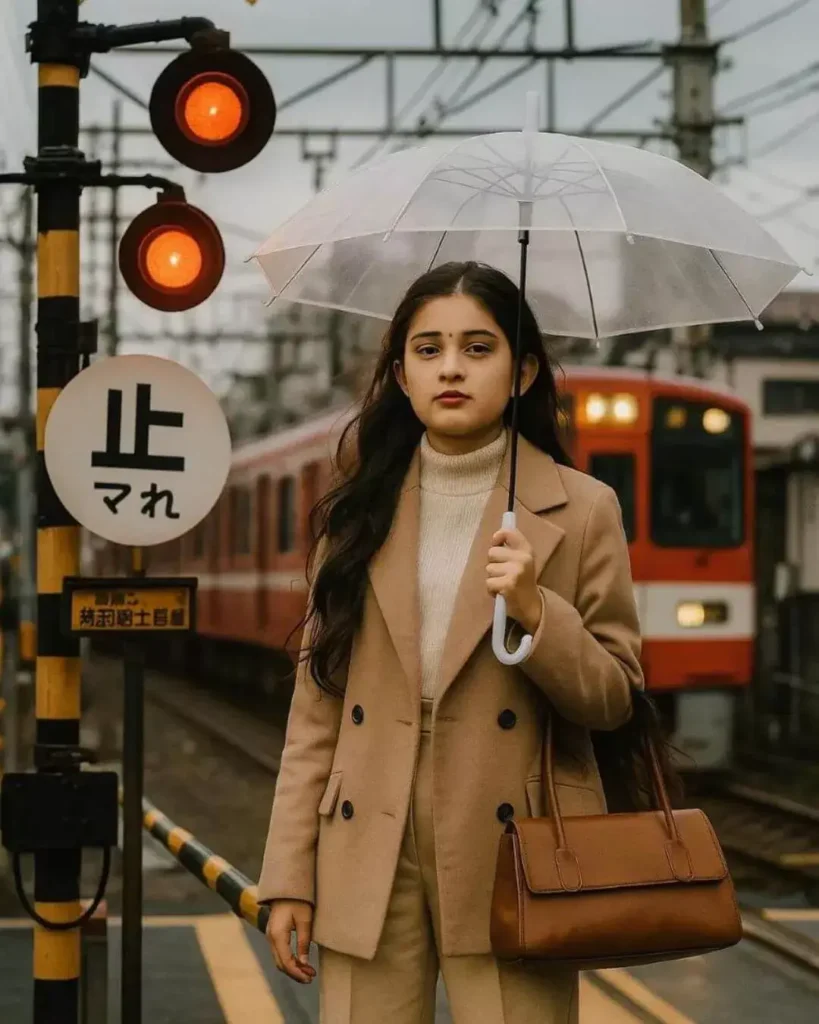
Create a scene featuring a fashionable 16 years old girl standing at a railway crossing. She has long, wavy black hair and is wearing a stylish beige coat over a white sweater, paired with beige trousers. She is holding a brown handbag in one hand and a clear umbrella in the other. In the background, a red train is approaching, with warning signals and signage typical of a train station in Japan. The overall atmosphere is urban and modern, showcasing a blend of fashion and daily life." Keep my face same 100% same as in the reference image."
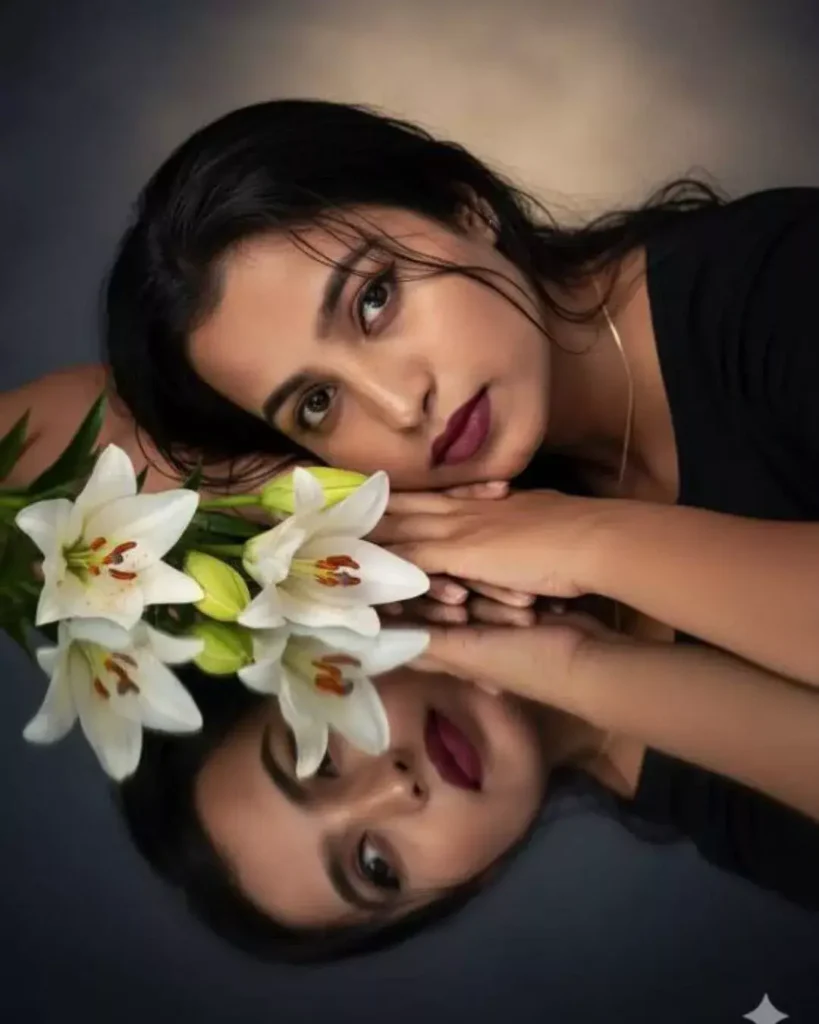
A dreamy, ultra-realistic portrait of a handsome young woman lying gracefully beside white lilies, her head resting gently on her arms, reflected perfectly on a glossy black surface. Soft cinematic lighting highlights her glowing skin and sharp yet delicate facial features, with slightly wet strands of hair falling naturally across her forehead. The mood is ethereal, romantic, and artistic, with a serene atmosphere. High detail, professional studio photography, 8K resolution." Keep my face same 100% same as in the reference image."
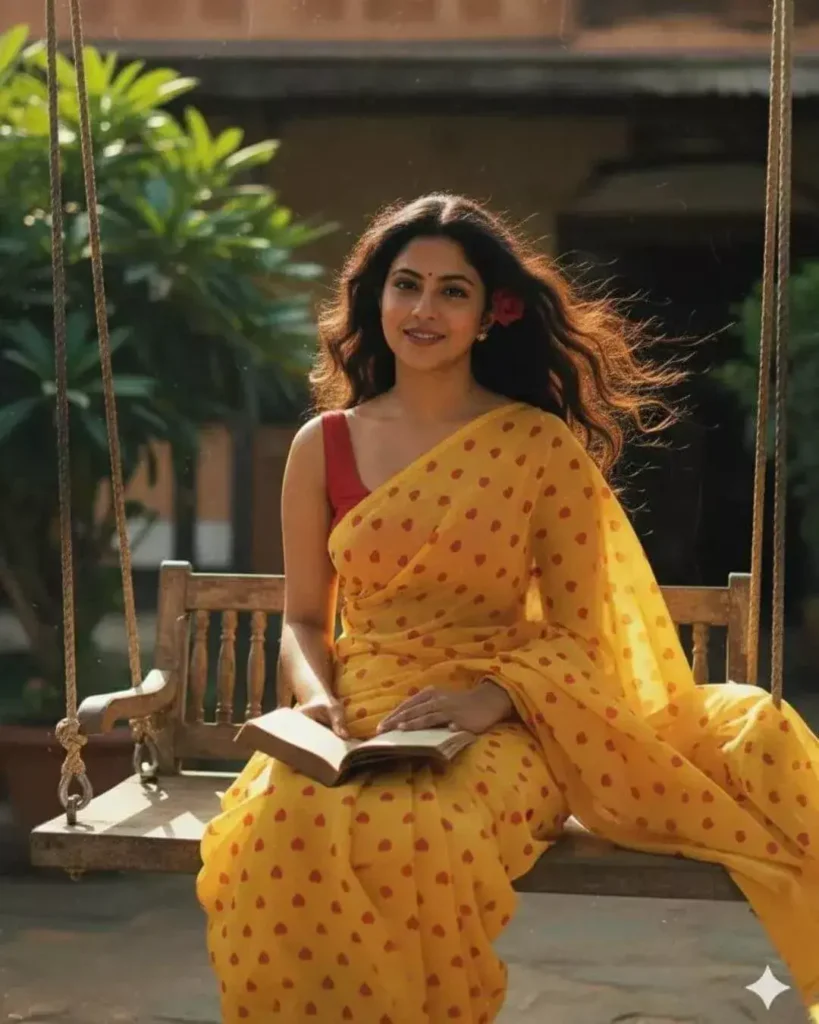
A beautiful young Indian woman in a yellow heart-print saree on a wooden swing, holding a book, red flower in her hair, smiling gently at the camera. Golden hour sunlight, sunlit courtyard., shallow depth of field, nostalgic 90s Bollywood aesthetic, cinematic, 35mm film look, photorealistic." Keep my face same 100% same as in the reference image."
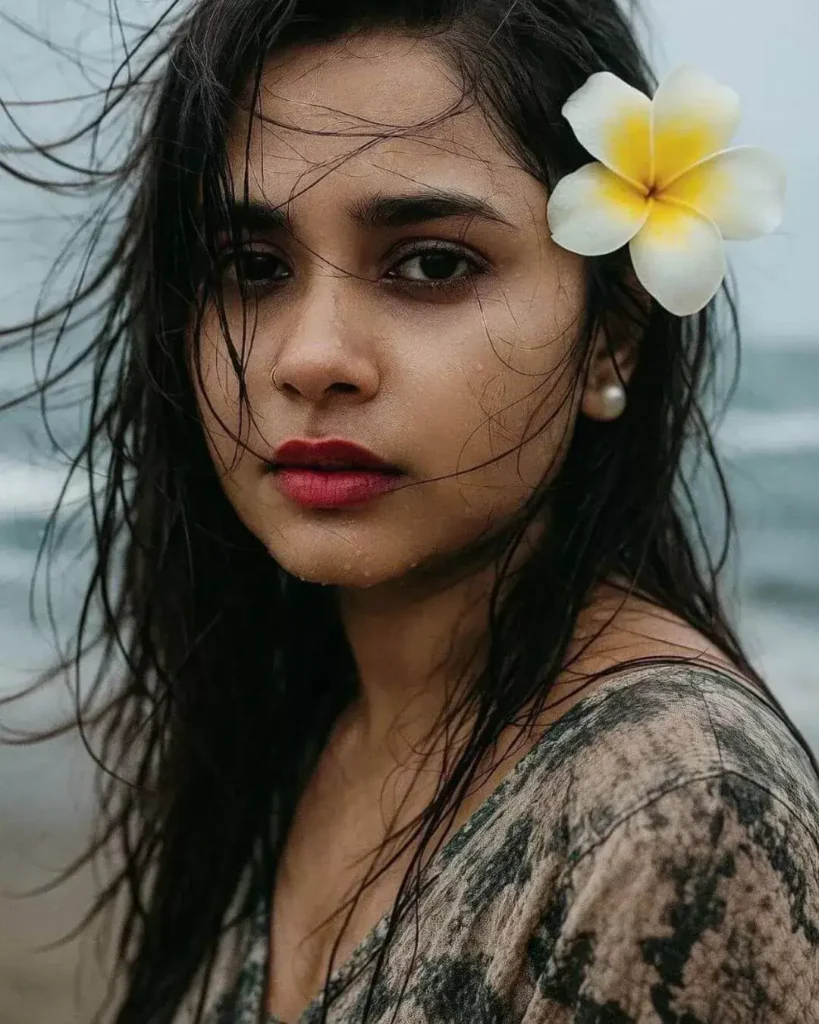
Use this girl (accurately )A windswept fermale portrait on the beach. His wet hair and damp skin glisten under cool natural light. Ocean spray blurs part of the frame, and the wind subtly lifts his clothing. The mood is free, raw, and emotionally open." Keep my face same 100% same as in the reference image."
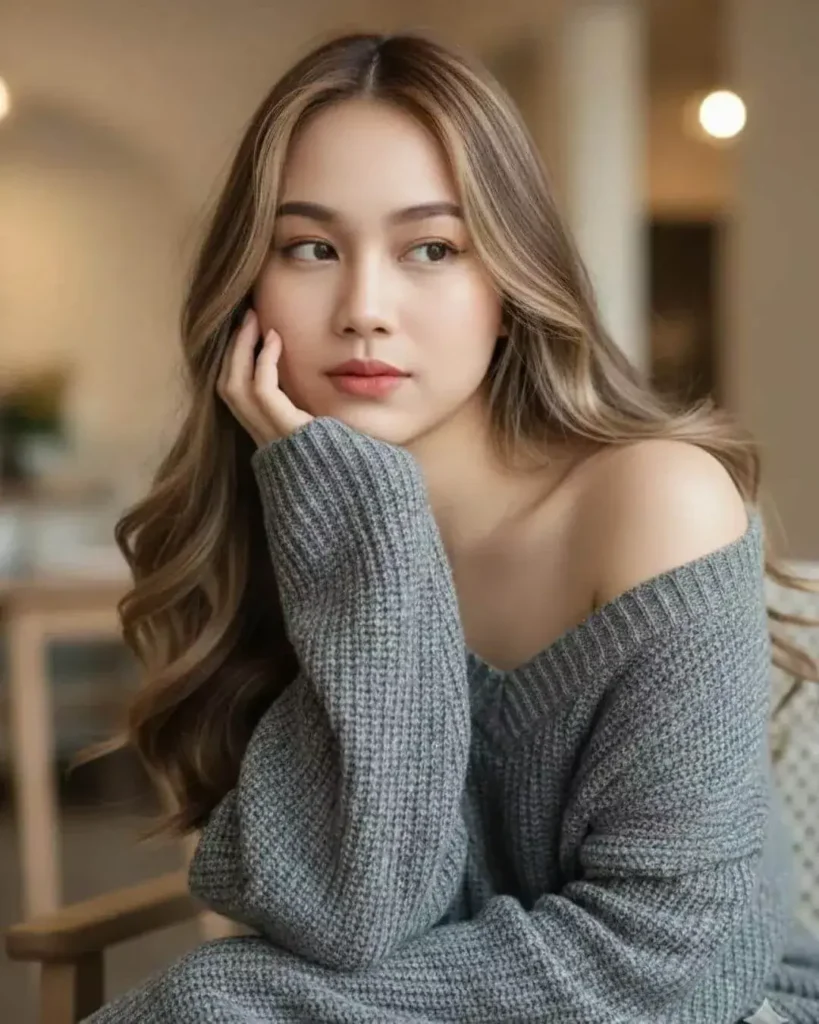
Create a hyper-realistic portrait of a beautiful woman sitting indoors, resting her face gently on her hand with a soft and thoughtful expression. She has long, wavy balayage hair cascading over her shoulders, flawless fair skin, and natural makeup with subtle pink lips. She wears a cozy, oversized gray knit sweater that falls slightly off her shoulder, creating a relaxed and intimate atmosphere. Dont change her original face.
Tips to Create Viral AI Photos Using ChatGPT Prompts
Want your AI-generated photos to go viral? Follow these pro tips:
Be Clear and Specific
Describe the subject, outfit, mood, lighting, and background clearly. Example: Instead of “boy on beach,” say “A young man walking barefoot on a golden beach during sunset with warm sunlight reflections.
Add Camera Details
Including phrases like “captured with 85mm lens” or “soft background blur” makes your images look realistic and professional.
Use Emotional or Storytelling Tone
Add emotion — like “joyful,” “romantic,” “dramatic,” or “peaceful.” AI responds better when your prompt tells a story.
Experiment With Styles
Try prompts in different themes — cinematic, vintage, fantasy, minimal, or dreamy. Each style gives your image a unique touch.
Refine Prompts with ChatGPT
If your image doesn’t look perfect, ask ChatGPT to refine it:
“Make the lighting softer and background more colorful.” ChatGPT will instantly improve your prompt.
Best AI Tools to Use with ChatGPT Prompts
Midjourney: Perfect for cinematic and artistic photos with realistic lighting.
Gemini AI: Google’s latest AI model that works beautifully for human portraits and creative scenes.
Leonardo AI: Ideal for digital art, fashion, and fantasy-style AI photos.
Bing Image Creator: Free and beginner-friendly option for quick AI-generated visuals.
Remaker AI: Great for face-swapping and photo transformation with ChatGPT-style prompts.
Each tool accepts text prompts, so you can copy ChatGPT’s generated descriptions directly to create your images.
Conclusion
ChatGPT is not just a chatbot — it’s your personal photo prompt designer. Whether you want a cinematic festival photo, a professional fashion portrait, or a dreamy fantasy artwork, ChatGPT can help you create the perfect photo editing prompts.
You can transform ordinary ideas into extraordinary visuals using these ChatGPT photo editing prompts. The best part? You don’t need editing software — just the right words and a touch of creativity.
So next time you plan to create AI images, open ChatGPT, describe your idea, and let it turn your imagination into art.