Prompt: Transform this image into a cinematic, dreamy editorial portrait with soft golden-hour lighting. Apply strong backlighting from the sun positioned behind the subject, creating a natural rim light around the hair and shoulders. Add a realistic prismatic rainbow lens flare diagonally crossing the frame, with subtle chromatic dispersion and light streak bloom. Enhance depth using shallow depth of field (f/1.8 style), keeping the subject sharp while softly blurring the background into a creamy bokeh. Introduce slight motion blur in the environment to create a dynamic, ethereal movement effect while keeping the subject stable. Apply warm, soft color grading with pastel tones, slightly lifted highlights, and gently faded shadows for a filmic look. Add subtle glow diffusion to highlights (especially…
Cinematic golden-hour masterpiece with realistic sunlight Photo Prompt
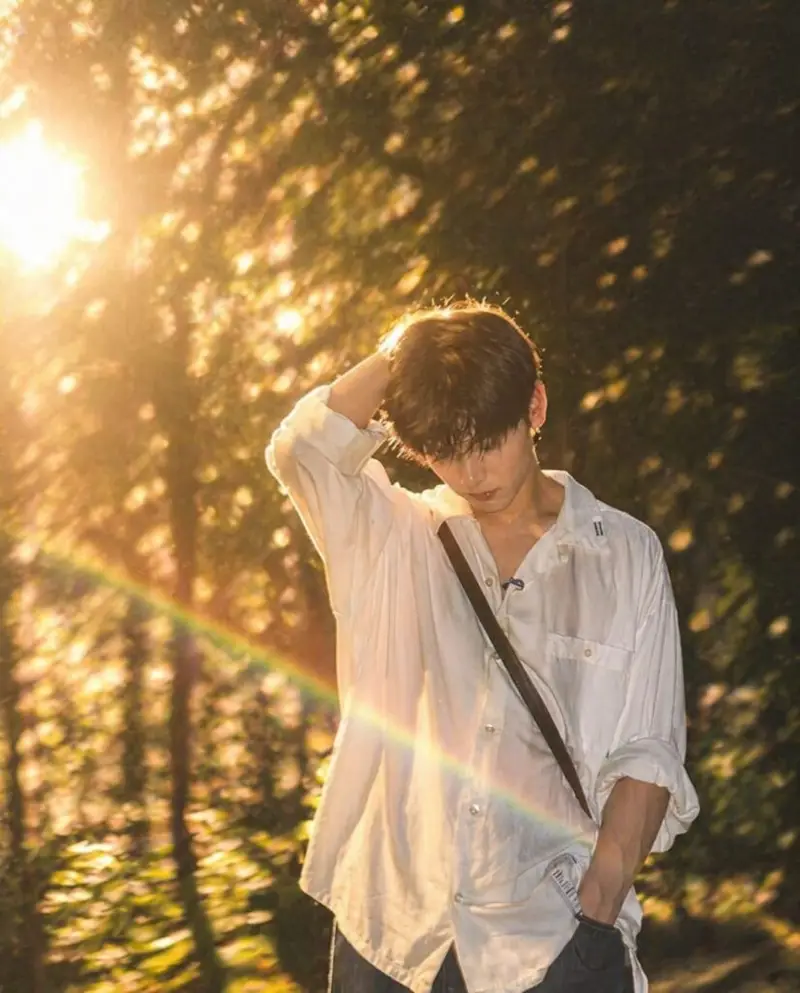
Prompt:
Transform this image into a cinematic, dreamy editorial portrait with soft golden-hour lighting. Apply strong
backlighting from the sun positioned behind the subject, creating a natural rim light around the hair and shoulders.
Add a realistic prismatic rainbow lens flare diagonally crossing the frame, with subtle chromatic dispersion and light streak bloom.
Enhance depth using shallow depth of field (f/1.8 style), keeping the subject sharp while softly blurring the
background into a creamy bokeh. Introduce slight motion blur in the environment to create a dynamic, ethereal
movement effect while keeping the subject stable.
Apply warm, soft color grading with pastel tones, slightly lifted highlights, and gently faded shadows for a filmic
look. Add subtle glow diffusion to highlights (especially around light sources and skin), creating a soft, dreamy haze
without losing detail.
Skin tones should remain natural and clean with soft smoothing, no plastic effect. Maintain realistic textures while
enhancing lighting contrast.
Overall style: cinematic photography, luxury fashion editorial, dreamy atmosphere, natural light realism, ultra high
resolution, 4K clarity, soft cinematic grain.
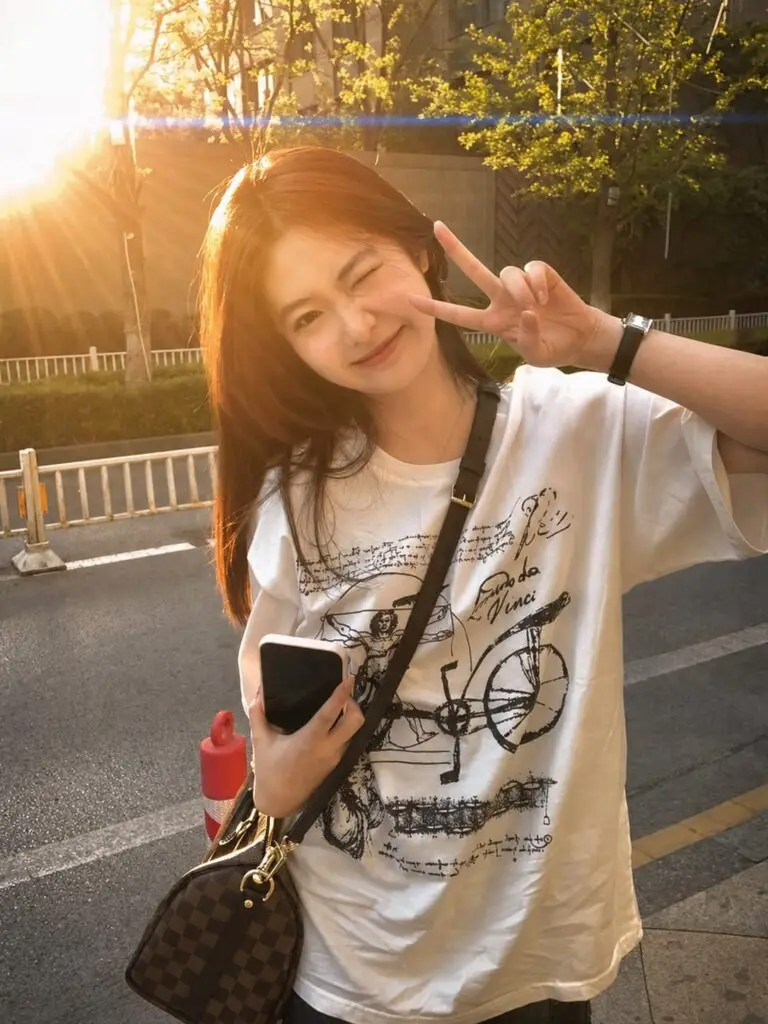
Prompt:
Add a cinematic anamorphic lens flare to this uploaded photo while keeping the subject and composition entirely intact. Identify the brightest light source in the image — whether it's the sun, a window, a street light, a lamp, or any bright highlight – and generate a realistic horizontal anamorphic lens flare emanating from that light source, stretching horizontally across the frame. The flare should have the characteristics of real anamorphic glass: a long horizontal blue-cyan streak stretching across most of the frame width passing through and beyond the light source, secondary smaller warm amber and magenta flare elements scattered along the horizontal axis, and a soft overall haze in the area immediately around the light source that gently reduces contrast. The overall look should feel dramatic, filmic, cinematic, and beautifully shot through a high-end cinema lens.
How to Use Prompt
Step 1: Open Gemini or ChatGPT
Go to the official Gemini or ChatGPT website
Or open the Gemini or ChatGPT app on your phone
Sign in with your Google account
Step 2: Upload Your Photo
Click on the “+” (upload icon)
Select the photo you want to edit
Wait for the image to upload
Step 3: Write a Clear Prompt
Now type or paste your photo-editing prompt in the chat box.
Step 4: Generate & Wait
Click the send/generate button
Gemini or ChatGPT will process your prompt
Wait a few seconds for the generated image.
Step 5: Download the Image
Once satisfied, download your edited photo
Use it for Instagram, WhatsApp, or Facebook posts