If you’re searching for the best prompt for photo editing in ChatGPT for girls, this guide is just for you! With ChatGPT, you can easily transform your ordinary pictures into stunning, aesthetic AI-generated photos using simple text prompts.
Whether you’re looking for a soft pink vibe, a cute aesthetic edit, or a stylish Instagram look, these ChatGPT photo editing prompts for girls are perfect for you. You can even create festival-inspired, natural, or trendy portraits without changing your face.
Just copy and paste the best prompt for photo editing in ChatGPT, upload your photo, and watch the magic happen. It’s creative, easy, and totally free to try in 2025!
Best Prompt for Photo Editing in ChatGPT for Girls, Women
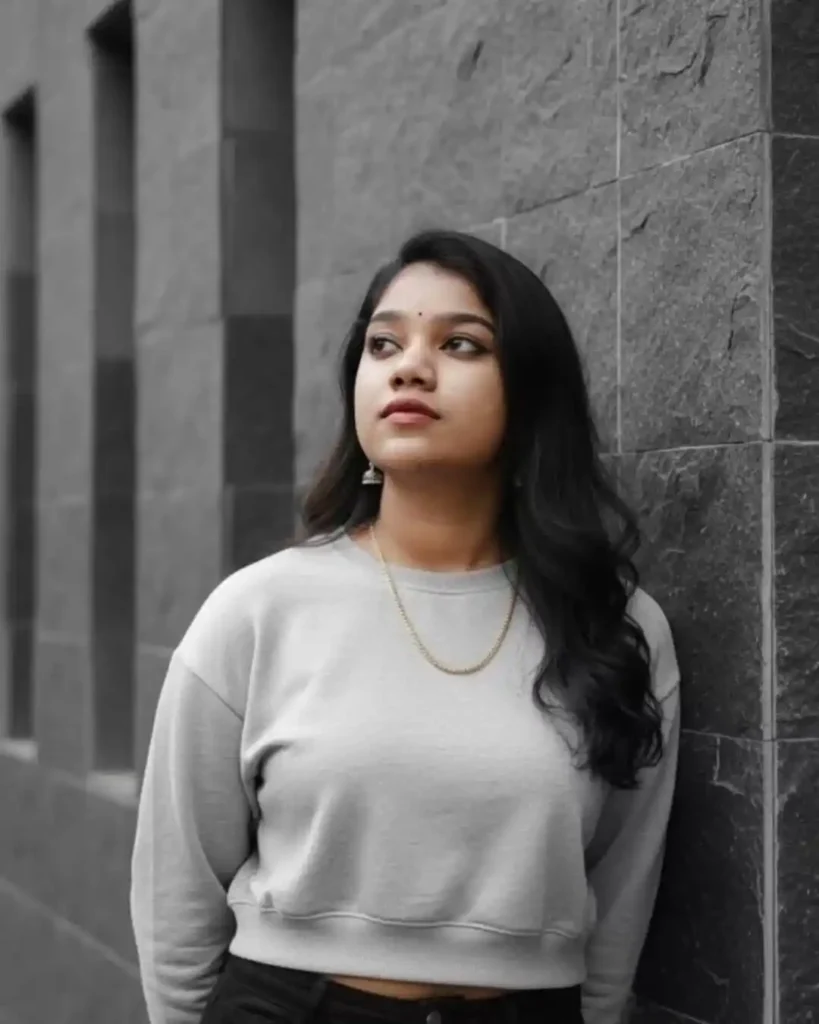
A stylish, professional portrait of a young Woman with long dark hair, wearinga casuallight gray cropped Sweatshirt and black high-waisted pants. She is standing outside, leaning against amodern wall cOveredin dark gray, rough-texturedsquare stone tiles. The background includes a section of a darker gray wall with simple, geometric window cutouts. She is looking up and slightly to the left with a thoughtful, serene expression. Cinematic lighting, soft shadows, sharp focus on the model, moody grayscale aesthetic witha hint of color keeping the same original face (100% likeness, no alteration)
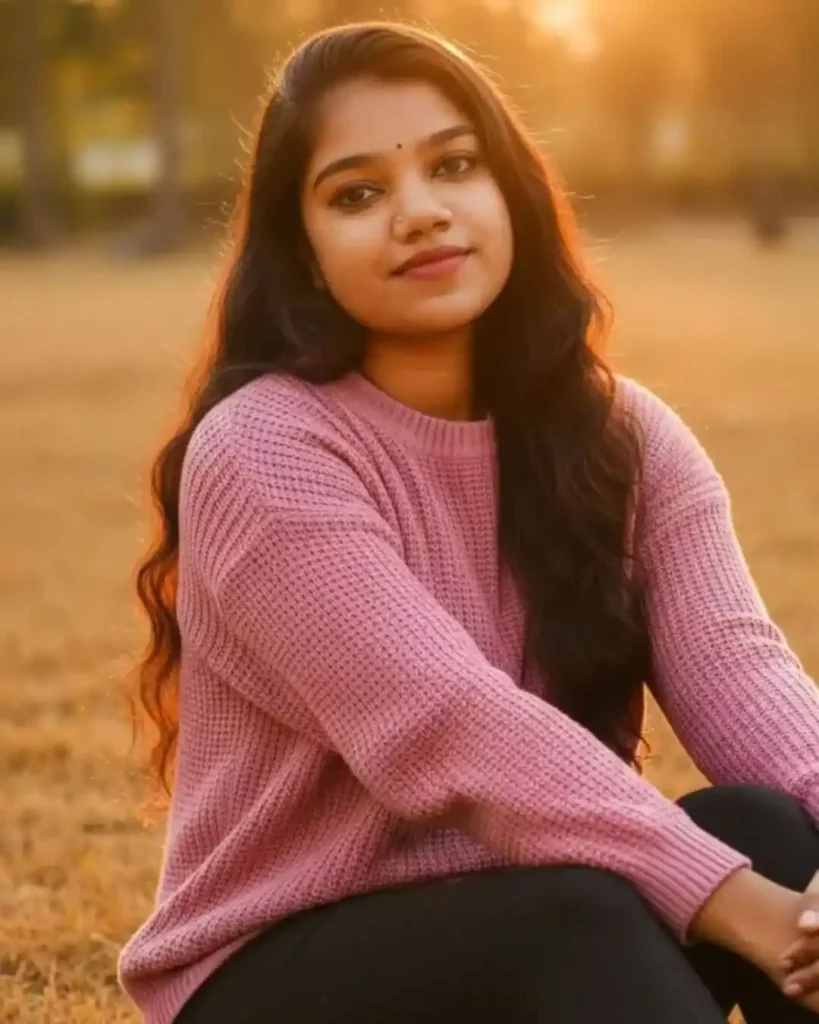
Golden hour portrait of a young woman with long dark hair, wearing a pink chunky knit sweater and black leggings, sitting on dry golden grass. Soft rim light, warm bokeh background, natural expression, high-resolution photography” keeping the same original face (100% likeness, no alteration)
Best Prompt for Photo Editing in ChatGPT for Girls, Women
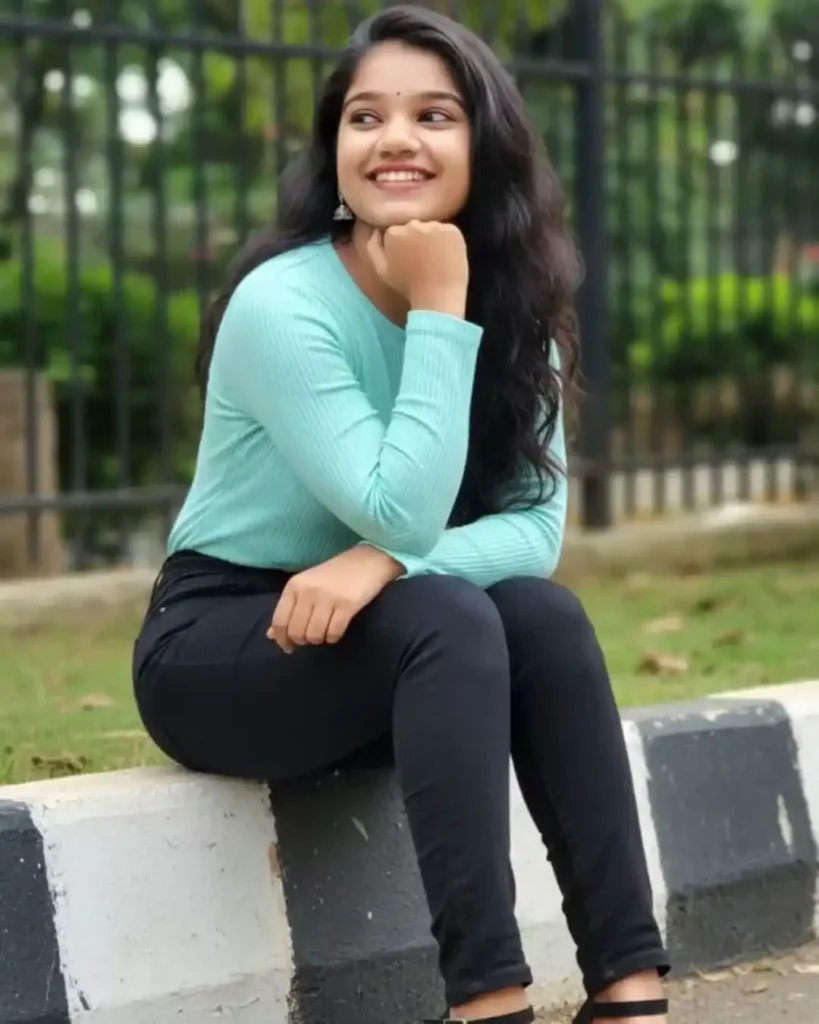
Full body outdoor portrait of a young woman with long dark hair, sitting on a low curb. She is wearing a light blue or turquoise ribbed long-sleeve top, black fitted jeans, and black chunky block-heeled sandals with ankle straps. She is looking off to the side with a bright, genuine smile, resting her chin on her hand. The setting is a paved driveway or sidewalk with a black and white striped curb. The background is blurred (bokeh effect) with green foliag特andadark metal fence. Soft, natural daylight keeping the same original face (100% likeness, no alteration)
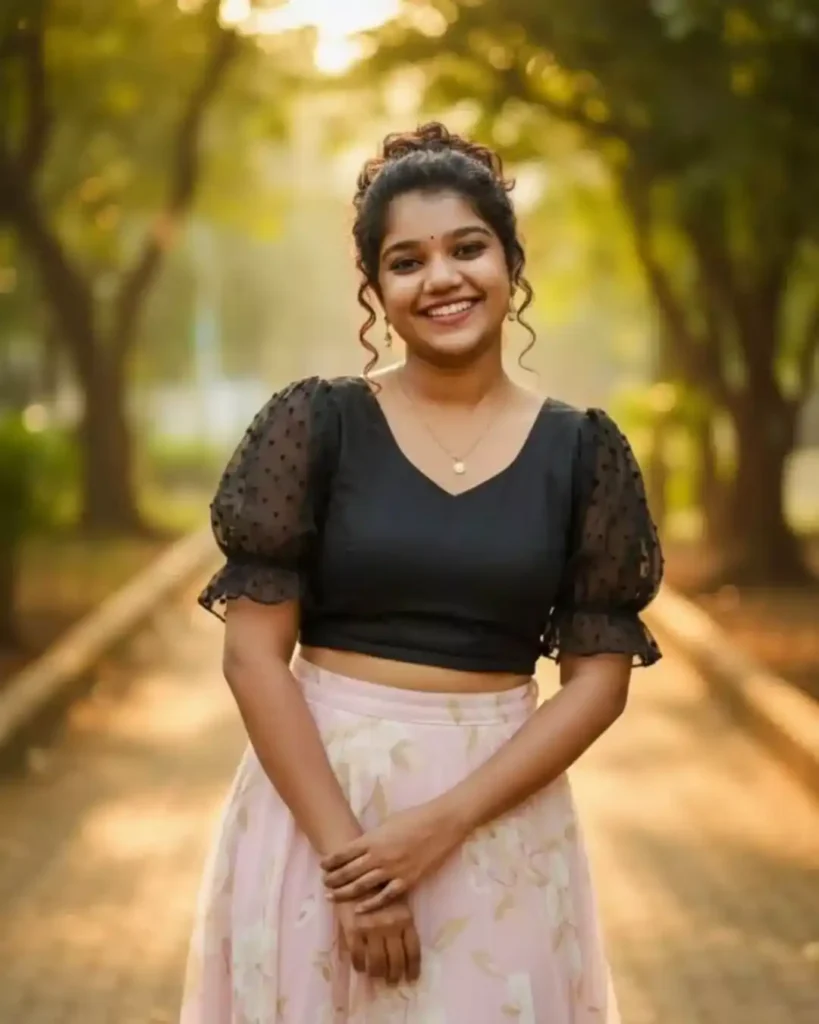
A charming and joyful portrait of a young Woman with a radiant smile. Her dark, voluminous curly hair is styled in an artistic high bun. She’s dressed in a chic, black cropped blouse with delicate ruffled sleeves, paired with a soft, flowing light pink maxi skirt that has a gentle, abstract pattern. A subtle gold pendant necklace adorns her neck. She poses gracefully with her hands clasped. The backdrop is a sun-dappled, natural outdoor path, surrounded by lush green trees and soft light, creating a serene and inviting atmosphere. Golden hour lighting, candid style, fashion blog aesthetic. keeping the same original face (100% likeness, no alteration)
Best Prompt for Photo Editing in ChatGPT for Girls, Women
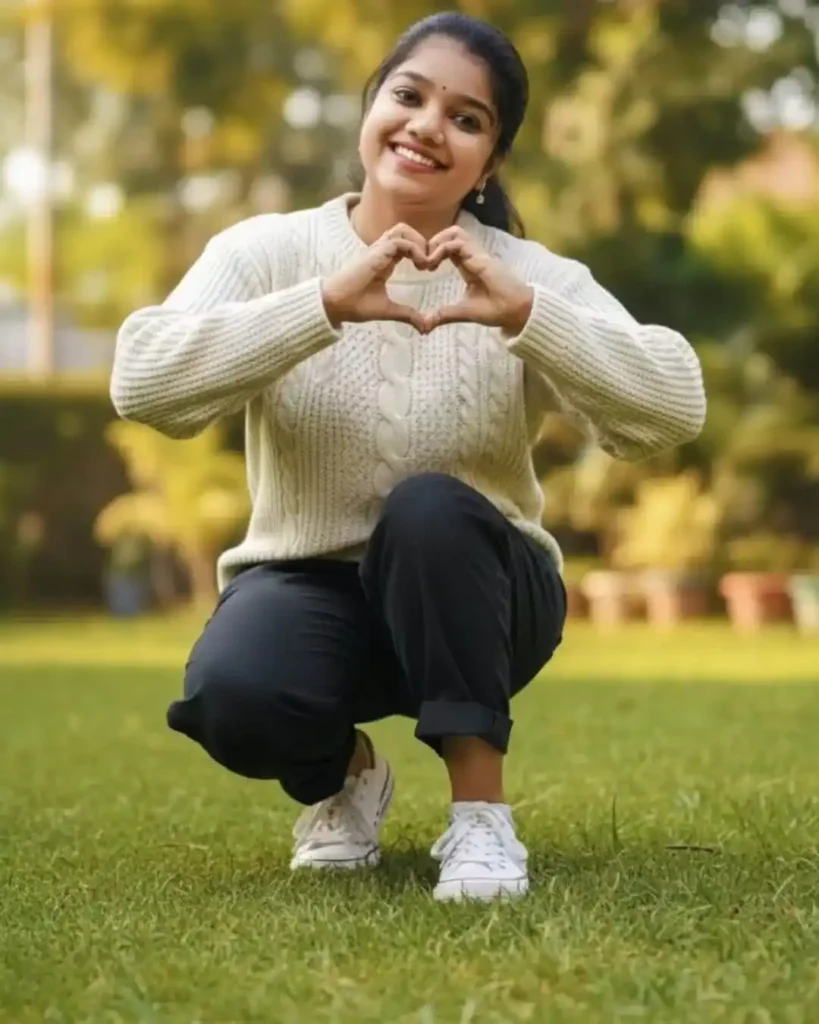
Without changing my facial features, hyper-realistic 8k portrait一joyful South Asian woman in low-angle crouch pose on lush green lawn, hands forming heart shape near chest, chunky white knit sweater, dark relaxed trousers, white sneakers, soft diffused sunlight, cinematic depth-of-field, vibrant greens, warm natural glow.” Twar Edge keeping the same original face (100% likenesS, no alteration)
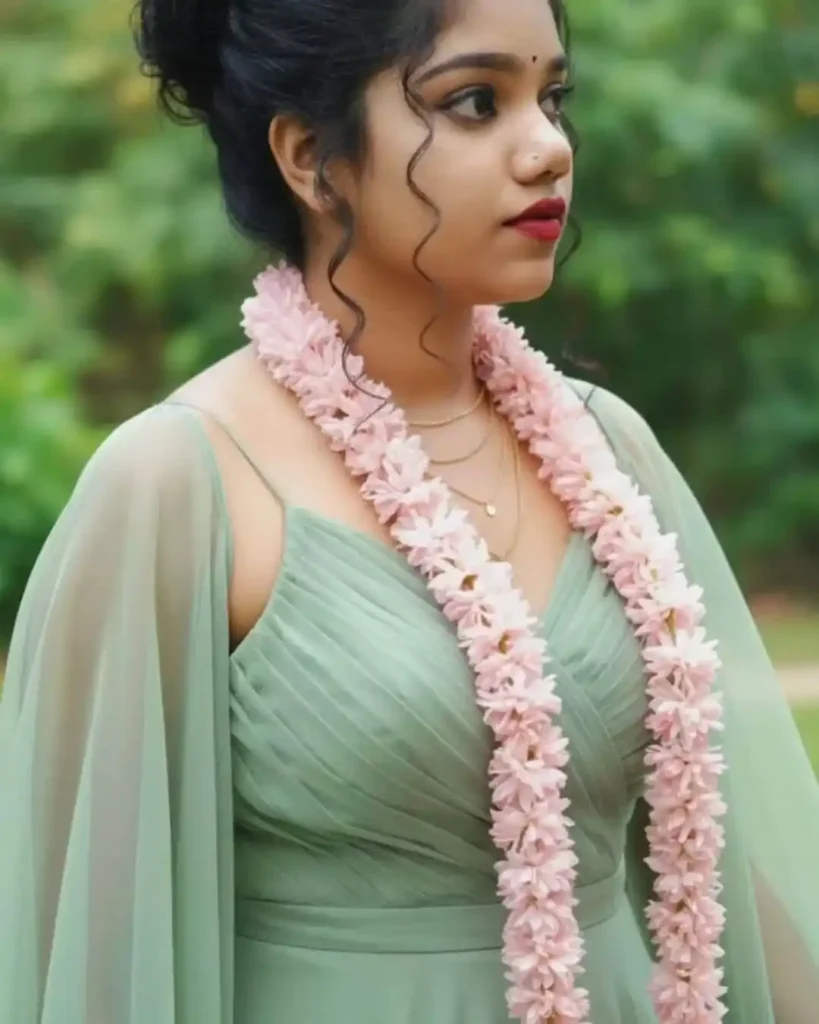
A romantic and ethereal portrait of a young woman with a thoughtful gaze. Her dark, voluminous curly hair is styled in an elegant high bun. She is adorned in a flowing, soft sage green dress with a beautifully ruched V-neck bodice and delicate spaghetti straps, made of a fine, translucent fabric. A vibrant garland of pale pink flowers is draped gracefully around her, adding a touch of whimsy and natural beauty. Delicate layered gold necklaces complete her look, accentuated by bold red lipstick. The backdrop is a softly diffused, lush green natural environment, creating a dreamy and serene atmosphere. Natural light, editorial style, soft focus keeping the same original face (100% likeness, no alteration)
Best Prompt for Photo Editing in ChatGPT for Girls, Women
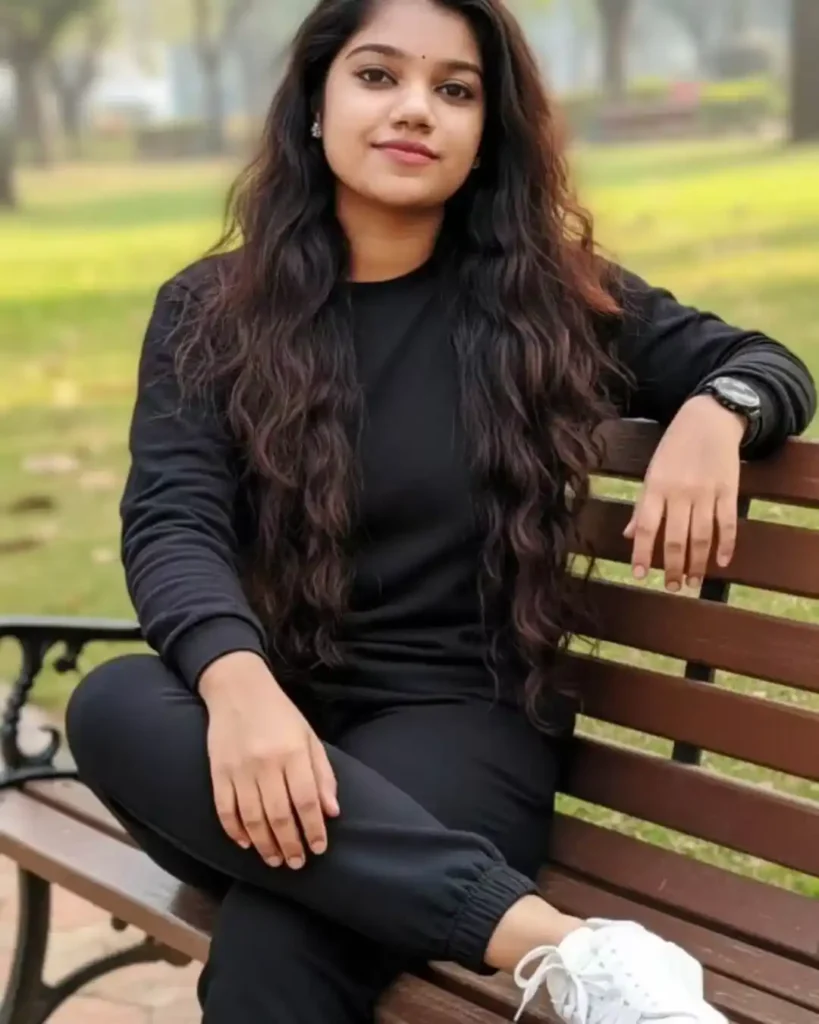
A beautiful young woman with long, voluminous, wavy dark brown hair, sitting casually on a wooden park bench. She is wearing a matching all-black loungewear set consisting of a long-sleeved crewneck top and black jogger pants. She has white sneakers, a black watch, and delicate silver earrings. The background is a soft-focus park setting with green grass and trees, illuminated by natural daylight. Korean casual fashion style, relaxed pose, outdoor portrait. keeping the same original face (100% likeness, no alteration)
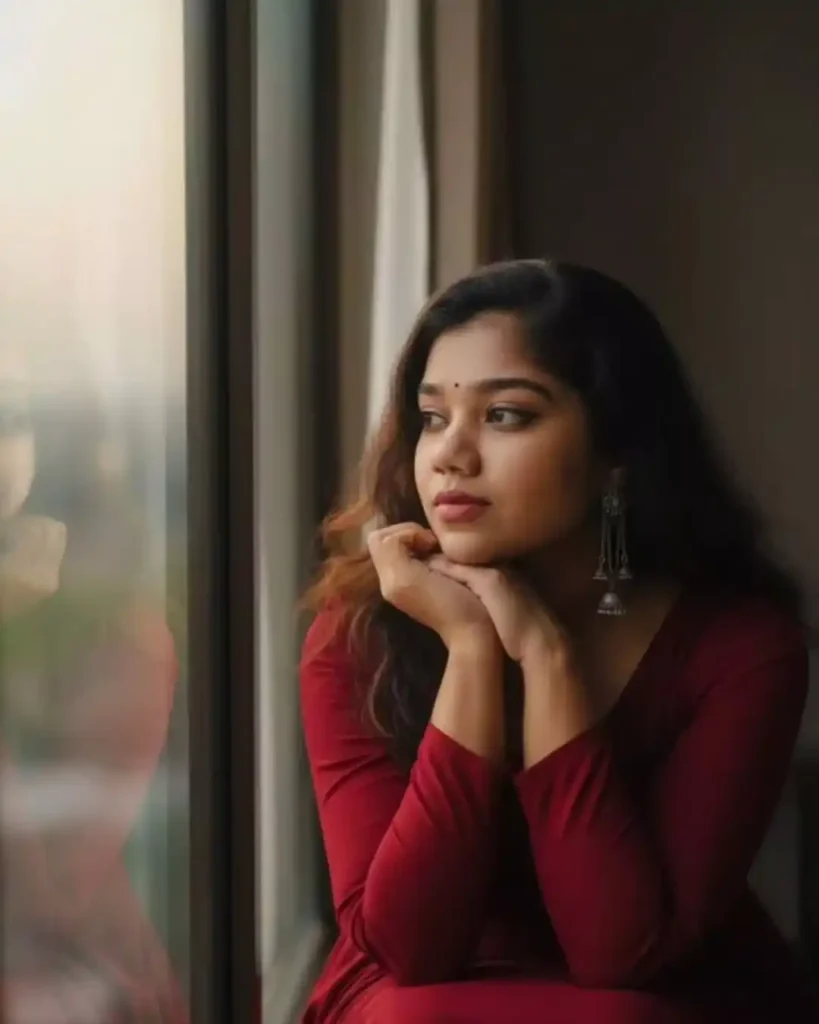
South Asian woman in the uploaded image. Sitting by the windowN, elbows on her knees, chin resting in her hands, gazing into the distance. Dark brown hair with ashen tones flowS softly. Deep red gown with silver earrings. Her expressive eyes and delicate features give hera charming. The background is a blurred, glowing window against the dark. The Scene is serene and contemplative.Use same to same face as given reference pic.
Best Prompt for Photo Editing in ChatGPT for Girls, Women
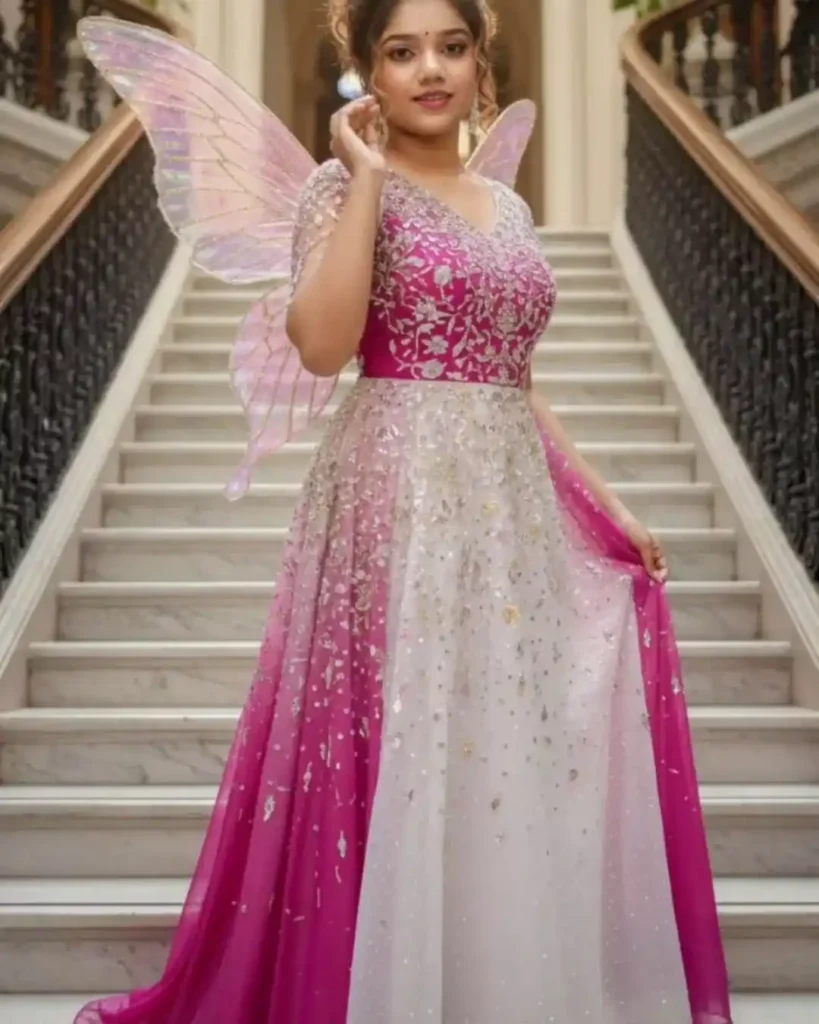
Without changing my facial features Use the uploaded image as reference. Create a hyper realistic portrait image of a young woman with light brown and black wavy hair tied in an ethereal bun. Heels Cute makeup A mesmerizing figure with delicate, shimmering wings is gracefully posed on a grand, ornate marble staircase. The individual looks at the viewer wearing a flowing gown of fushia white adorned with sparkling embellishments that catch the light. Cute smile One hand abjust hairs.
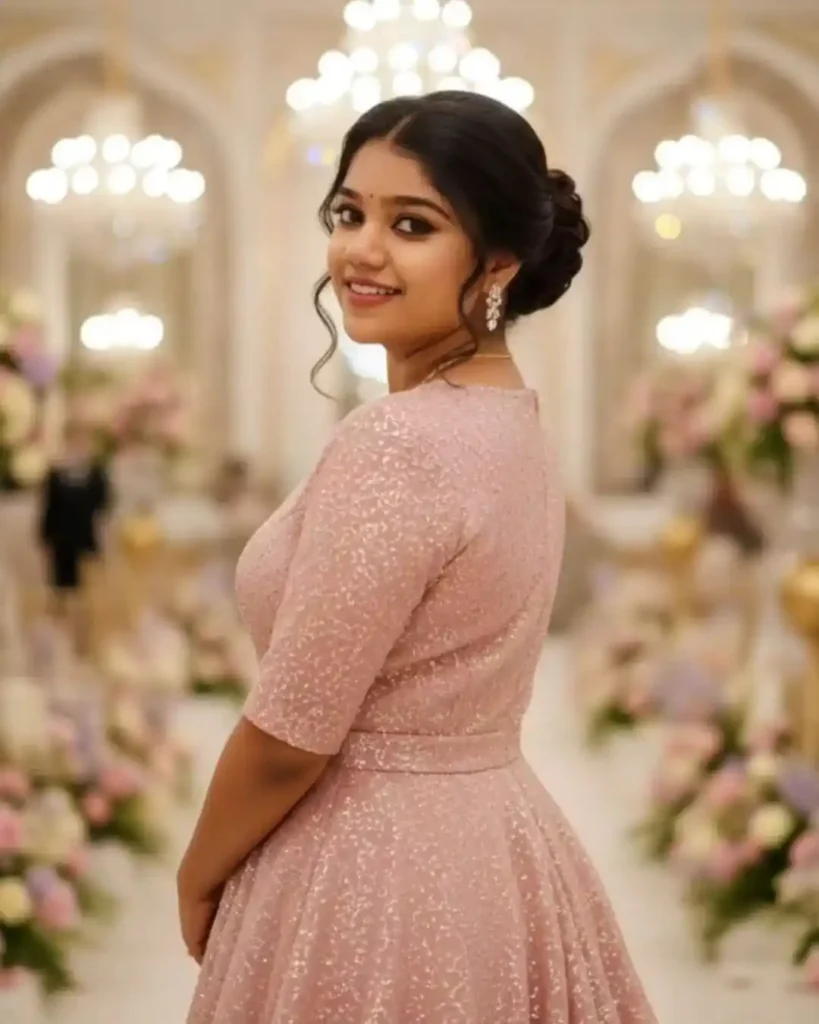
Create this photo A cinematic medium-close-up of the debutante glancing back over her shoulder, smiling gracefully. Her hair is styled in a high elegant bun with soft curls framing her face, perfectly complementing her glittering old rose gown with a flowing train. The chandeliers and pastel flowers in the ballroom create a softly blurred glowing background. Use the real face and body of the celebrant, do not alter her physical appearance, replicate her actual facial features and body shape.
Best Prompt for Photo Editing in ChatGPT for Girls, Women
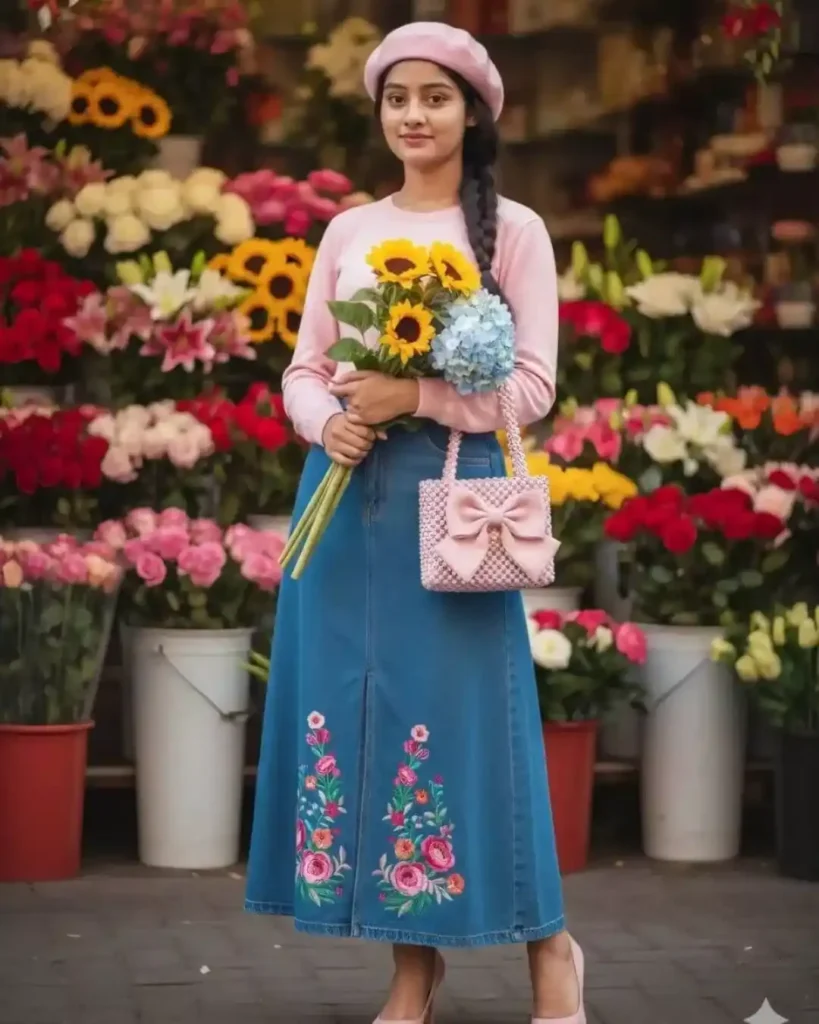
A young woman poses gracefully in front of a busy flower shop, where colorful flowers are beautifully displayed. She wears a pink beret, a soft pink shirt, a long denim skirt with a front slit decorated with colorful floral embroidery, and pink heels. In one hand, she holds a bouquet of yellow sunflowers and blue hydrangeas, while in the other, she holds a pink beaded handbag with a large bow.Use same to same face as given reference pic.
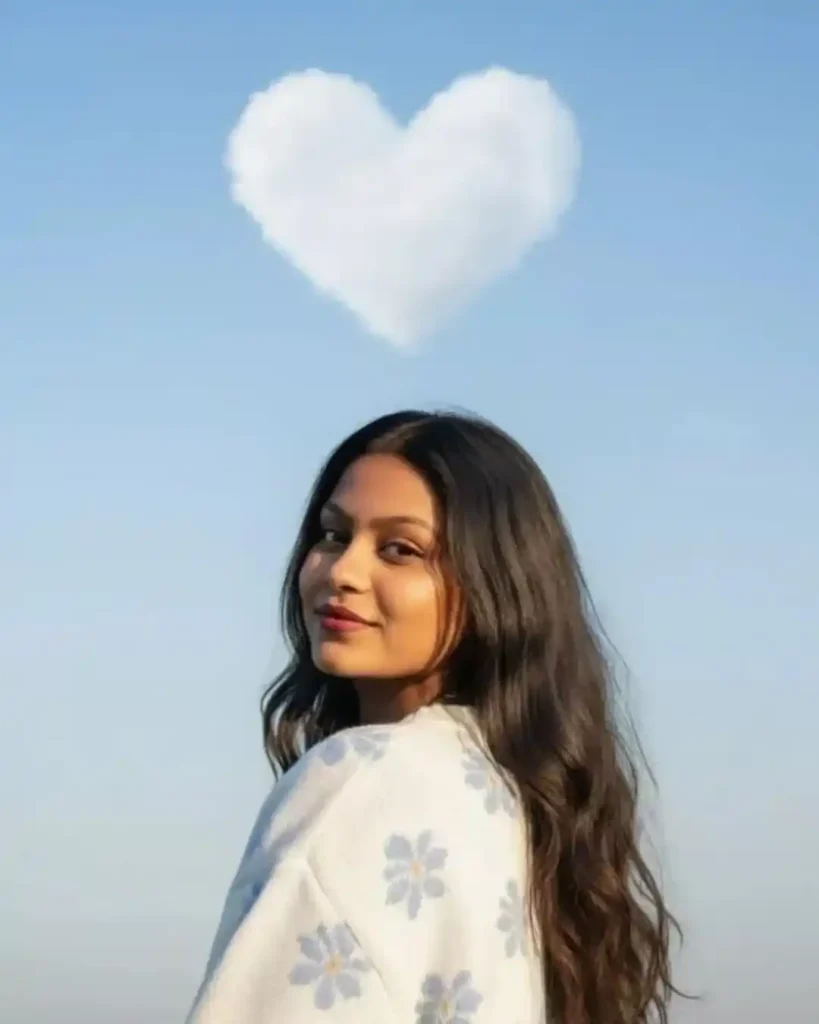
Ultra-realistic, soft lighting, pastel tones, minimal background, high-resolution portrait photography, natural beauty. A beautiful young woman with long wavy dark hair looks over her shoulder, smiling softly under a clear blue sky. She is wearing a cozy white sweater with light blue flower patterns. Above her in the sky, a fluffy white cloud forms the shape of a heart. The lighting is natural and bright, creating a soft, dreamy, romantic atmosphere. The image is clean, aesthetic, and peaceful – like a sunny morning vibe.Use same to same face as given reference pic.