The New Year 2026 is all about celebration, fresh beginnings, and positive vibes. With AI photo editing, you can now turn any normal photo into a festive New Year image that looks stylish and eye-catching. The key to getting the perfect result is using the right Happy New Year 2026 photo editing prompt.
Many people try AI photo editing but fail to get the New Year feel in their images. This happens when the prompt does not include details like fireworks, lighting, colors, or celebration mood. A clear and well-written prompt helps AI understand the exact New Year vibe you want to create.
In this guide, you will find simple and effective Happy New Year 2026 photo editing prompts that are easy to copy and paste. These prompts are perfect for Instagram posts, profile pictures, greeting cards, and New Year celebration photos.
Happy New Year 2026 Photo Editing
Happy New Year 2026! Photo editing is the best way to give your images a fresh, festive, and celebratory look. By using AI photo editing tools, you can easily transform a simple photo into a New Year–themed image with fireworks, glowing lights, stylish outfits, and a joyful mood.
A well-written prompt helps the AI understand the New Year vibe clearly and produce high-quality, realistic results. These edited photos are perfect for Instagram posts, WhatsApp status, greeting cards, and profile pictures to welcome 2026 creatively.
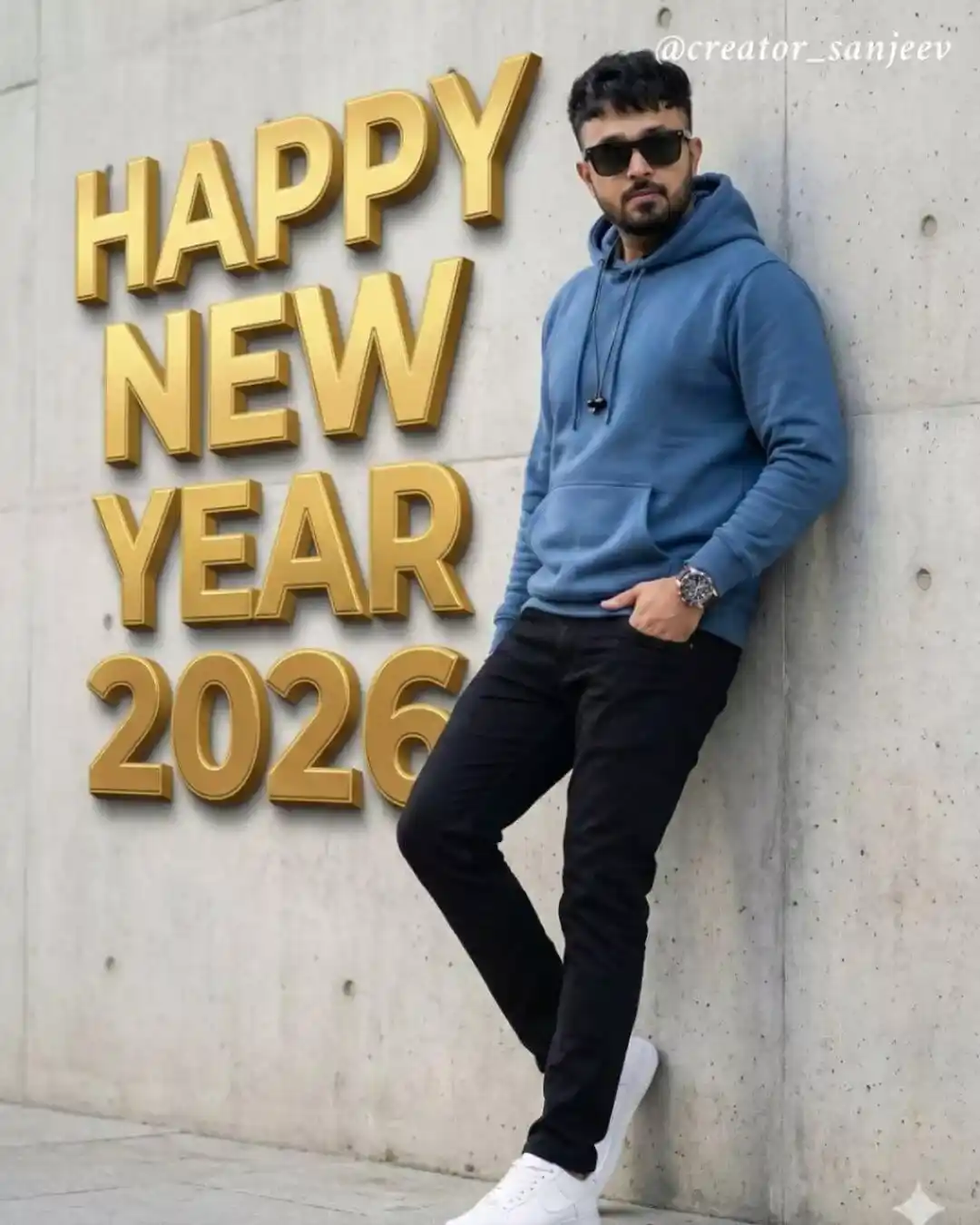
A highly realistic full-body fashion portrait of a man leaning casually against a modern concrete wall. His face and hairstyle must closely match the provided reference imagesharp masculine facial features, vwell-groomed beard, medium skin tone, and samne hair as reference image He is wearing a premium blue hoodie, black slim- fit pants, white sneakers, sunglasses, a wristwatch, and wired earphones, giving a modern urban lifestyle vibe. One hand is in his pocket, relaxed confident posture. Large 3D typography text on the wall reads ‘HAPPY NEW YEAR 2026’ with bold embossed letters and golden highlights, casting realistic shadows on the wall. Soft natural daylight, |realistic shadows, cinematic lighting, ultra-detailed textures, sharp focus, DSLR photography quality, high realism, fashion editorial style, 8K photorealism.
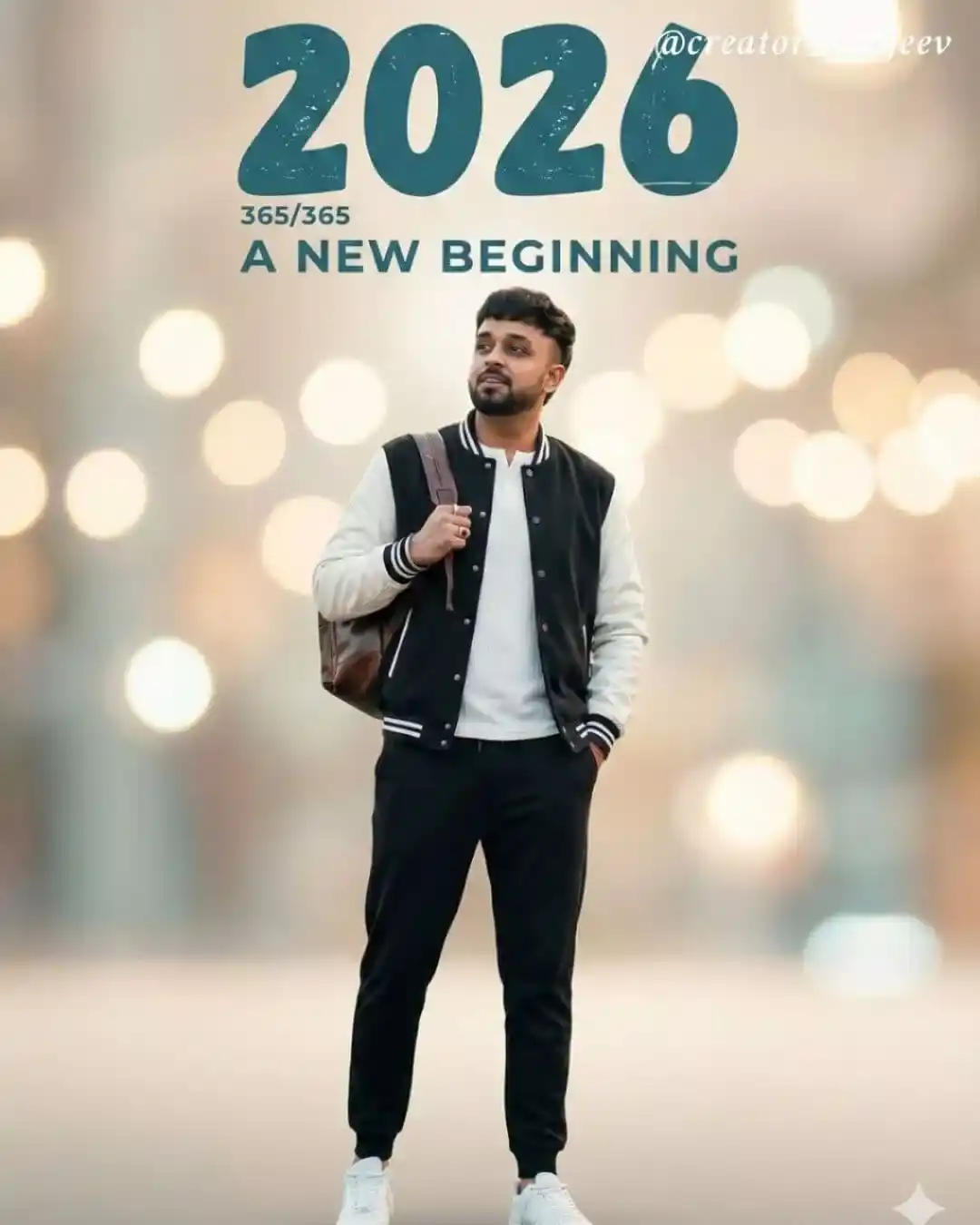
A cinematic portrait of a stylish man, standing one hand in his pocket and the other holding the strap of his backpack, looking slightly upward as if embracing new possibilities. Wears varsityjacket, white Tee, tapered black joggers, and clean white sneakers. Above him, large stylized text reads: “2026” in a bold, slightly distressed teal font, with smaler text below: “365/365” and “A NEW BEGINNING”. Cinematic photography style, highly detailed, soft lighting, dreamy atmosphere, New Year theme
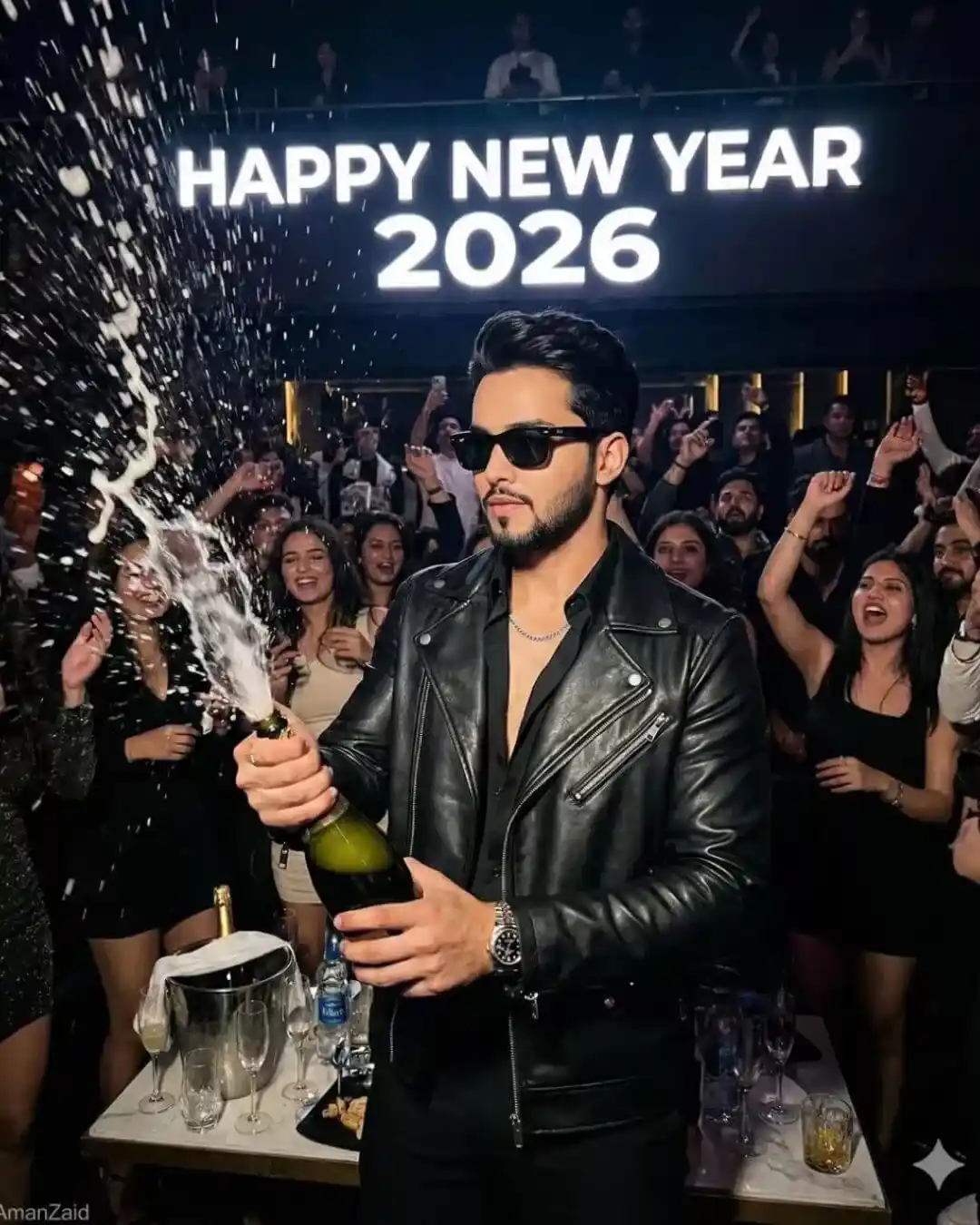
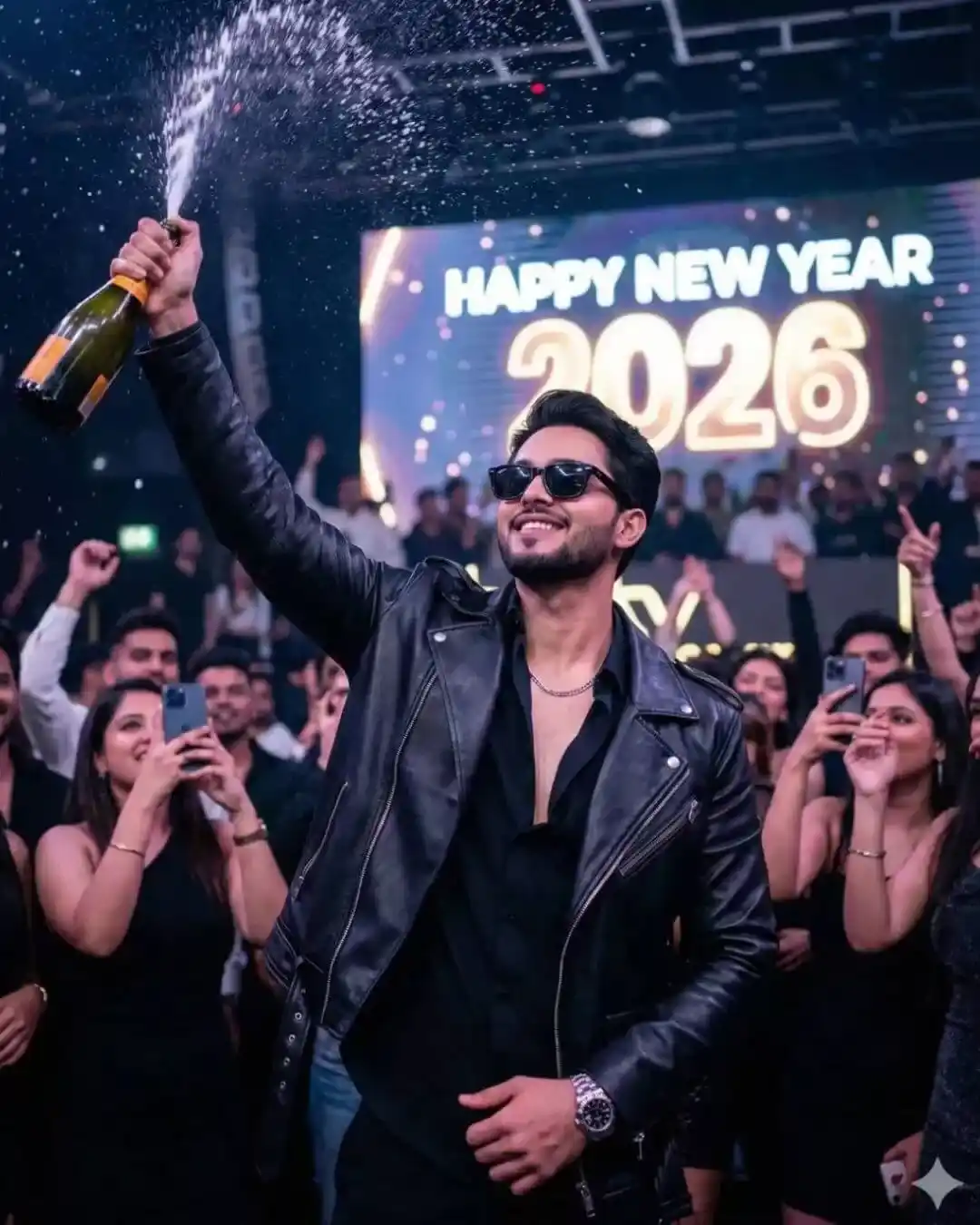
Ultra-realistic high-quality iPhone night photo of a New Year celebration inside aluxury night club, shot handheld on an iPhone (iPhone 14/15 Pro style). Subject & Attitude Pose: A confident young man standing at a VIP table, one foot slightly forward, upper body relaxedbut dominant, one hand popping a champagne bottle mid-air, champagne splash frozen naturally, strong attitude, effortless confidence, natural main-character presence. Outfit (UPDATED – ONLY CHANGE): Premium black leather biker jacket, realistic leather texture with natural shine and creases. Underneath: black formal shirt with top two buttons open, classy chest exposure. Black formal pants, tailored fit. Black stylish sunglasses worn indoors. Luxury Rolex watch on wrist, realistic metal shine. Silver chain around the neck, subtle and premium. Environment (REALISTIC CLUB-IMPORTANT): High-end night club interior, real people in background (men and women), realistic human faces and bodies, natural crowd expressions.
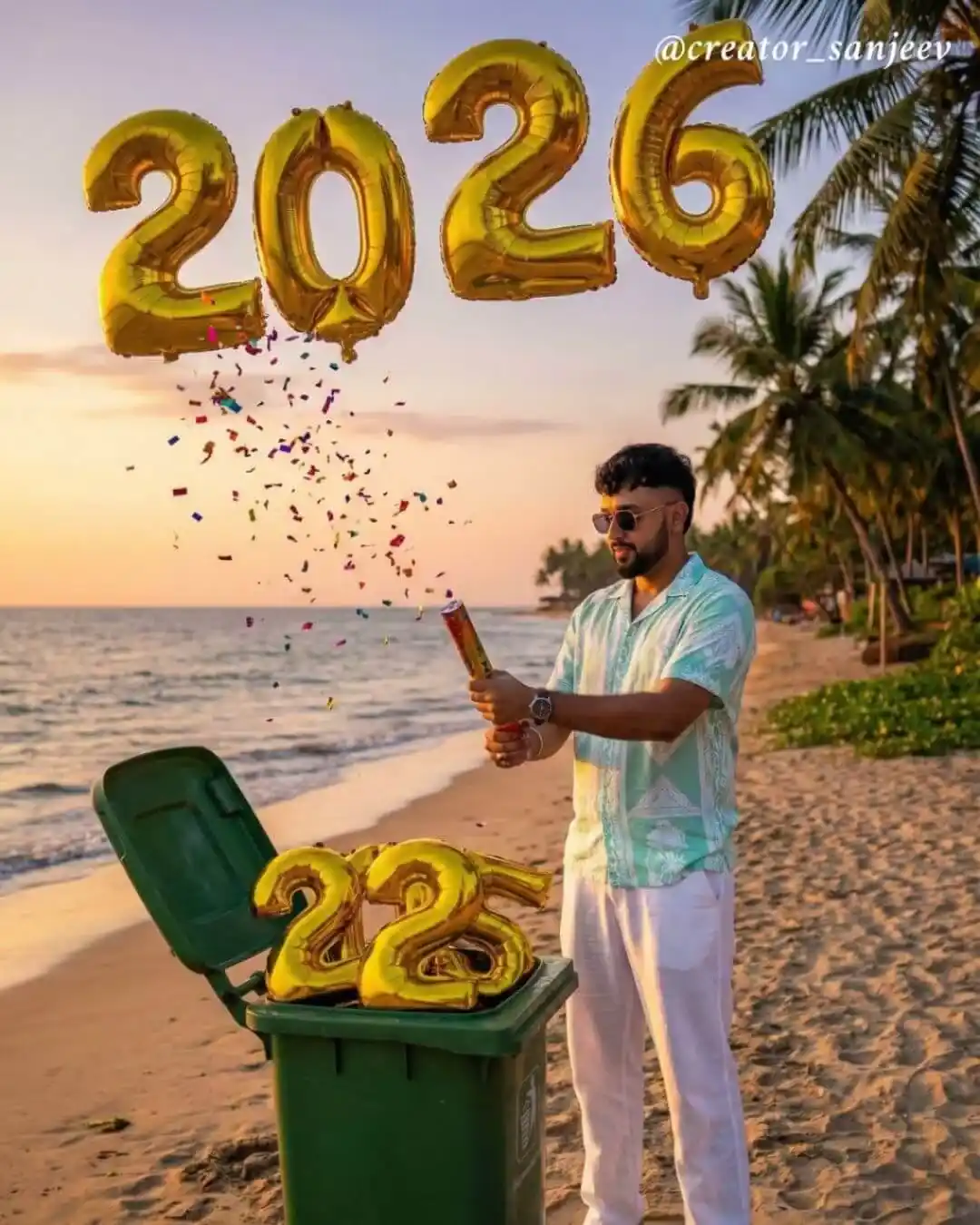
A highly realistic cinematic scene of a mnan standing on a tropical beach during golden hour. His face and hairstyle must closely match the provided reference image same sharp facial features, well-groomed beard, medium skin tone, and same hair as reference image with clean sides. He is wearing a mint-green and white casual shirt, white trousers, white sneakers, Sunglasses, and a wristwatch. The man is holding a party popper, releasing colorful confetti into the air. In front of him is a green trash bin with its lid open, symbolically throwing away golden 2025′ balloon numbers, while large golden 2026′ foil balloons float above in the sky. Palm trees, ocean waves, and a warm sunset sky in the background create a celebratory New Year transition vibe. Ultra-realistic lighting, natural shadows, cinematic color grading, sharp focus, realistic textures, DSLR photography quality, 8K photorealism, vibrant yet natural colors
Happy New Year Photo Editing 2026
Happy New Year Photo Editing 2026 allows you to create eye-catching and festive images that reflect celebration, joy, and a fresh start. With the help of AI photo editing, you can enhance your photos using New Year elements like fireworks, glowing lights, elegant outfits, and vibrant colors.
A clear and detailed prompt helps the AI generate realistic and high-quality New Year images. These edited photos are ideal for social media posts, profile pictures, banners, and digital greeting cards to welcome 2026 in a creative way.
Ultra-realistic high-quality iPhone night photo of a New Year celebration inside a luxury night club. Image size: 1664×2080 pixels, portrait orientation (4:5 aspect ratio). Subject & CHAMPAGNE CELEBRATION POSE (KEY): A confident young man captured in a powerful celebration moment, standing tall with chest forward, one arm raised high spraying champagne upward, champagne droplets frozen mid-air realistically, head slightly tilted back, confident smile or calm victorious expression, champion / winner attitude, strong dominance energy, natural candid celebration pose. Outfit & Accessories: Premium black leather biker jacket, realistic leather texture with natural creases and shine. Underneath: black formal shirt with top two buttons open, classy chest exposure. Black formal pants, tailored fit. Black stylish sunglasses worn indoors. Luxury Rolex watch clearly visible on wrist. Silver chain around neck with subtle realistic shine. Environment (REALISTIC NIGHT CLUB CROWD – IMPORTANT)
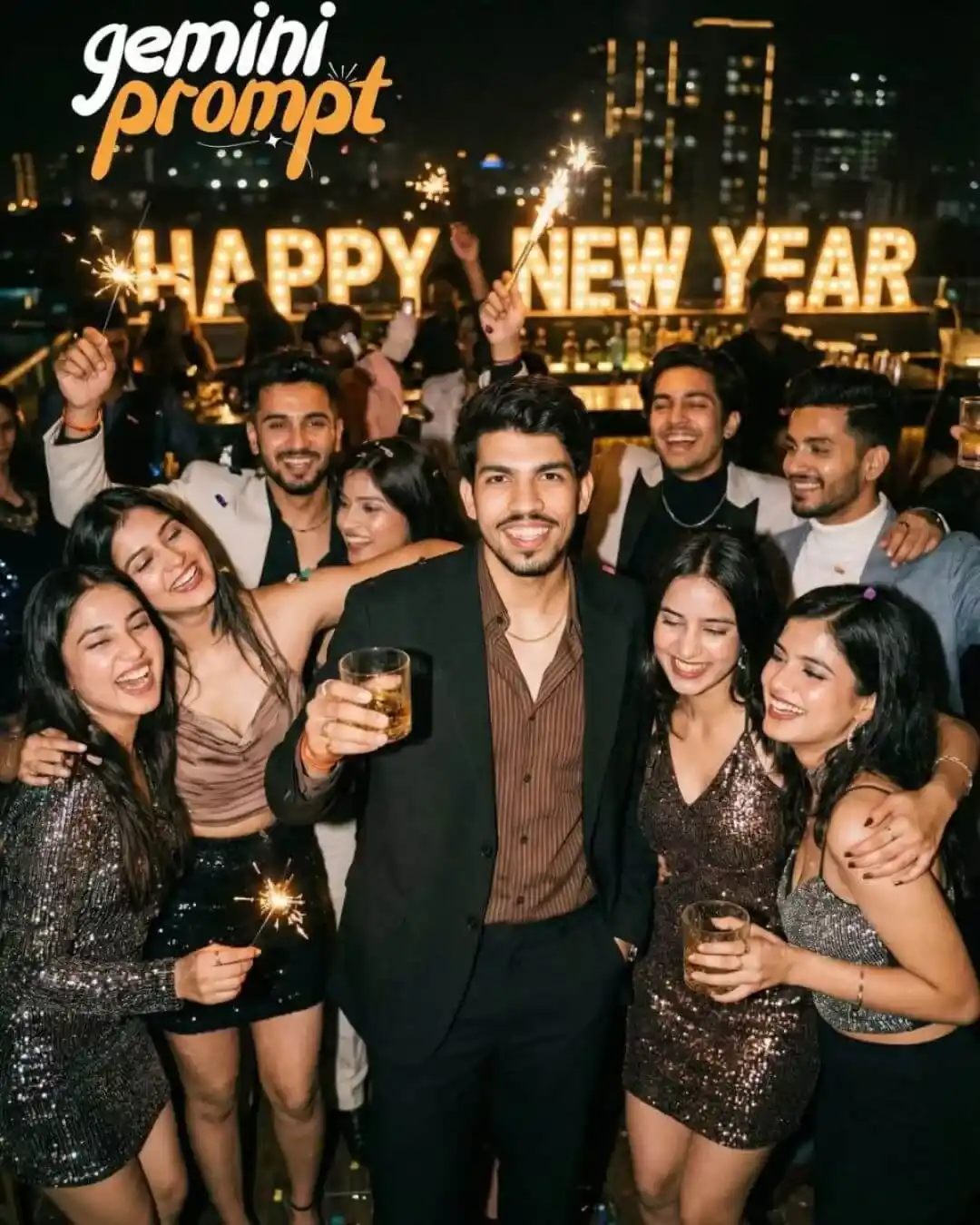
A candid, realistic photograph of a diverse group of friends, including aesthetic young women and men, celebrating loudly on a crowded rooftop bar at night. The main man (based on the reference photo’s face, hair, and beard) is in the center, looking directly at the camera with a natural, genuine smile, holding a glass of drink. He is wearing a relaxed dark black suit jacket, a brown striped button-down shirt, and a visible thin gold chain. He is surrounded by female friends in stylish, cute aesthetic party outfits (sequined dresses, fashionable tops) and other male friends, all laughing, hugging, and holding up lit sparklers and drinks. In the background, there are blurred city lights and large, glowing “HAPPY NEW YEAR”lights. The atmosphere is joyful and chaotic. Natural night lighting with warm glow from sparklers, authentic film grain texture, 8k resolution. — ar 3:4
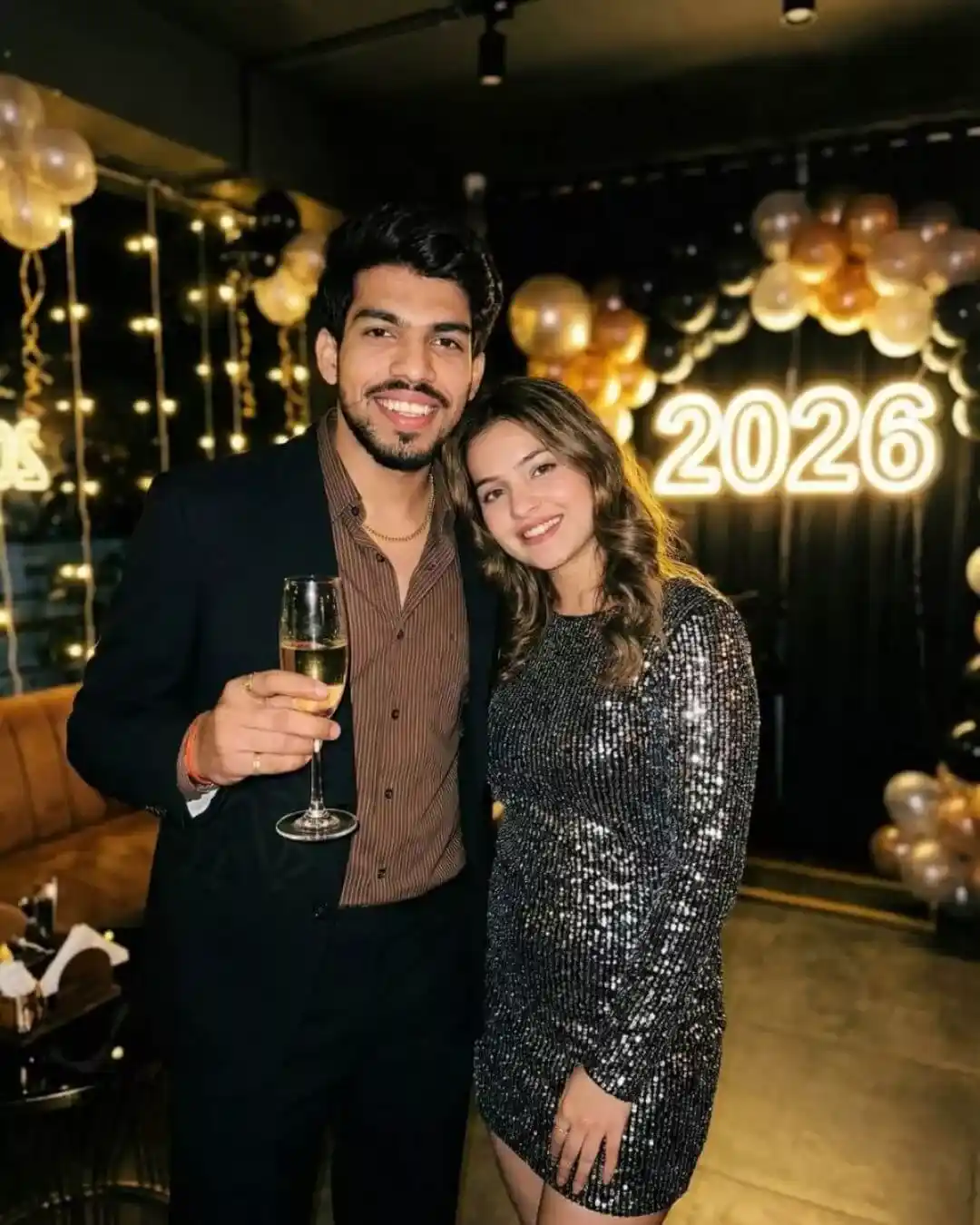
A natural, slightly gritty portrait of a stylish couple inside a dimly lit, upscale party lounge. The man (based on reference features/expression) holds up a glass of champagne and smiles directly at the camera, wearing the specific relaxed dark black suit, brown striped shirt, and gold chain outfit from the reference image. Standing closely next to him is an aesthetic young woman looking like his girlfriend, dressed in a cute, sparkly sequined New Year’s party dress, smiling warmly and leaning slightly against him. Behind them, blurred string lights and a glowing “2026” sign create a strong festive vibe. The photo is sharp, highly detailed, and feels candid, not staged. 8k quality. –ar 3:4
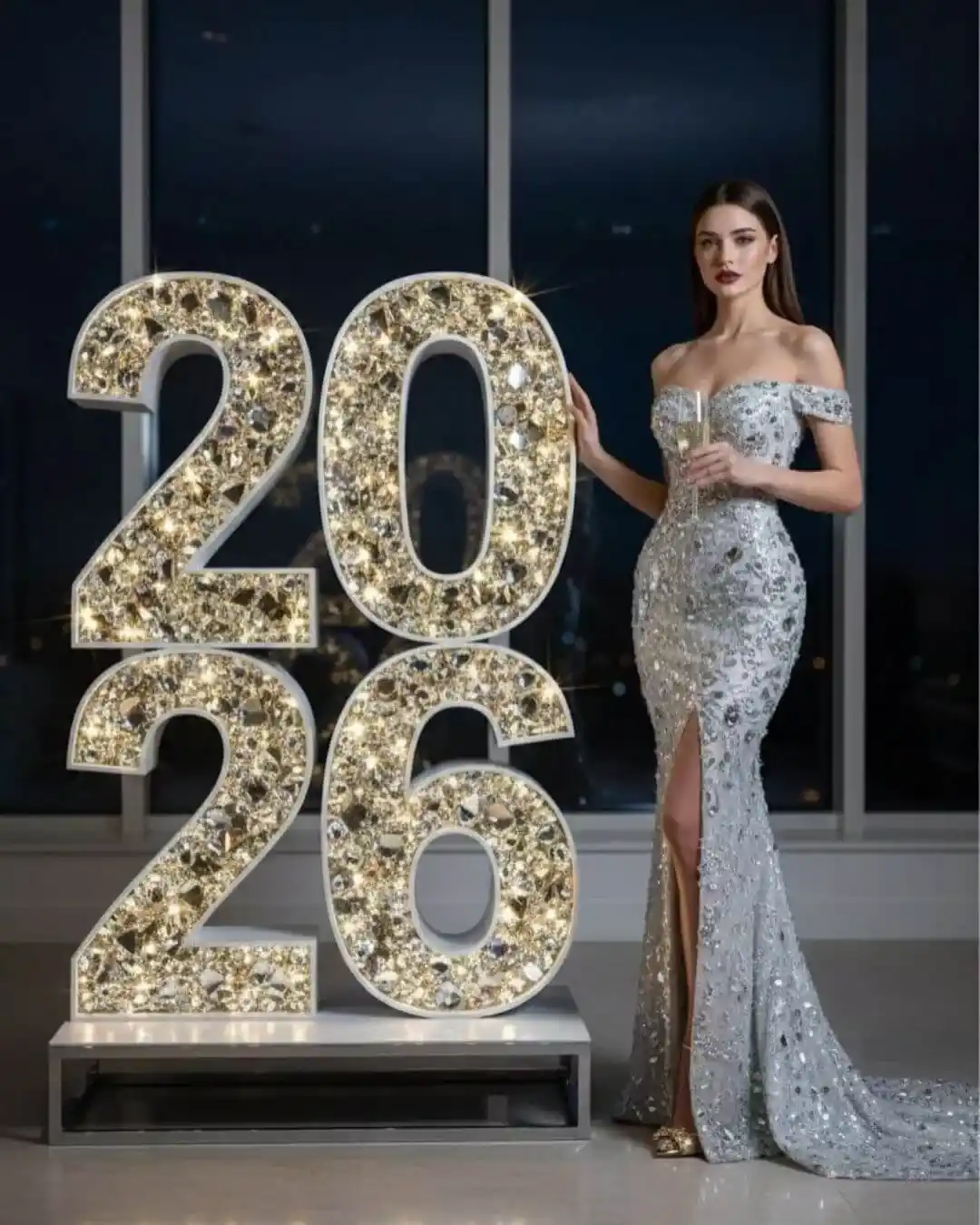
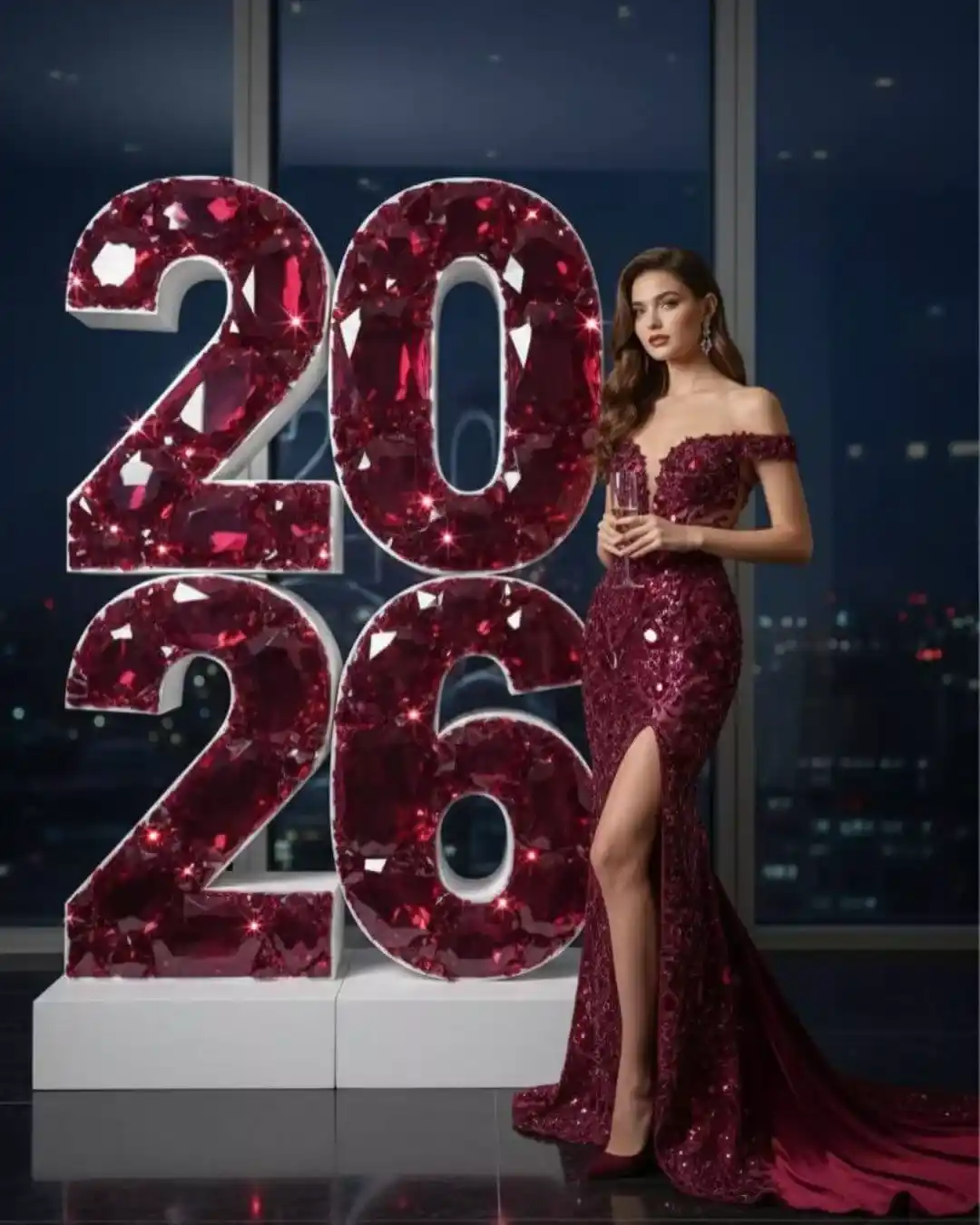
Here is a clean, precise English prompt, optimized for ultra-realistic image generation and strictly respecting the number and placement of the digits Ultra-realistic, high-fashion image. Do not change my facial features or identity. I must look exactly like the woman in the reference photo, a perfect one-to-one likeness. l am standing next to four large sparkling numbers only: •Two digits “26” placed on the foor on a stand •Two digits “20” positioned on top of the “26” ANo additional numbers. Exactly four digits total. All numbers are made of crystals, Swarovski stones, and faceted glass, reflecting light and creating luxurious, expensive, radiant highlights. The scene is shot in an evening setting, with a dark night sky background, soft ambient lighting, and a festive New Year’s Eve atmosphere- elegant, celebratory, and luxurious, My body is tall and elongated, with a feminine, confident pose: •One hand gently holding the upper part of the”6° •The other hand elegantly holding a champagne glass I am wearing a long, form-fitting gown with a train, richly embroidered with large crystal stores and glass sequins. The dress sparkles with hundreds of golden reflections, emphasizing my silhouette. •High slit on the leg Gold high-heel shoes |•Fabric hugs the waist and fows dowmward in soft. graceful waves •Color: golden-icy tone with a mirror-like shine Lighting is soft yet high-contrast: •Cool white light accentuates the sparkle of the dress andcrystal numbers |•Refections are vsible on the glossy floor Hair is perfectly styled – long, smooth, glossy, falling over the shoulders. Lips are a deep, elegant burgundy shade. Facial expression is relaxed, confident, and composed. Quality & Style: •8K resolution •Ultra-realism •Hyper-detailed skin, hair, fabric, and reflections oHigh-precision fashion render •Light and sparkle must appear MakcuManbHO natural and realistic Atmosphere: luxurious, expensive, glamorous, festive New Year’s night.
Happy New Year 2026 Photo Editing Free
Happy New Year 2026, photo editing free options make it easy for anyone to create festive and stylish New Year images without spending money. Using free AI photo editing tools, you can add New Year elements like fireworks, bright lights, colorful backgrounds, and a joyful celebration mood to your photos.
A properly written prompt helps the AI deliver high-quality and realistic results even with free tools. These edited images are perfect for Instagram, WhatsApp status, Facebook posts, and New Year greeting cards to celebrate 2026 creatively.
Here is a clean, precise English prompt, optimized for ultra-realistic image generation and strictly respecting the number and placement of the digits Ultra-realistic, high-fashion image. Do not change my facial features or identity. I must look exactly like the woman in the reference photo, a perfect one-to-one likeness. I am standing next to four large sparkling numbers only: •Two digits “26” placed on the floor on a stand •Two digits “20” positioned on top of the “26” ANo additional numbers. Exactly four digits total. All numbers are made of crystals, Swarovski stones, and faceted glass, reflecting light and creating luxurious, expensive, radiant highlights. The scene is shot in an evening setting, with a dark night sky background, soft ambient lighting, and a festive New Year’s Eve atmosphere- elegant, celebratory, and luxurious. My body is tall and elongated, with a feminine, confident pose: •One hand gently holding the upper part of the “6 •The other hand elegantly holding a champagne glass lam wearing a long, form-fitting gown with a train, richly embroidered with large crystal stones and glass sequins. The dress sparkles with hundreds of golden reflections, emphasizing my silhouette. •High slit on the leg •Gold high-heel shoes •Fabric hugs the waist and flows downward in soft, graceful waves •Color: golden-icy tone with a mirror-like shine Lighting is soft yet high-contrast: •Cool white light accentuates the sparkle of the dress andrystal numbers •Reflections are visible on the glossy floor Hair is perfectly styled – long, smooth, glossy, falling over the shoulders. Lips are a deep, elegant burgundy shade. Facial expression is relaxed, confident, and composed. Quality & Style: •8K resolution •Ultra-realism •Hyper-detailed skin, hair, fabric, and reflections 、High-precision fashion render •Light and sparkle must appear MakcuManbHO natural and realistic Atmosphere: luxurious, expensive, glamorous, festive New Year’s night.
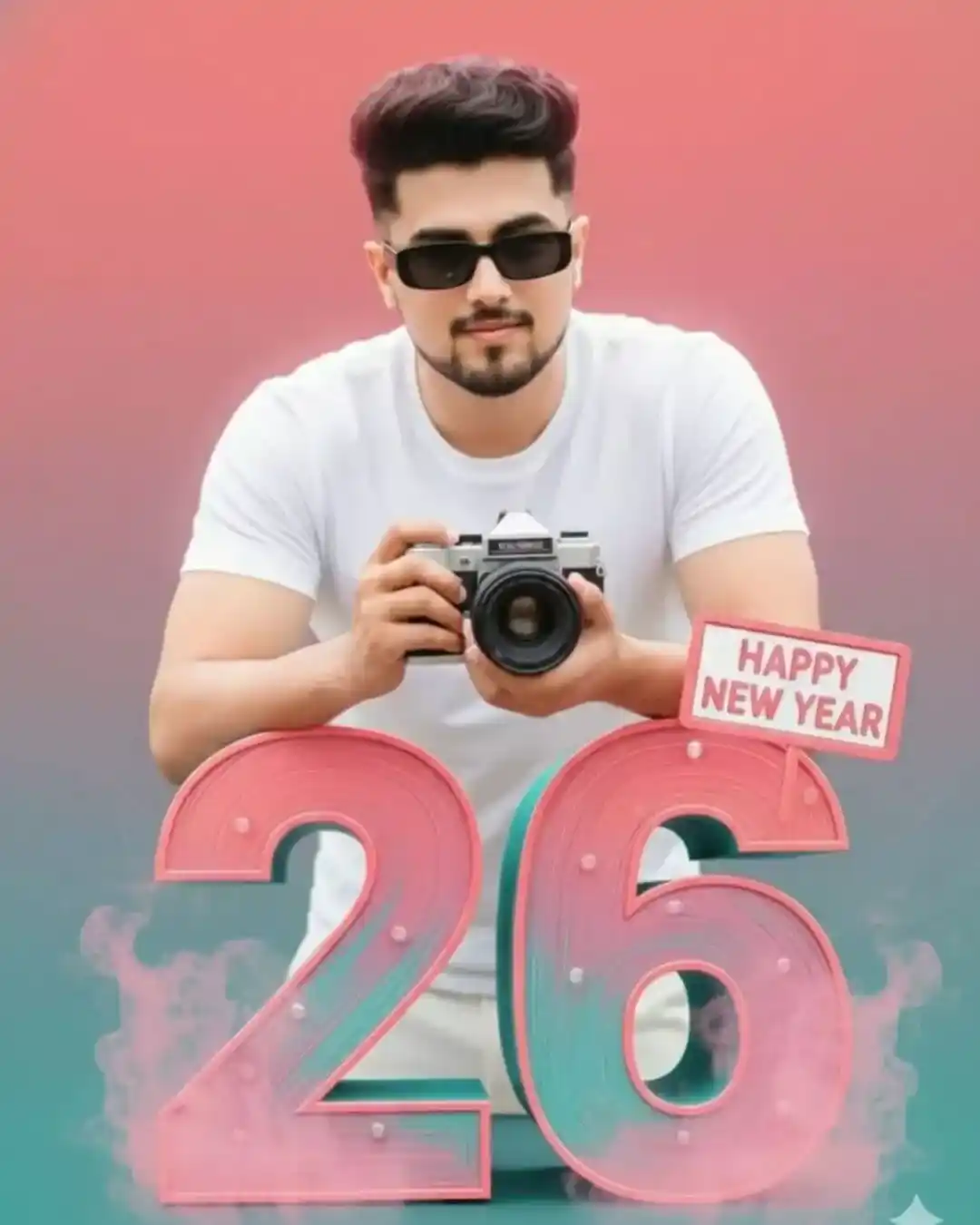
A with medium-length, and, wearing rimless rectangular black sunglasses and a white short-sleeve shirt. He is softly while holding a vintage DSLR camera in his hand. The man is leaning casually ona small happy new year large 3D number “26” rendered in pink and teal tones. The background features a smooth gradient of APPY warm pink, coral, and teal colors with a EAR soft cinematic glow. The lighting is bright and vibrant, giving the scene a modern poster-like aesthetic. Add subtle smoke/mist at the, I need this prompt picture, 100% my face same
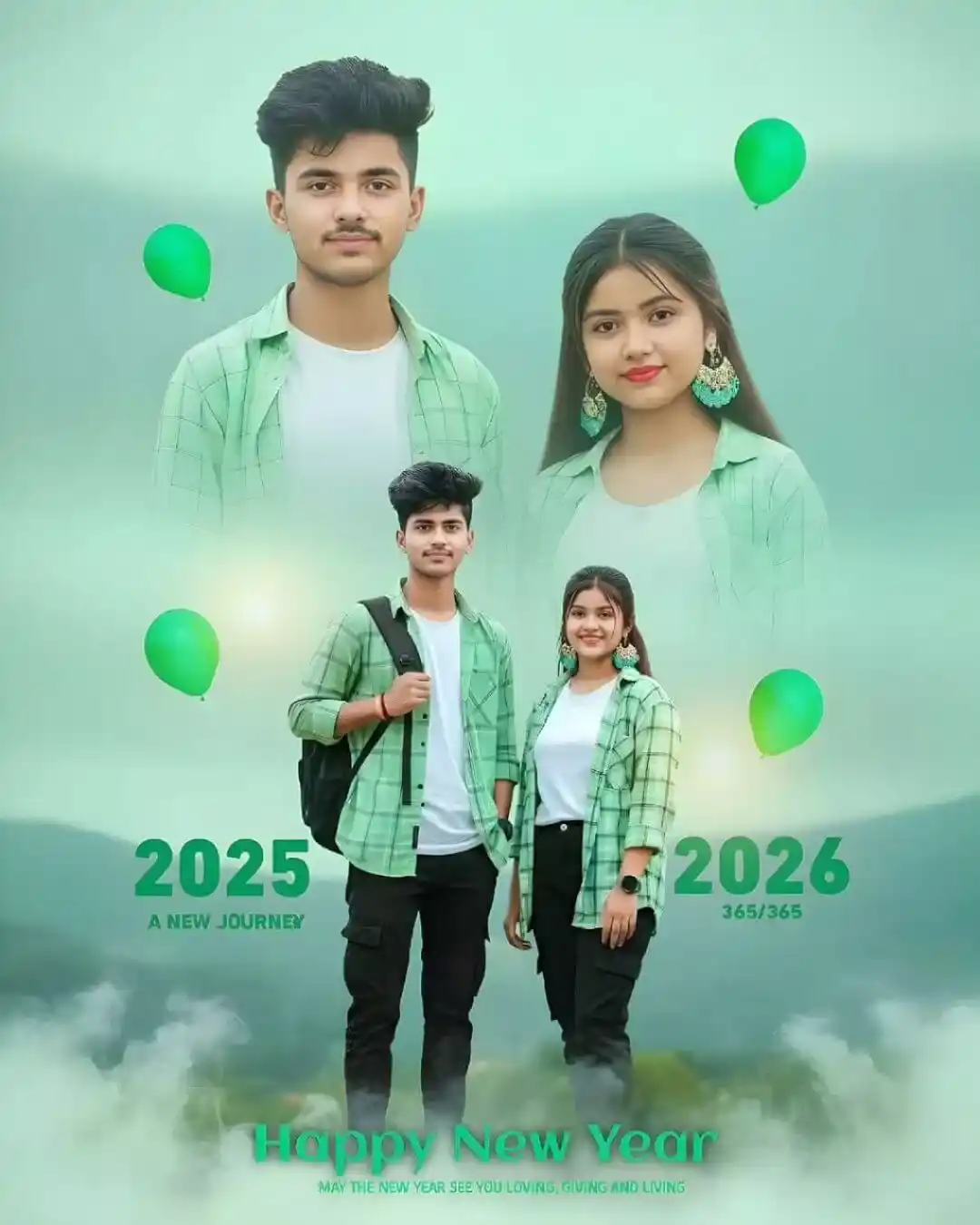
Create an ultra-realistic cinematic double exposure photo of a couple for Happy New Year 2026, using the uploaded selfie as a 100% face reference. The background should be a hazy light green sky with blurred mountains and trees. In the sky, there should be a slightly blurred half-body portrait of the couple, with both faces perfectly matching the uploaded photo. They should both be looking at the camera with slight smiles and wearing matching light green checkered shirts over white t-shirts (no bags). In the foreground, the full-body couple should be wearing white t-shirts, open green checkered shirts, black cargo pants, and shoes. Behind them, there should be bold cyan “2026” text, slightly blurred, with “A New Journey” written below it. “HAPPY NEW YEAR” should be written near their shoes. There should be cinematic smoke at the bottom, and only cyan balloons placed to the left, right, and near their shoulders, matching the scene’s lighting. The image should have professional color grading
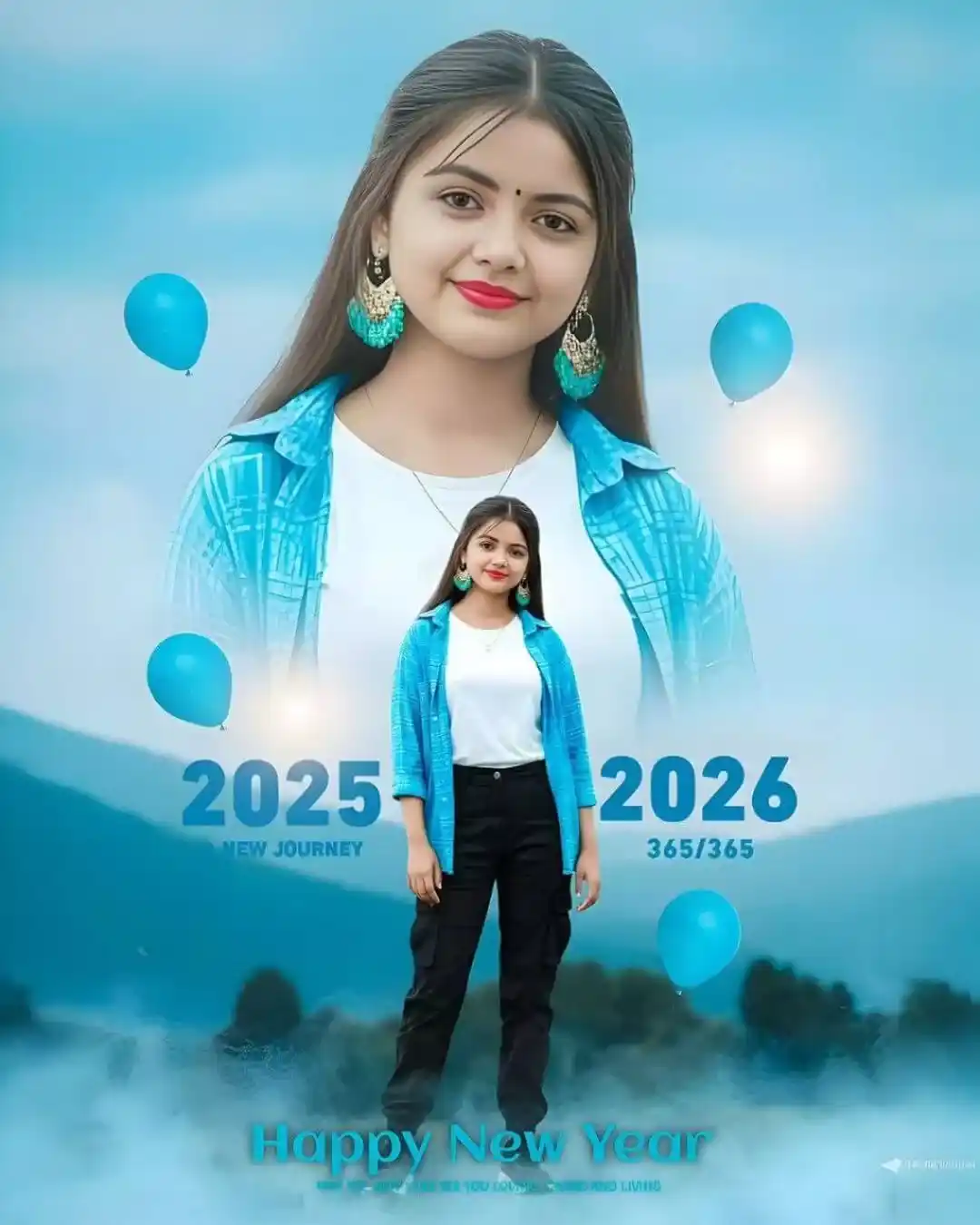
Create an ultra-realistic, cinematic Happy New Year 2026 double-exposure poster using the uploaded selfie as a 100% face reference. Use a hazy light-blue sky background with softly blurred mountains and trees. In the sky, add a faint, slightly blurry half-body portrait of the same girl wearing a light-blue checkered shirt over a white t-shirt (no bag), looking at the camera with a gentle smile. In the foreground, show a perfectly straight full-body image of the same girl wearing a white t-shirt, open blue checkered shirt, black cargo pants, and shoes, holding a black bag on her back with one hand and the other hand in her pocket. Both faces must exactly match the uploaded photo. Place bold cyan “2025-2026”text behind the full-body image, “A New Journey”below it, and “Happy New Year” near the shoes. Add cinematic smoke at the bottom, only cyan balloons around the sides and shoulders, matched lighting, professional color grading, a premium cinematic look, and no duplicate clothing.
Happy New Year 2026! Photo editing is a simple and creative way to turn normal photos into festive and eye-catching New Year images. By using the right AI tools and a clear, well-written prompt, you can easily add New Year vibes like fireworks, glowing lights, and a joyful celebration mood to your photos.
Whether you are creating images for social media, profile pictures, greeting cards, or personal memories, AI photo editing helps you get professional-looking results in minutes. Keep your prompts simple, specific, and focused on the New Year theme to get the best output and celebrate 2026 uniquely and stylishly.
How to Use Prompt
Step 1: Open Gemini or ChatGPT
Go to the official Gemini or ChatGPT website Or open the Gemini or ChatGPT app on your phone Sign in with your Google account
Step 2: Upload Your Photo
Click on the “+” (upload icon) Select the photo you want to edit Wait for the image to upload
Step 3: Write a Clear Prompt
Now type or paste your photo-editing prompt in the chat box.
Step 4: Generate & Wait
Click the send/generate button Gemini or ChatGPT will process your prompt Wait a few seconds for the generated image.
Step 5: Download the Image
Once satisfied, download your edited photo Use it for Instagram, WhatsApp, or Facebook posts