The Dhurandhar movie style is gaining attention for its intense mood, strong characters, and cinematic visuals. Many creators now want to recreate this powerful movie look using AI. For that, writing the right Dhurandhar movie prompt is very important.
If your AI images do not look dramatic or cinematic enough, the problem is usually the prompt. Small details like lighting, camera angle, facial expressions, and background play a big role. A well-written prompt helps the AI generate images that truly feel like a movie scene.
In this article, you will find simple and effective Dhurandhar movie prompts that you can copy and paste. These prompts are perfect for creating cinematic posters, character portraits, and dramatic scenes inspired by the Dhurandhar movie style.
Dhurandhar Movie Prompt List
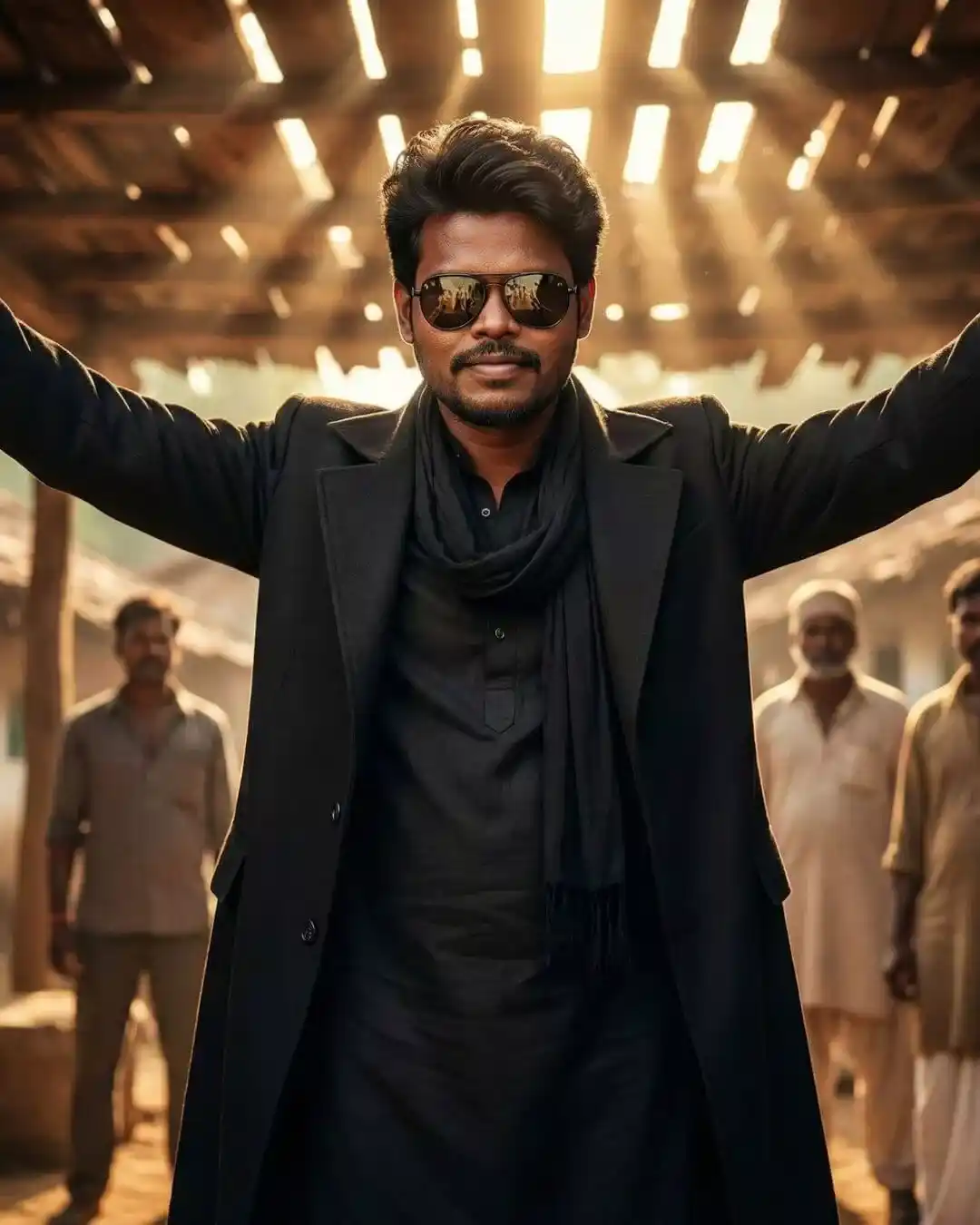
Create an ultra-realistic cinematic portrait using the reference image for the face with l00% accurate matching – same facial structure, skin tone, lighting, beard texture, and natural details. No smoothing, no changes, no alterations. The face must look exactly like the reference photo. Pose & Expression: • Exact same pose: arms lifted outward in a confident, power stance. • Slight head tilt with a cool, composed attitude. •Subtle confident smile, same expression as the reference. •Hair must match exactly: voluminous side-swept style with front strands. Outfit: • Full black outfit- long black coat, black kurta, black scarf. Same angle of sunglasses and reflection style. • Maintain all accessories exactly as they appear. Background & Lighting: • Same rustic, cinematic village setting. • Warm sunlight streaks coming through the wooden ceiling above. • Depth with three men standing behind the subject – blurred slightly but clearly present. • Maintain the same dramatic golden-light atmosphere. Overall Cinematic Style: Powerful hero-entry vibe. Sharp, high-contrast, ultra-realistic details. The background is lightly blurred to keep full focus on the subject. 100% accurate face from the reference image; only pose and environment follow the description.<
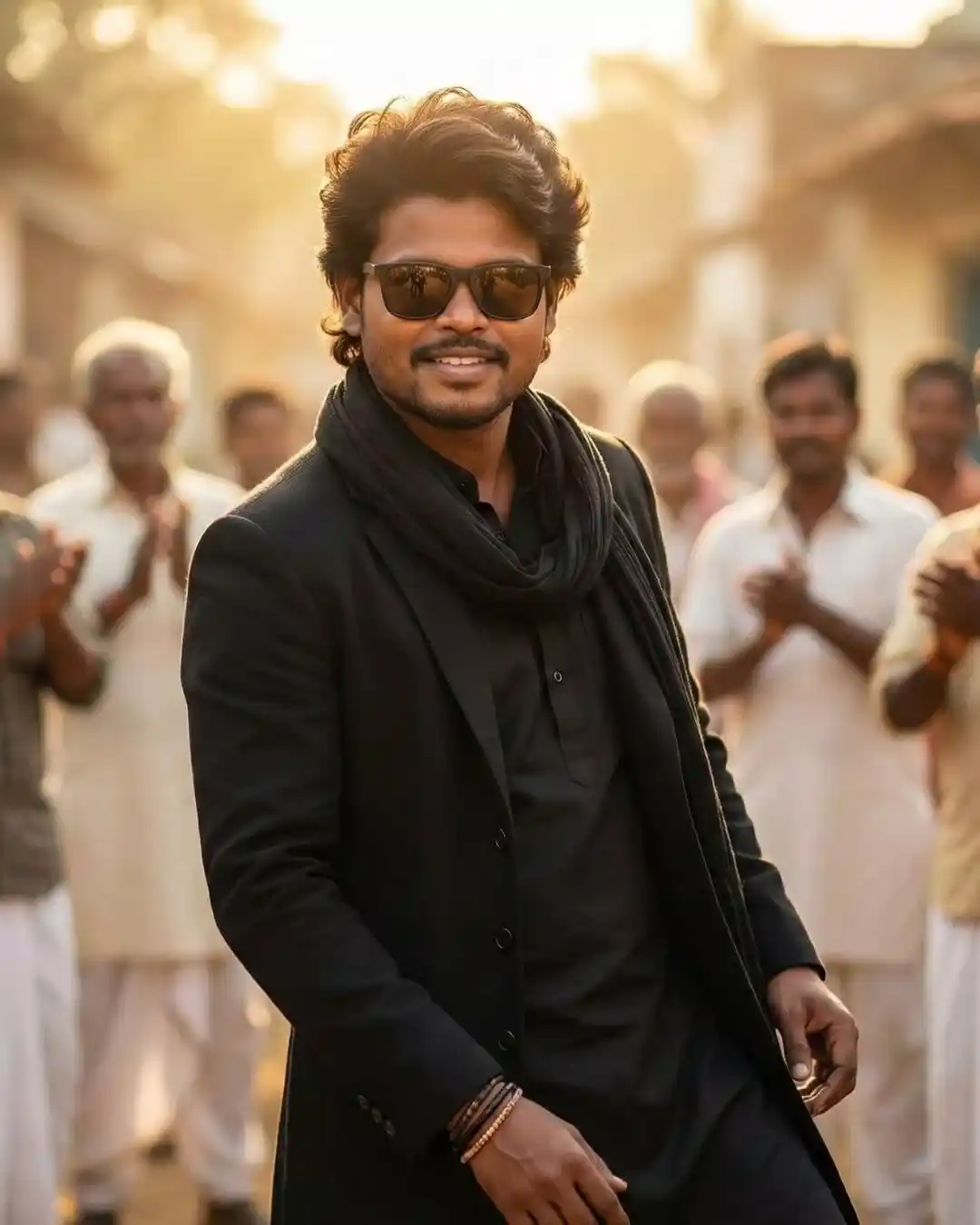
Create an ultra-realistic cinematic portrait of a young man using the reference image for the face with 100% perfect matching – same facial structure, skin tone, texture, lighting, beard details, and expression. No changes to the face at all. Pose & Expression: • Exact same dance-style pose with both hands lowered in front, relaxed but confident. • Natural smile with attitude and charm. • Slight forward lean, showing swag and friendliness. • Hair must match exactly: voluminous, soft-wavy front with side lift. Outfit: •Full black outfit – long black coat, black kurta, and black scarf. • Same bracelets on the wrist. • Black sunglasses match the exact angle and reflection style. Background & Lighting: • Warm golden sunlight from behind, creating a soft halo and cinematic glow. •Village-style background with blurred men standing and clapping. •Gentle depth-of-field effect so the subject stays sharply in focus. •Bright, sunny, celebratory atmosphere. Overall Style: Ultra-realistic, high contrast, cinematic hero vibe. Warm colors, smooth bokeh, dramatic highlights. The face must look EXACTLY like the reference image (100% match) – only pose, lighting, and scene follow the description.
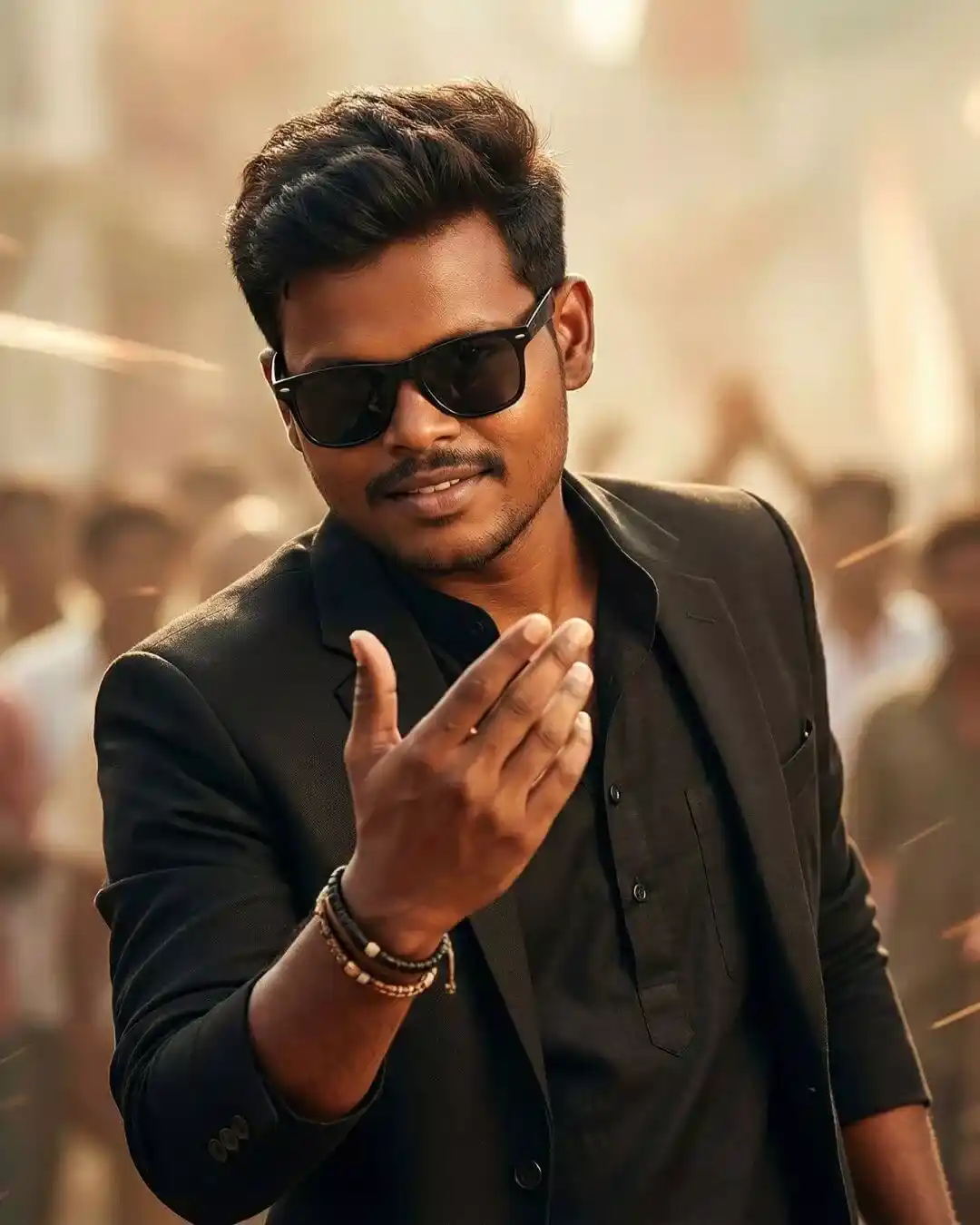
Create an ultra-realistic cinematic Asian portrait of a young man using the reference image for the face with 100% accurate matching same facial structure, same skin tone, same lighting, same texture, no alterations, and no Al-smoothing. The final result must perfectly preserve the reference face exactly as it is. Pose & Body: • Exact same hand gesture: one hand raised forward in a stylish, inviting, confident motion. • Slight forward lean with a swag/attitude posture. • Same hairstyle: soft, voluminous, slightly messy front strands falling over the forehead. •Confident, subtle smile with attitude. Outfit: •Black blazer, black inner outfit (kurta/pants style), full monochrome look. • Same bracelets on the wrist. •Black sunglasses in the same angle and style. Background: •Cinematic soft-depth background with warm tones. •Light streaks and a blurred crowd behind, keeping focus on the subject. •Smooth bokeh, natural highlights. Overall Style: Ultra-realistic, cinematic, sharp, stylish, confident, heroic entry vibe. Zero distortion. Zero face change. The face must match the reference image EXACTLY – only the pose, outfit, and setting should follow the described style.
Dhurandhar Movie Prompt List
A stylish, confident young man standing in a desert landscape during daylight, wearing an all-black outfit – black kurta, black blazer, and a flowing black scarf. He is wearing dark aviator sunglasses, a clean, sharp hairstyle, a light beard, and a calm, confident expression. Both hands are open and spread slightly outward in a relaxed, boss-attitude pose. A white SUV is parked behind him at an angle, partially visible. Soft desert wind, light dust in the air, warm natural sunlight, soft shadows. Ultra-realistic skin texture, natural color grading, cinematic depth of field, sharp focus, 8K resolution, movie scene look, realistic photography, great detail. Keep 100 % face the same as the reference image.
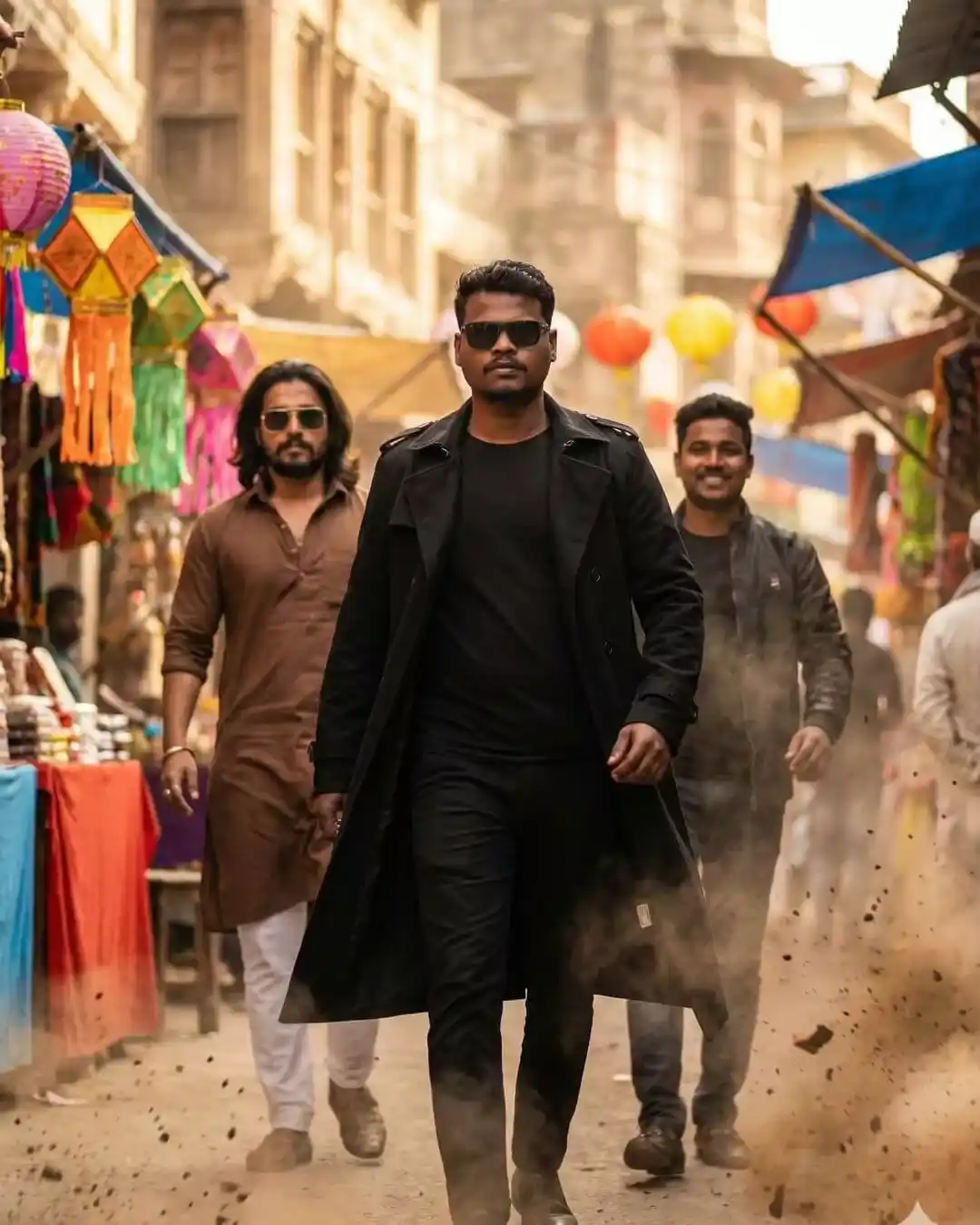
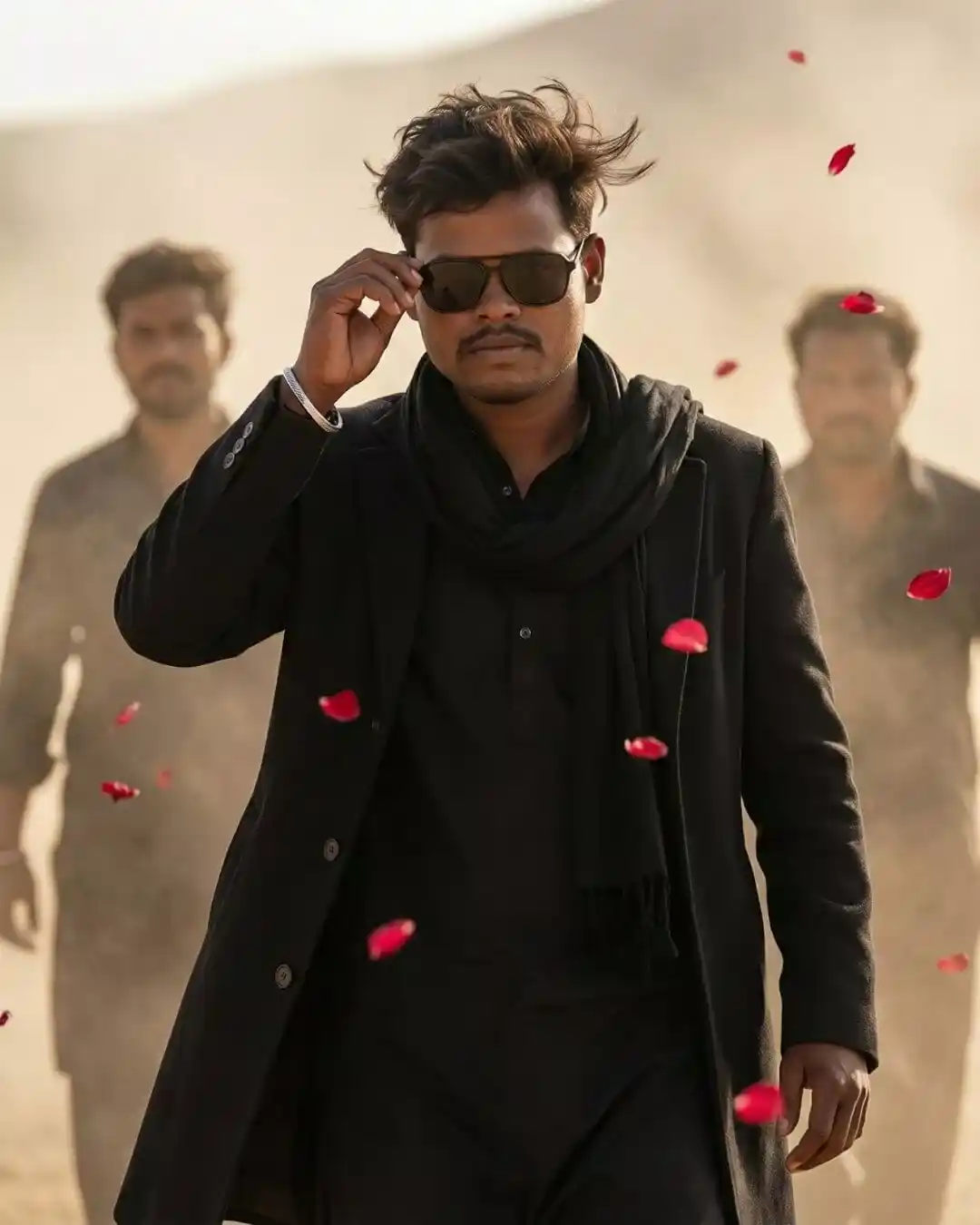
A confident young man walking in slow motion through a desert landscape, medium close-up front shot. He is wearing an all-black outfit black kurta, a long black coat, and a black scarf. His hair is slightly messy in the wind, adjusting dark sunglasses with one hand in a calm, attitude-filled pose. A silver bracelet on his wrist. Two men walking behind him through dust and haze, softly out of focus. Red rose petals flying in the air. Light dust storm, warm sunlight, soft cinematic shadows. Ultra-realistic skin texture, natural color grading, cinematic depth of field, 8K resolution, sharp focus, film-style movie Scene frame. Keep 100 % face the same as the reference image.