If you want to create beautiful and festive holiday photos, try the Gemini AI Christmas photo prompt for girls. With these ready-to-use prompts, Gemini AI can instantly turn any ordinary picture into a cute, aesthetic, and Christmas-themed portrait.
Whether you want a cozy winter look, a Christmas lights background, a Santa-style vibe, a red outfit theme, or a soft snow aesthetic edit, these Christmas prompts for girls in Gemini AI give your photos a magical holiday touch.
Just upload your picture, copy and paste the prompt, and Gemini AI will create a stunning Christmas photo without changing your natural face. Perfect for Instagram, profile photos, and holiday greetings!
Gemini AI Christmas Photo Prompt for Girls
A cozy winter portrait of the person from the uploaded photo. She is wearing a brown knitted turtleneck sweater and matching pants, sitting on a rug. She is holding a brown wrapped gift box. The background features a snowy Christmas tree and a wooden fireplace mantel. Crucial Instruction: The subject’s face, facial features, expression, and exact hair color, texture, and style must remain absolutely identical to the uploaded photo. Do not edit, alter, or change the face or hair in any way.
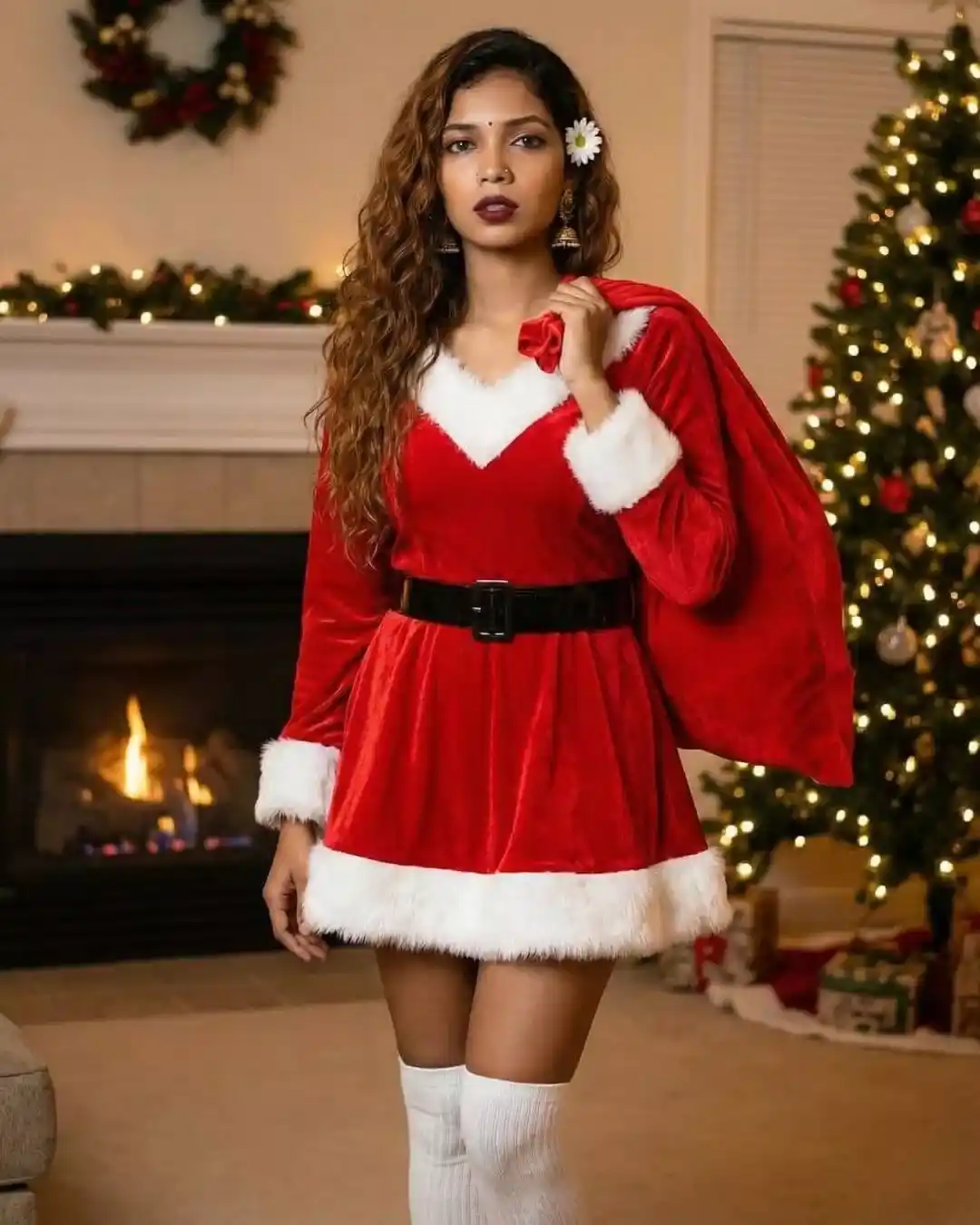
A full-body festive shot of the person from the uploaded photo wearing a Santa Claus style dress with white fur trim and a black belt, paired with white knee-high socks. She is holding a red gift sack over her shoulder. The background is a cozy living room with a fireplace and Christmas tree. Crucial Instruction: The subject’s face, facial features, expression, and exact hair color, texture, and style must remain absolutely identical to the uploaded photo. Do not edit, alter, or change the face or hair in any way.
Gemini AI Christmas Photo Prompt for Girls
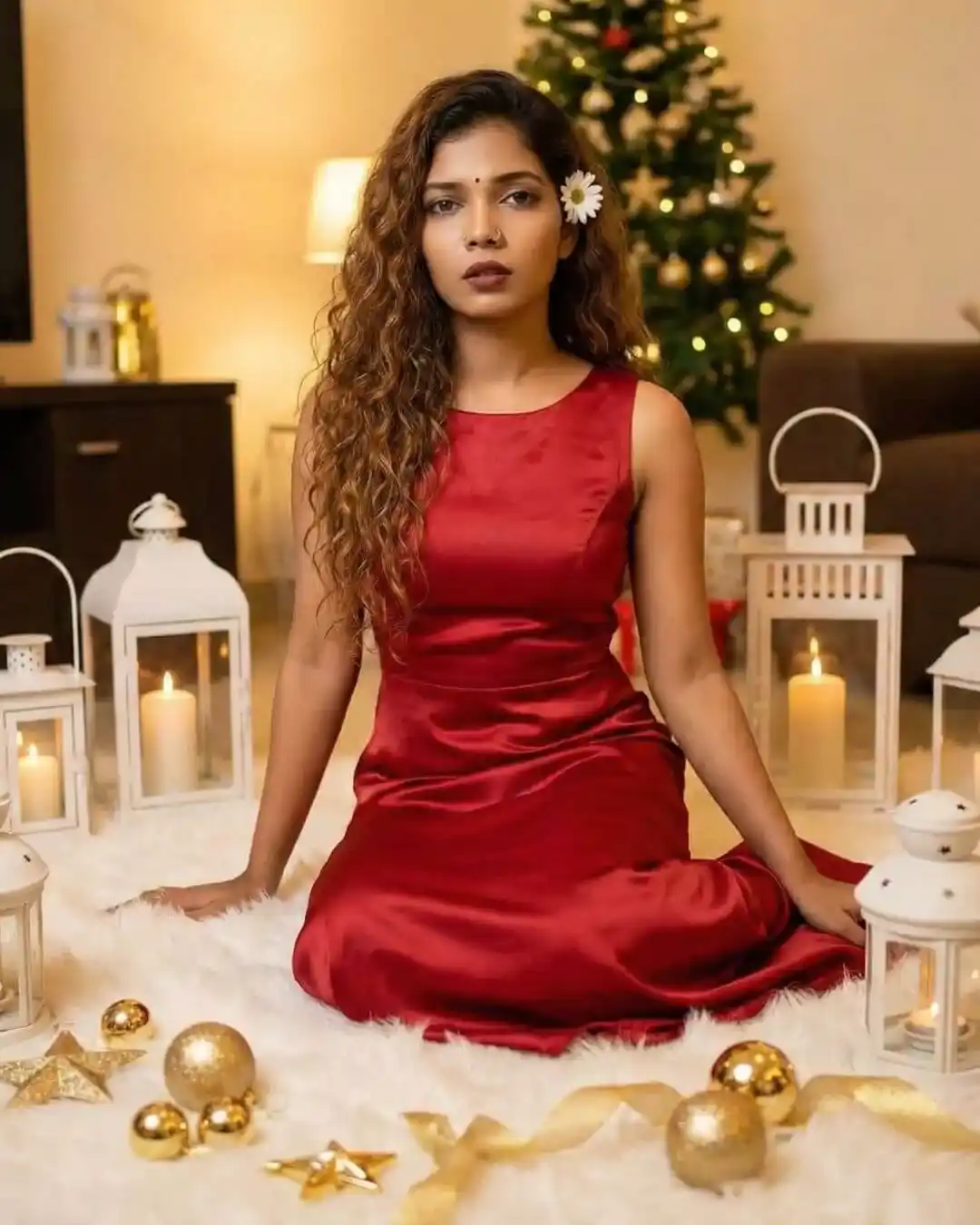
An elegant Christmas photo of the person from the uploaded image sitting on a white fur rug. She is wearing a red satin sleeveless dress. She is surrounded by white lanterns with candles and golden Christmas decorations. Crucial Instruction: The subject’s face, facial features, expression, and exact hair color, texture, and style must remain absolutely identical to the uploaded photo. Do not edit, alter, or change the face or hair in any way.
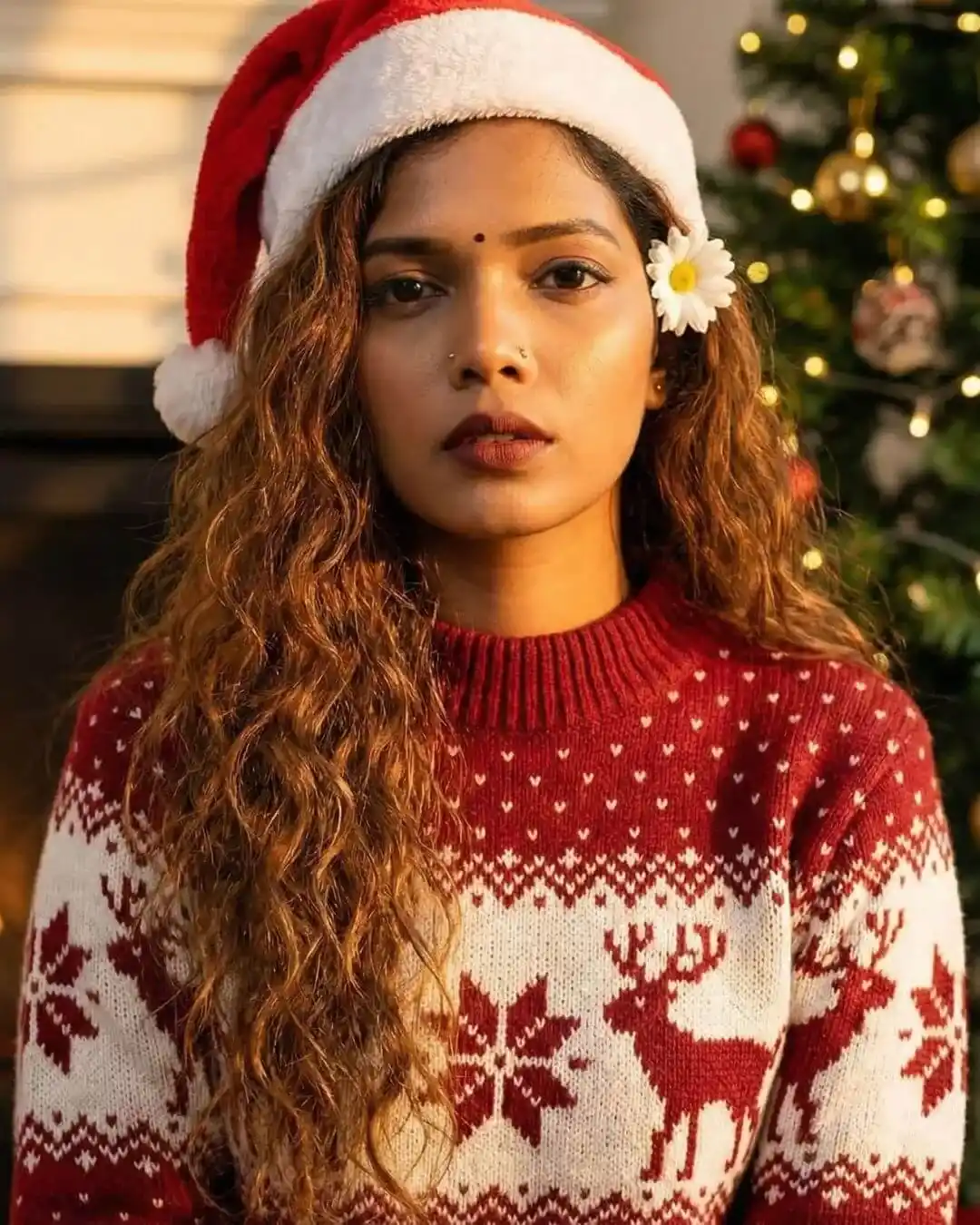
A bright and happy portrait of the person from the uploaded photo. She is wearing a festive red and white patterned Christmas sweater and a Santa hat. The lighting is warm and golden with a Christmas tree in the background. Crucial Instruction: The subject’s face, facial features, expression, and exact hair color, texture, and style must remain absolutely identical to the uploaded photo. Do not edit, alter, or change the face or hair in any way.
Gemini AI Christmas Photo Prompt for Girls
A artistic Christmas portrait of the person from the uploaded photo. She is wearing a red off-shoulder knitted top. She is wearing a Santa hat that is wrapped with glowing fairy string lights. She is looking over her shoulder with a soft smile. Crucial Instruction: The subject’s face, facial features, expression, and exact hair color, texture, and style must remain absolutely identical to the uploaded photo. Do not edit, alter, or change the face or hair in any way.
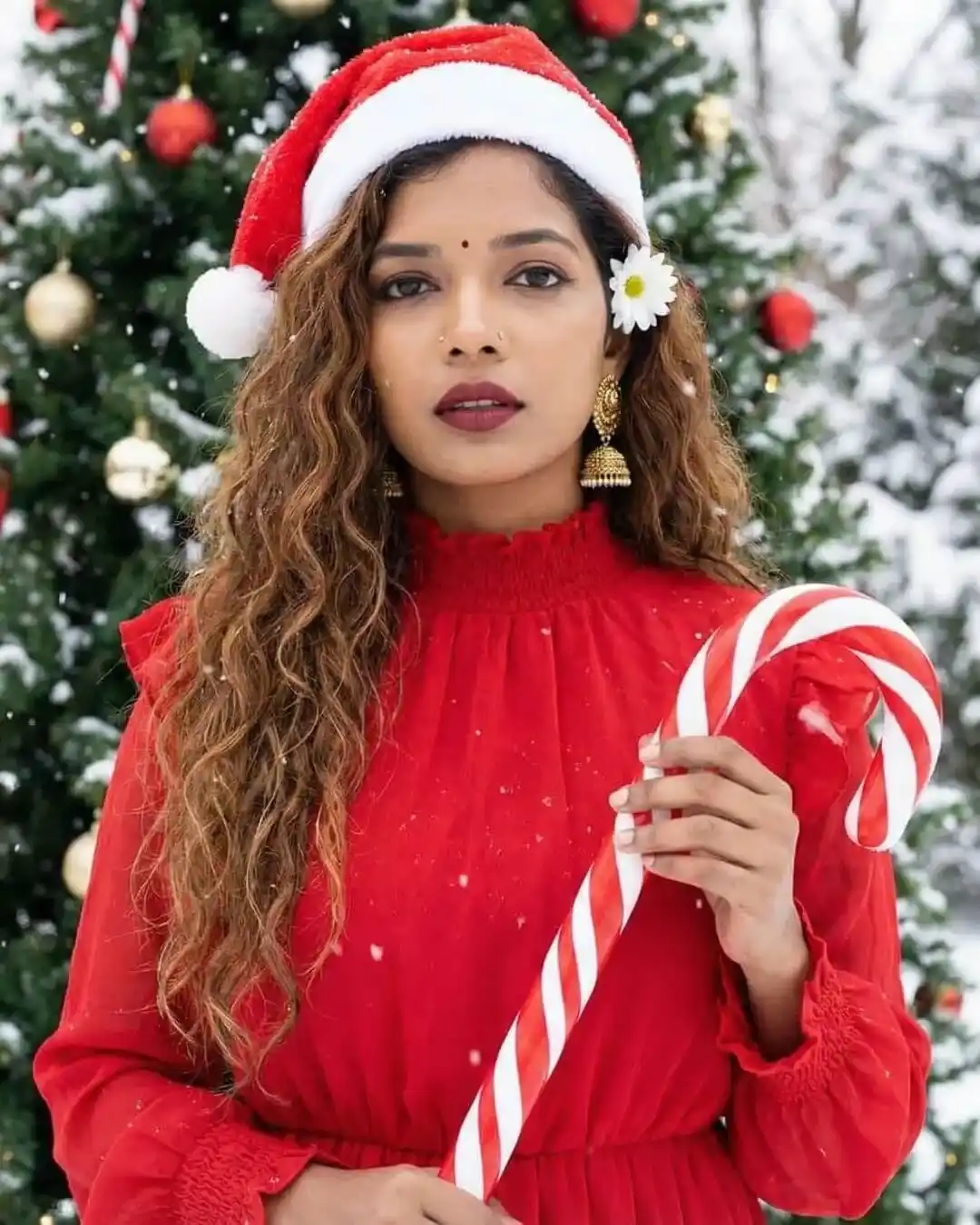
A festive outdoor shot of the person from the uploaded photo. She is wearing a red high-neck dress with ruffles and a Santa hat. She is holding a large candy cane. The background is a Christmas tree outdoors with snow falling. Crucial Instruction: The subject’s face, facial features, expression, and exact hair color, texture, and style must remain absolutely identical to the uploaded photo. Do not edit, alter, or change the face or hair in any way.
Gemini AI Christmas Photo Prompt for Girls
A portrait of the person from the uploaded photo wearing a cream-colored sweater and a Santa hat. She is leaning her arms on a reflective table with fairy lights scattered on it. The background shows a warm, lit Christmas tree. Crucial Instruction: The subject’s face, facial features, expression, and exact hair color, texture, and style must remain absolutely identical to the uploaded photo. Do not edit, alter, or change the face or hair in any way.
A close-up Christmas portrait of the person in the uploaded photo. She is wearing a white knitted sweater with a red Nordic heart pattern and a Santa hat. The background is a soft, blurred Christmas tree with bokeh lights. Crucial Instruction: The subject’s face, facial features, expression, and exact hair color, texture, and style must remain absolutely identical to the uploaded photo. Do not edit, alter, or change the face or hair in any way.
Gemini AI Christmas Photo Prompt for Girls
A festive photo of the person from the uploaded image popping out of a large, open red gift box. She is wearing a red sequin dress and smiling brightly. The background features decorated Christmas trees and a glowing neon sign on the wall that says ‘Merry Christmas’. Crucial Instruction: The subject’s face, facial features, expression, and exact hair color, texture, and style must remain absolutely identical to the uploaded photo. Do not edit, alter, or change the face or hair in any way.
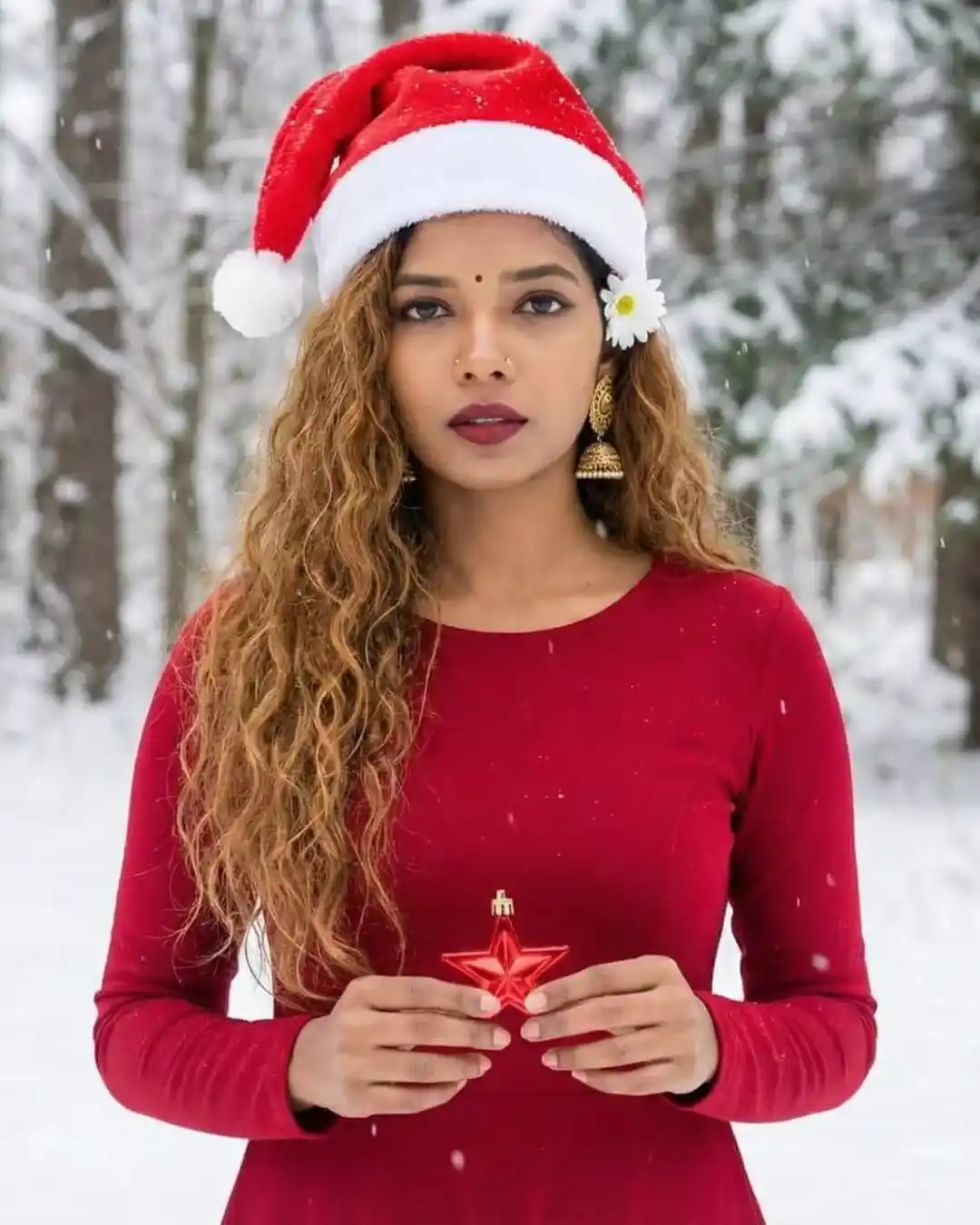
Generate a high-quality Christmas portrait of the person from the uploaded photo. She is standing outdoors in a magical snowy forest with falling snow. She is wearing a solid red dress and a Santa hat, holding a small red star ornament in her hands. Crucial Instruction: The subject’s face, facial features, expression, and exact hair color, texture, and style must remain absolutely identical to the uploaded photo. Do not edit, alter, or change the face or hair in any way.