Create a heartwarming and aesthetic Mother’s Day scrapbook collage in vertical 9:16 ratio. Use a soft pink floral background with elegant cherry blossom style leaves and petals around the edges. In the center, place a large Polaroid-style photo of a mother and son smiling together, clipped onto a warm corkboard with tiny fairy lights glowing around it. Surround the center photo with 6 smaller Polaroid pictures of different happy candid moments between the mother and son — hugging, laughing, festival moments, sunset memories, tea conversations, birthday celebration, and emotional candid shots. Add realistic paper textures, wooden clips, warm golden fairy lights, tiny flowers, heart cutouts, and scrapbook elements for a premium emotional aesthetic. Use cozy warm tones with soft cinematic…
Mothers Day Special Photo Editing Prompt 💕(Chat Gpt
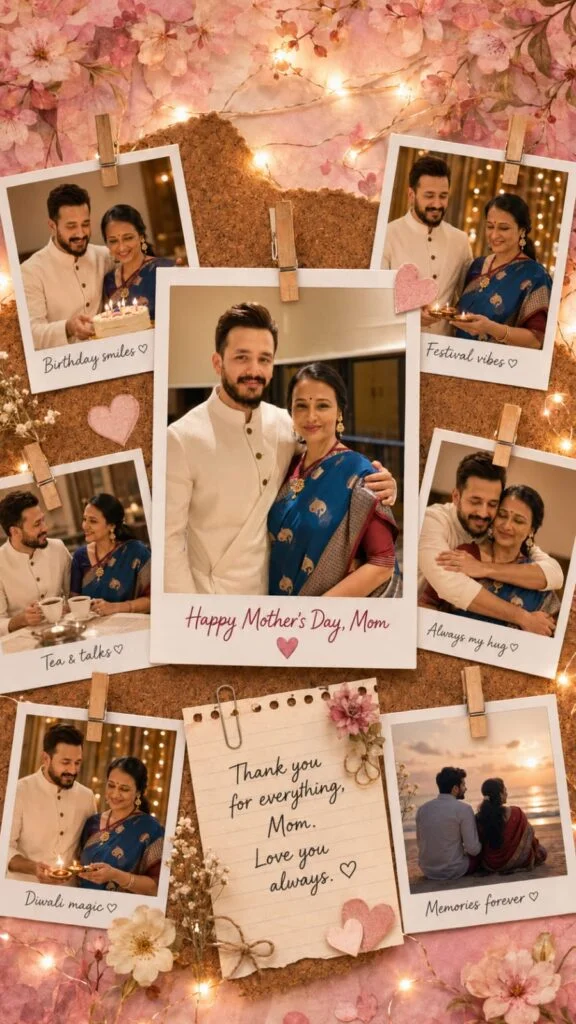
Create a heartwarming and aesthetic Mother’s Day scrapbook collage in vertical 9:16 ratio. Use a soft pink floral background with elegant cherry blossom style leaves and petals around the edges. In the center, place a large Polaroid-style photo of a mother and son smiling together, clipped onto a warm corkboard with tiny fairy lights glowing around it. Surround the center photo with 6 smaller Polaroid pictures of different happy candid moments between the mother and son — hugging, laughing, festival moments, sunset memories, tea conversations, birthday celebration, and emotional candid shots.
Add realistic paper textures, wooden clips, warm golden fairy lights, tiny flowers, heart cutouts, and scrapbook elements for a premium emotional aesthetic. Use cozy warm tones with soft cinematic lighting and shallow depth of field. Make the collage look handmade, emotional, nostalgic, and Instagram-worthy.
Text on the center Polaroid: “Happy Mother’s Day, Mom”
Small handwritten captions under side photos: “Birthday smiles ♡” “Festival vibes ♡” “Tea & talks ♡” “Always my hug ♡” “Diwali magic ♡” “Memories forever ♡”
Add a handwritten note paper near the bottom center saying: “Thank you for everything, Mom. Love you always. ♡”
Style: ultra realistic scrapbook design, emotional, cozy, premium, soft glow, warm fairy lights, handcrafted memory board aesthetic, highly detailed, Pinterest-style design. Preserve the uploaded faces naturally and realistically.
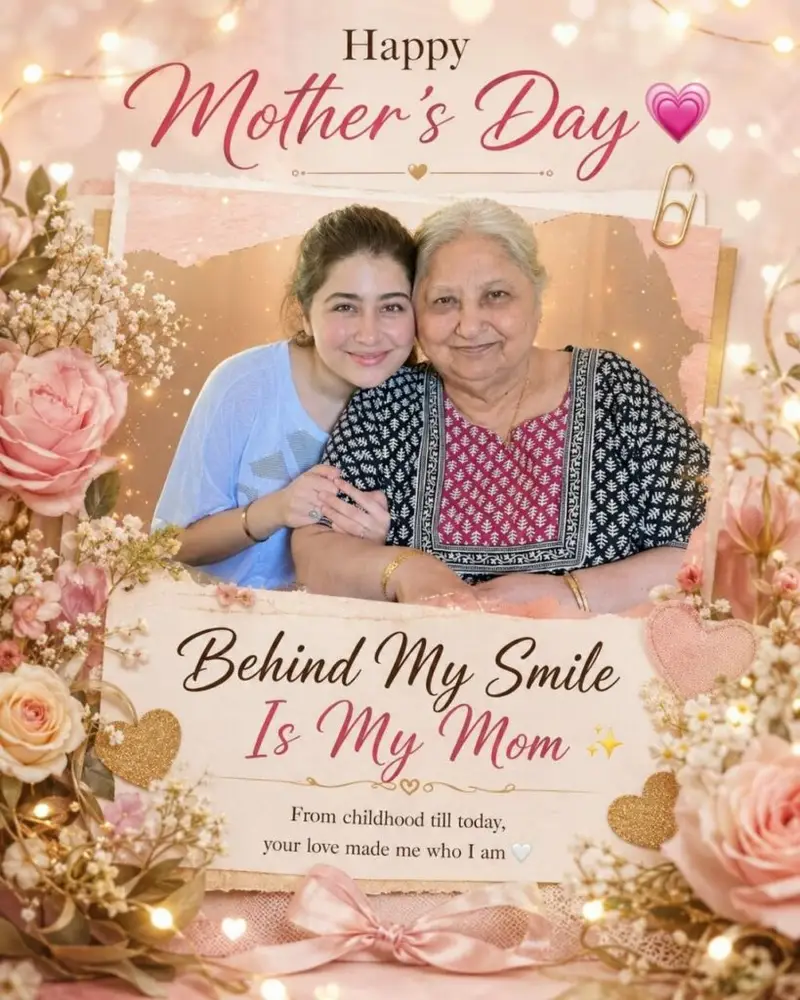
“Luxury emotional Mother’s Day greeting card for Instagram, using uploaded mother and daughter photo as the main focus, soft beautiful real faces, elegant soft pink, cream and gold aesthetic with flowers, glowing fairy lights, heart bokeh and warm cinematic lighting. Premium scrapbook-style composition with mother and daughter in center, surrounded by elegant floral decorations and glowing sparkles. Elegant typography: ‘Happy Mother’s Day 💖’ Main emotional line: ‘Behind My Smile Is My Mom ✨’Small emotional text: ‘From childhood till today, your love made me who I am 🤍’ Luxury greeting card design, classy Instagram aesthetic, emotional atmosphere, soft glow effects, premium composition, ultra high quality, 4:5 ratio.”

Background designed with pastel peach and blush pink watercolor textures, luxurious floral arrangements with blooming pink roses on corners, delicate botanical leaves, floating golden spark particles, dreamy cinematic bokeh glow, soft romantic atmosphere.Premium typography design displaying “HAPPY MOTHER’S DAY” in large luxury serif font with golden handwritten calligraphy for “Day”, elegant centered date text “10 MAY 2026”, stylish quote typography reading “A mother’s hug lasts long after she lets go.”, layered artistic text composition, luxury greeting poster aesthetic, high-end editorial design, watercolor paper texture, soft cinematic lighting, ultra detailed, photorealistic, 8K.
How to Use Prompt
Step 1: Open Gemini or ChatGPT
Go to the official Gemini or ChatGPT website
Or open the Gemini or ChatGPT app on your phone
Sign in with your Google account
Step 2: Upload Your Photo
Click on the “+” (upload icon)
Select the photo you want to edit
Wait for the image to upload
Step 3: Write a Clear Prompt
Now type or paste your photo-editing prompt in the chat box.
Step 4: Generate & Wait
Click the send/generate button
Gemini or ChatGPT will process your prompt
Wait a few seconds for the generated image.
Step 5: Download the Image
Once satisfied, download your edited photo
Use it for Instagram, WhatsApp, or Facebook posts