Hello friends, welcome to Prompt Lab! Nowadays, everybody wants to look stylish and viral on Instagram, and that’s why Gemini AI Photo Prompt Copy Paste Trending Boy Instagram has become a hot search. These prompts help you create eye-catching, realistic, trendy boy photos that look perfect for your Instagram feed.
The problem is, most people don’t know how to write the right Gemini AI photo prompts for boys, which makes their images look dull or unnatural. That’s why we’re sharing ready-to-use Gemini AI photo prompt copy-paste ideas that you can directly use to create high-quality, modern, and confident portraits.
These Gemini AI photo editing prompts are simple and beginner-friendly, designed to give you that perfect Instagram-boy look — stylish poses, cool outfits, and cinematic lighting. Just copy, paste, and create your next viral post effortlessly!
So, suppose you’re looking for Gemini AI Photo Prompt Copy Paste Trending Boy Instagram ideas. In that case, this post is your shortcut to creating beautiful, emotional, and Instagram-ready images that everyone will love!
Gemini AI Photo Prompt Copy Paste Trending Boy Instagram
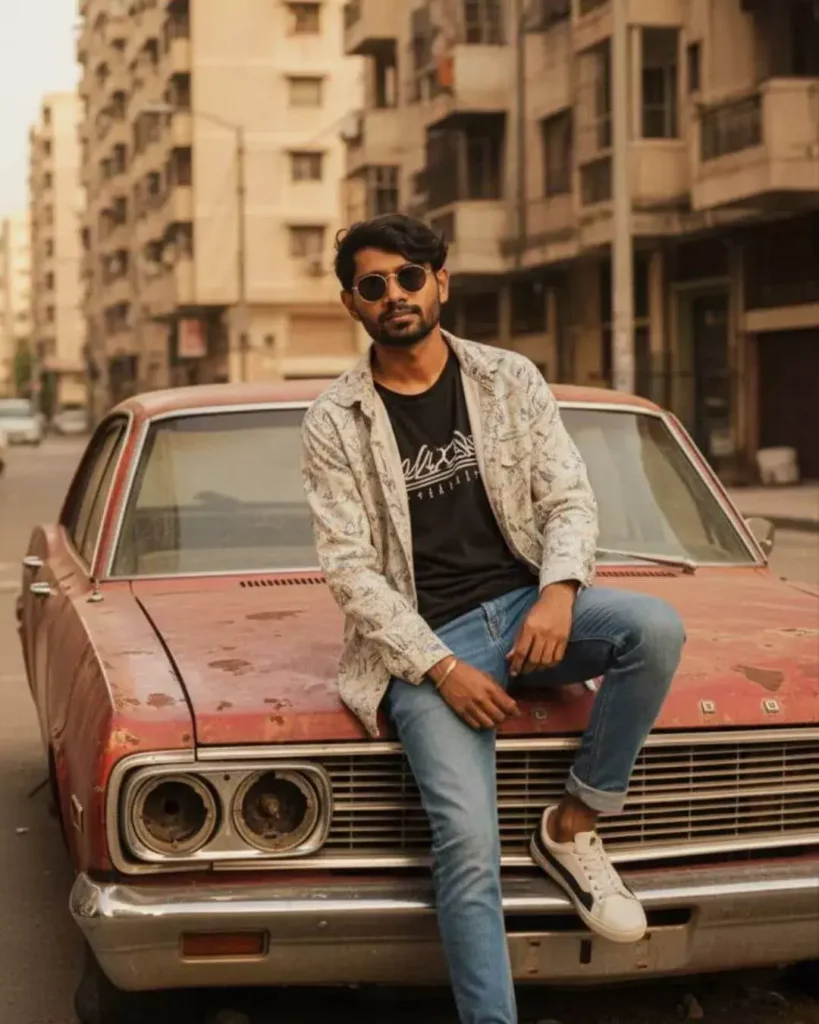
A young man with round sunglasses sitting on the hood of a rusty(use reference image), abandoned vintage car in front of tall apartment buildings, wearing a patterned light jacket, graphic t-shirt, rolled-up blue jeans, and stylish sneakers. Casual urban streetwear fashion. The car has peeling red paint, broken headlights, and a weathered, gritty look. One leg bent on the hood, the other hanging down, relaxed pose, confident expression. Golden hour sunlight casting cinematic warm tones
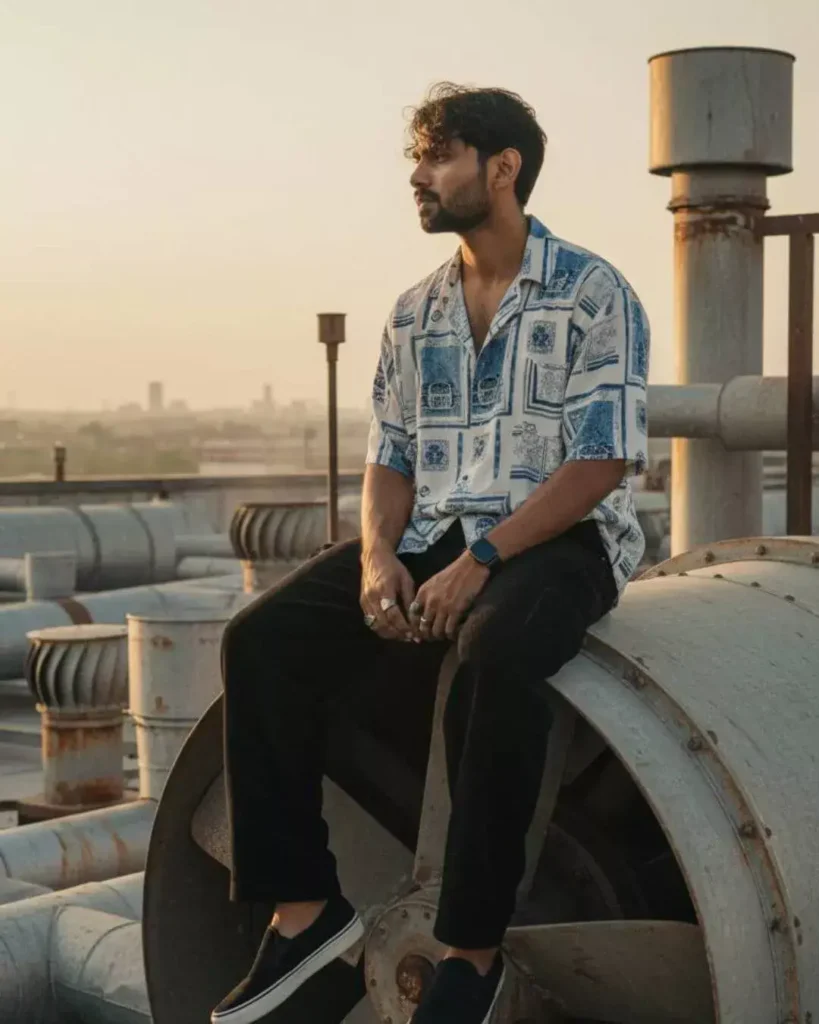
A cinematic scene of a fit man reference on the photo, wearing short sleeve white blue oversize shirt, chunky sculpt rings, black sleek vintage watch in left wirst, black corduroy baggy longpants, black white sole suede slip on shoes, sitting on top of a massive industrial ventilation fan in a 1980s setting, legs dangling over the edge, casual relaxed posture, sunlight and shadows casting dramatic on the metal blades, surrounding industrial details like pipes and vents visible.
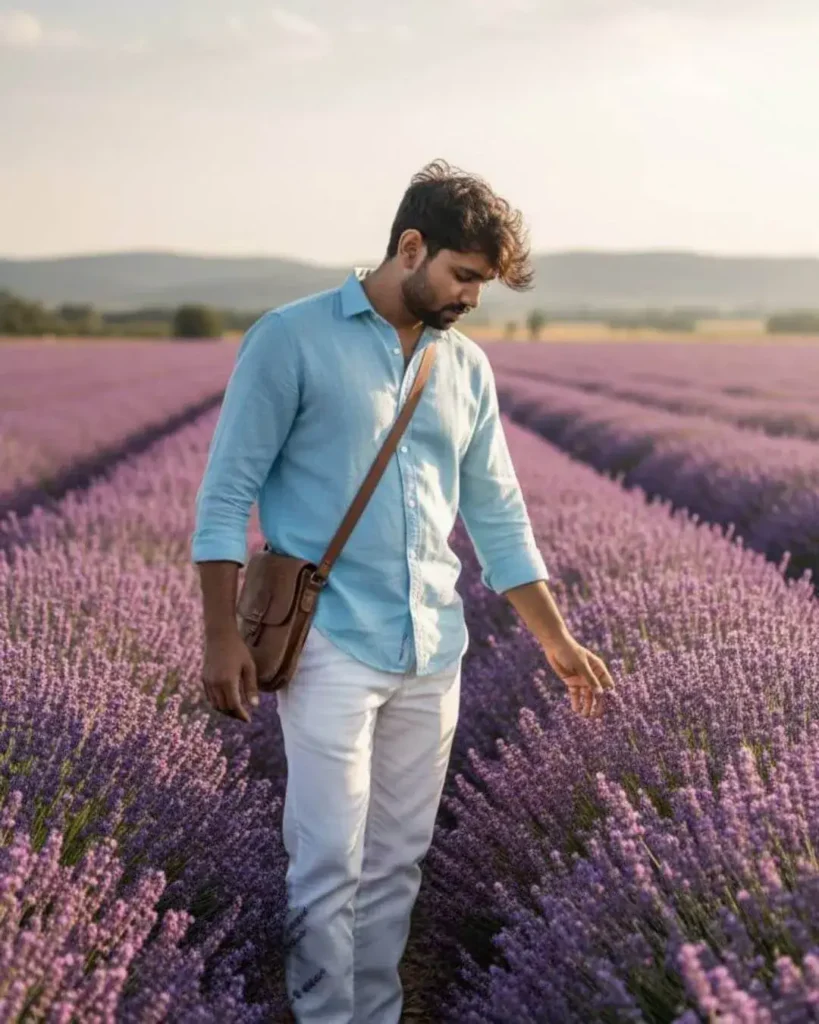
Ultra-realistic full-body portrait of [uploaded image person] standing in an endless lavender field under a bright but soft afternoon sun. He wears a light sky-blue linen shirt tucked into white trousers, leather sandals, with a small leather satchel slung over his shoulder. His pose is casual and candid, slightly bending forward to gently touch the lavender flowers. The background shows rows of vivid purple flowers fading into sunlit hills, with sun rays filtering through a partly cloudy sky. Editorial, dreamy summer vibe, cinematic color grading, 8k, highly detailed fabric, hair, flowers, and lighting.
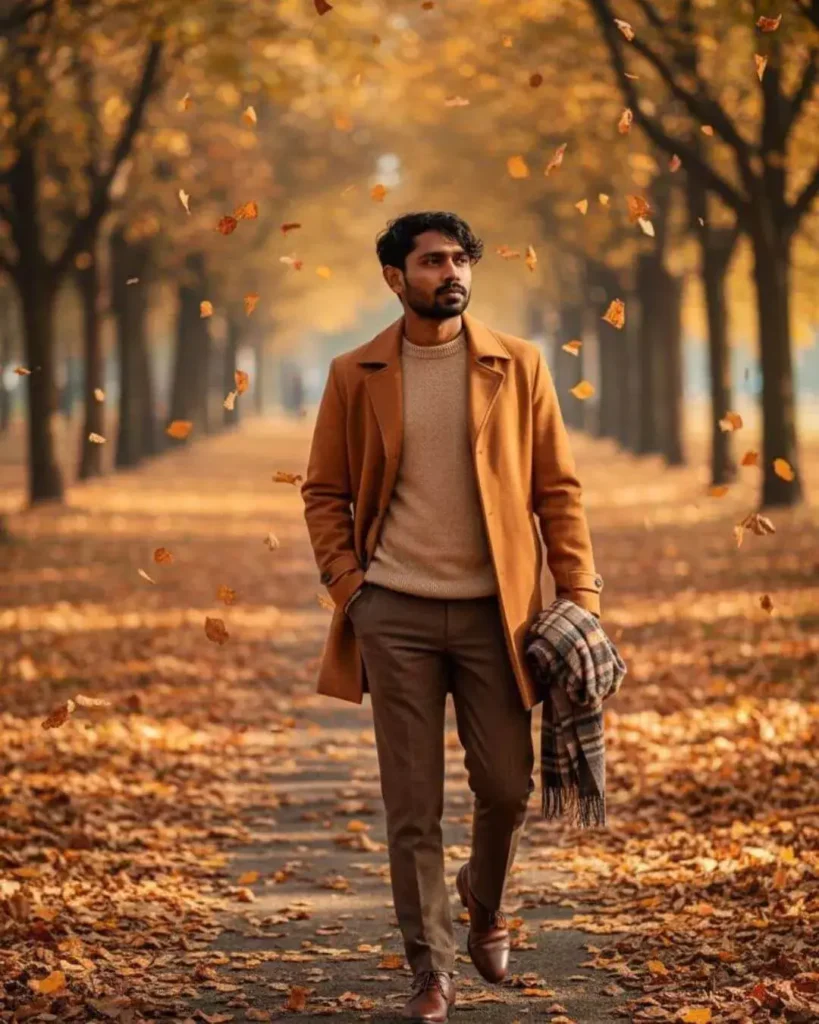
Ultra-realistic cinematic portrait of [uploaded image person] walking along a tree-lined park path in autumn. Leaves in shades of gold, amber, and red blanket the ground and drift through the air. He wears a warm caramel trench coat over a beige sweater and brown tailored trousers, polished leather shoes, holding a folded scarf casually in one hand. Pose is natural and relaxed, slightly glancing to the side, as if lost in thought. Soft morning sunlight filters through the trees, casting warm, long shadows. Shallow depth of field, editorial composition, dreamy cinematic atmosphere, high detail in textures, clothing, and foliage.
Gemini AI Photo Prompt Copy Paste Trending Boy Instagram
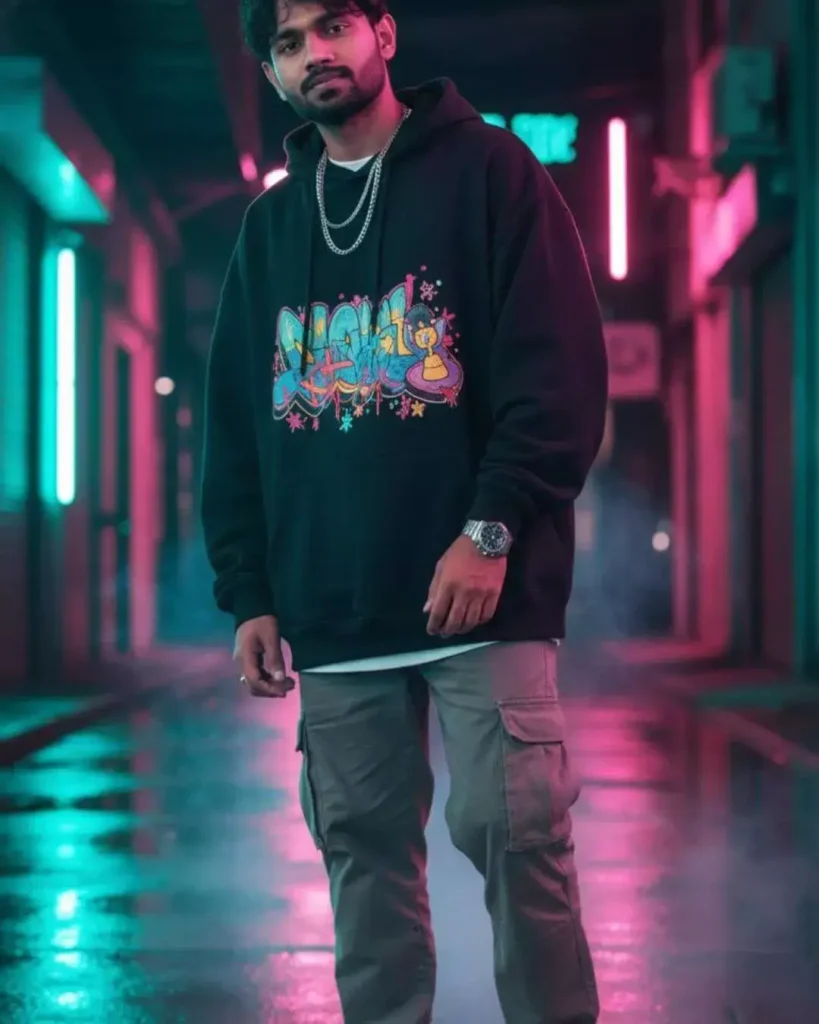
Editorial half-body portrait of Bharat (use uploaded face, preserve hairstyle and skin texture). Scene: in a neon-lit urban skate alley at night, vibrant pink and teal reflections bouncing off wet concrete walls. Outfit: oversized black hoodie with colorful graffiti-style embroidery, baggy grey cargo pants, and chunky white sneakers. Accessories: layered silver chains, hoop earrings, chunky wristwatch. Props: faint drifting smoke and neon light streaks, adding cinematic depth. Lighting: soft cool neon front fill on face, pink rim light across jawline and hair. Expression: relaxed but confident, subtle smirk, head slightly tilted. 8K ultra-realistic, photorealistic street-fashion editorial, bold Gen-Z aesthetic, cinematic color balance, high detail.
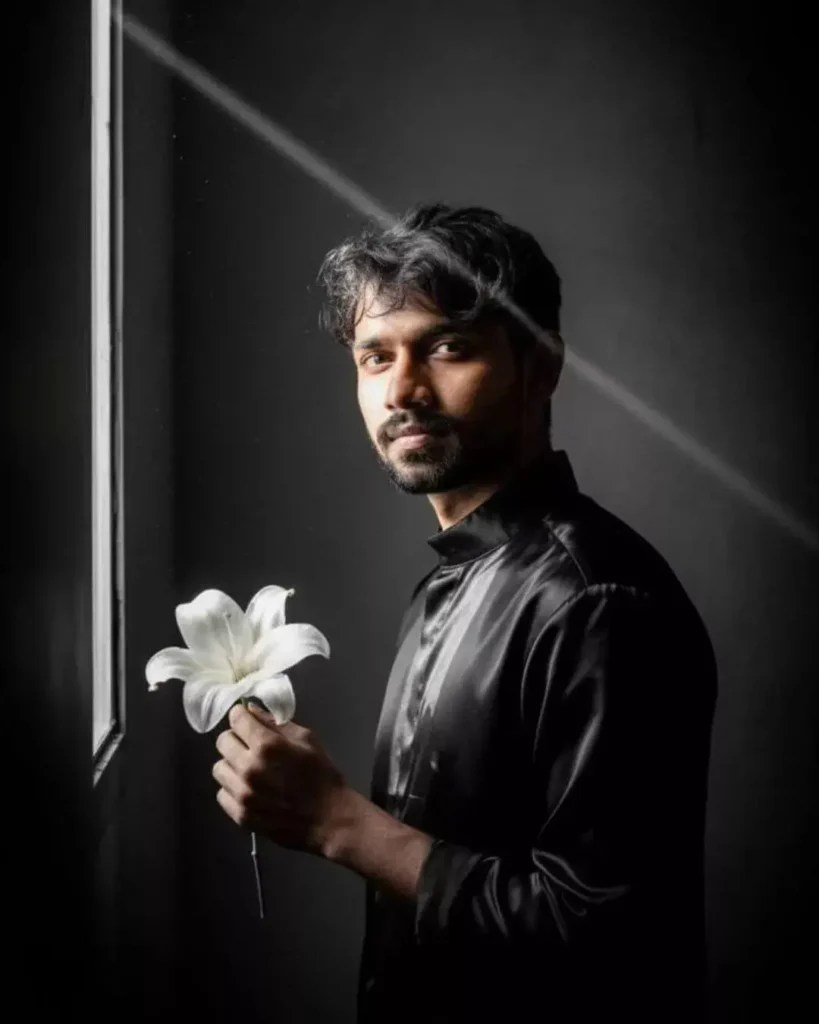
An artistic, fashion-forward half-body portrait of Bharat (maintain original face geometry, hairstyle, and tone precisely). Scene: Bharat stands in front of a textured charcoal background. A dramatic sliver of white light enters from a half-open window, hitting just the left side of his face and shoulder. The rest of the frame falls into velvety darkness, revealing hints of floating dust particles catching faint glimmers of light. In his hand, a single white lily flower contrasts starkly with his black satin shirt. Lighting: cinematic chiaroscuro — smooth transitions between shadow and light, like fine oil painting realism. Color palette: monochrome blacks, pale whites, subtle silver highlights, no saturation. Atmosphere: poetic, mysterious, deeply editorial. 8K ultra-realistic rendering, creamy bokeh background blur, film-grade noise, and delicate texture on skin and fabric.
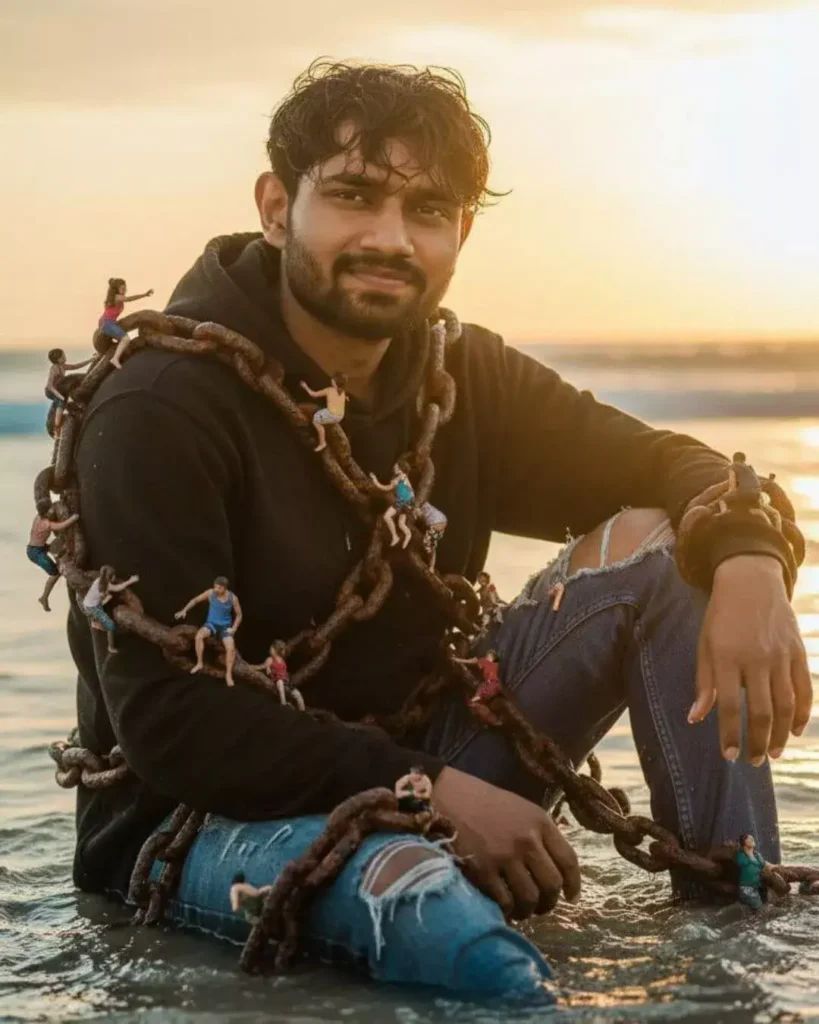
Use uploaded selfie for the subject’s face — preserve exact hairstyle, skin tone, pores and facial texture. Half-body portrait: subject seated in shallow ocean water at golden-hour sunset, wearing a black hoodie and ripped blue jeans. Huge rusty anchor chains are wrapped around his torso and wrists; dozens of tiny, hyper-real miniature people (different ages/genders) climb and pull on the chains and ropes — realistic scale relationships and believable shadows where mini figures touch metal and water. Warm sunset rim light from the right, soft fill on face to preserve detail, subtle backlight rim catching chain edges. Photoreal, cinematic color grade (warm golds + soft teal shadows), slight film grain, shallow depth of field (subject in crisp focus, foreground & horizon with cinematic bokeh), realistic water splashes and wet fabric texture. 8K ultra-realistic photo, sharp face, natural skin highlights, high detail on chain rust and tiny figures.
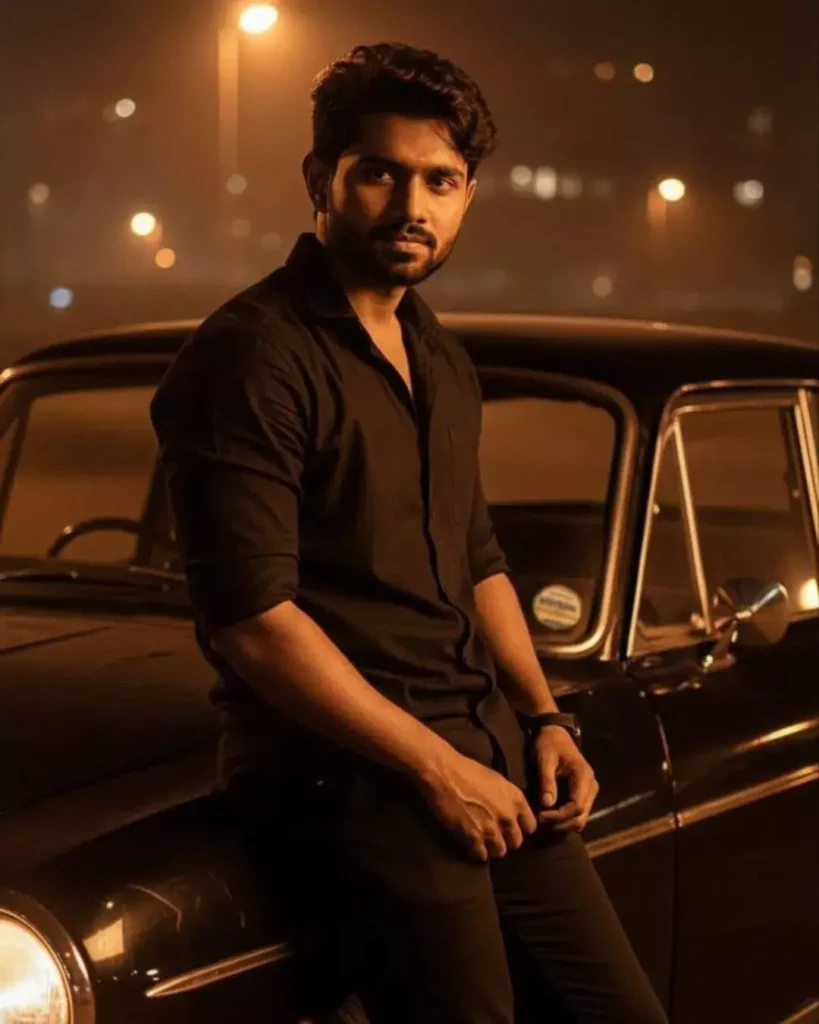
A hyper-realistic cinematic portrait of a young man (use the uploaded reference face, keep 100% face match and hairstyle unchanged) leaning casually against a vintage black car at night. He wears an all-black outfit — half-sleeve shirt rolled up and dark trousers — under warm orange street lighting. His expression is calm and intense, with cinematic shadows defining his jawline and eyes. The car headlights glow softly, reflecting subtle orange light on the metallic surface. The background is dark and moody, with light haze and bokeh lamps creating a powerful atmosphere. Ultra-realistic 8K photo, golden-orange night tone, low-key lighting, cinematic shadows, deep contrast, realistic reflections, zero noise.
Conclusion
So friends, if you want your next Instagram post to stand out, these Gemini AI Photo Prompt Copy Paste Trending Boy Instagram ideas are just what you need. With the right prompt, you can easily generate professional, natural, trendy images that look Instagram-ready in seconds.
No editing skills needed — copy the prompt, paste it into Gemini, and enjoy stunning photo results that can go viral. It’s time to shine on your feed with a confident, stylish look that everyone will notice!