Creating a stylish and trending boy photo using Google Gemini has become very popular today. But to get the perfect result, you must write the right prompt. A good prompt helps the AI understand the exact look, style, lighting, and mood you want in the photo.
Many people struggle because their photos come out blurry, unrealistic, or do not match the trend. This mostly happens when the prompt is incomplete or unclear. That’s why using simple and powerful Gemini boy photo prompts can make a big difference.
In this guide, you will find easy, effective, and copy-paste boy photo prompts for Gemini AI. Whether you want an Instagram-style look, cinematic lighting, or trending fashion poses, these prompts will help you create perfect AI boy photos in seconds.
Gemini Boy Photo Prompt
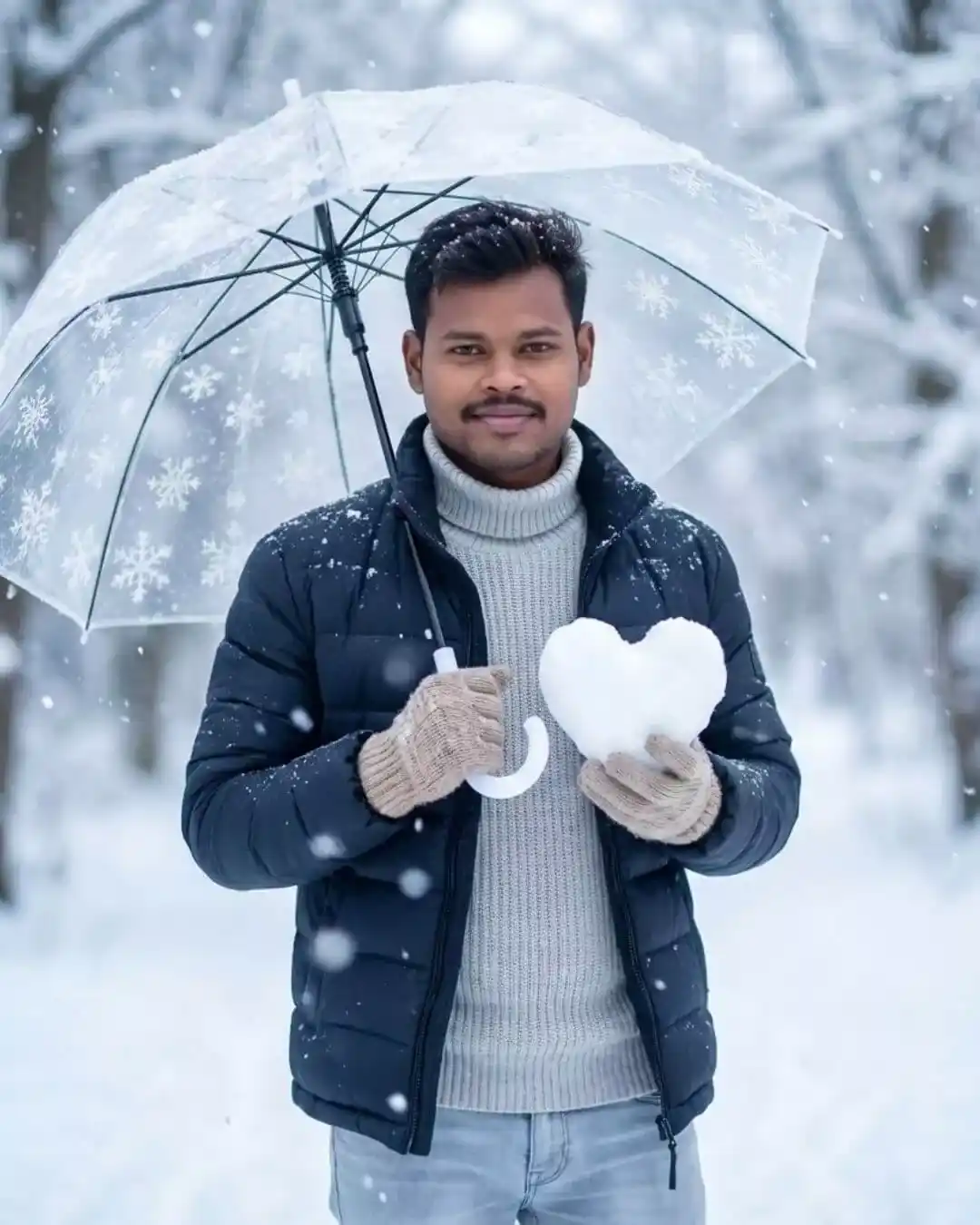
Ultra-realistic, 8k, close-up shot. A slim-fit hands ome young man (uploaded photo) standing outdoors in a snowy winter landscape, holding a heart-shaped snow sculpture in his right gloved hands. He has a soft, charming smile, gazing directly into the camera with a romantic look. He wears a fitted dark navy puffer jacket layered over a chunky light-gray ribbed turtleneck sweater, light-wash jeans with a slightly worn texture, with knitted beige gloves. In his left hand, he holds a transparent umbrella decorated with white snowflake patterns, slightly tilted above his head. Snowflakes are falling around him, some captured in mid-air, others resting on his sweater and umbrella. The background is a dreamy, soft-focus winter forest filled with snow-covered trees, giving a magical, serene atmosphere. The color palette is icy blue, white, grey, and soft pastel tones. Lighting is diffused and natural, typical of an overcast snowy day, creating a cool, cinematic mood. Slight bokeh and shallow depth of field emphasize the subject in the foreground. Snow particles add motion and realism to the scene. Camera Details: – Portrait shot – Eye-level angle Shallow depth of field – Soft cinematic lighting – High detail, 8k realism Mood & Style: ーRomantic winter atmosphere Calm, gentle, emotionally warm – Hyper-realistic, soft-focus aesthetic
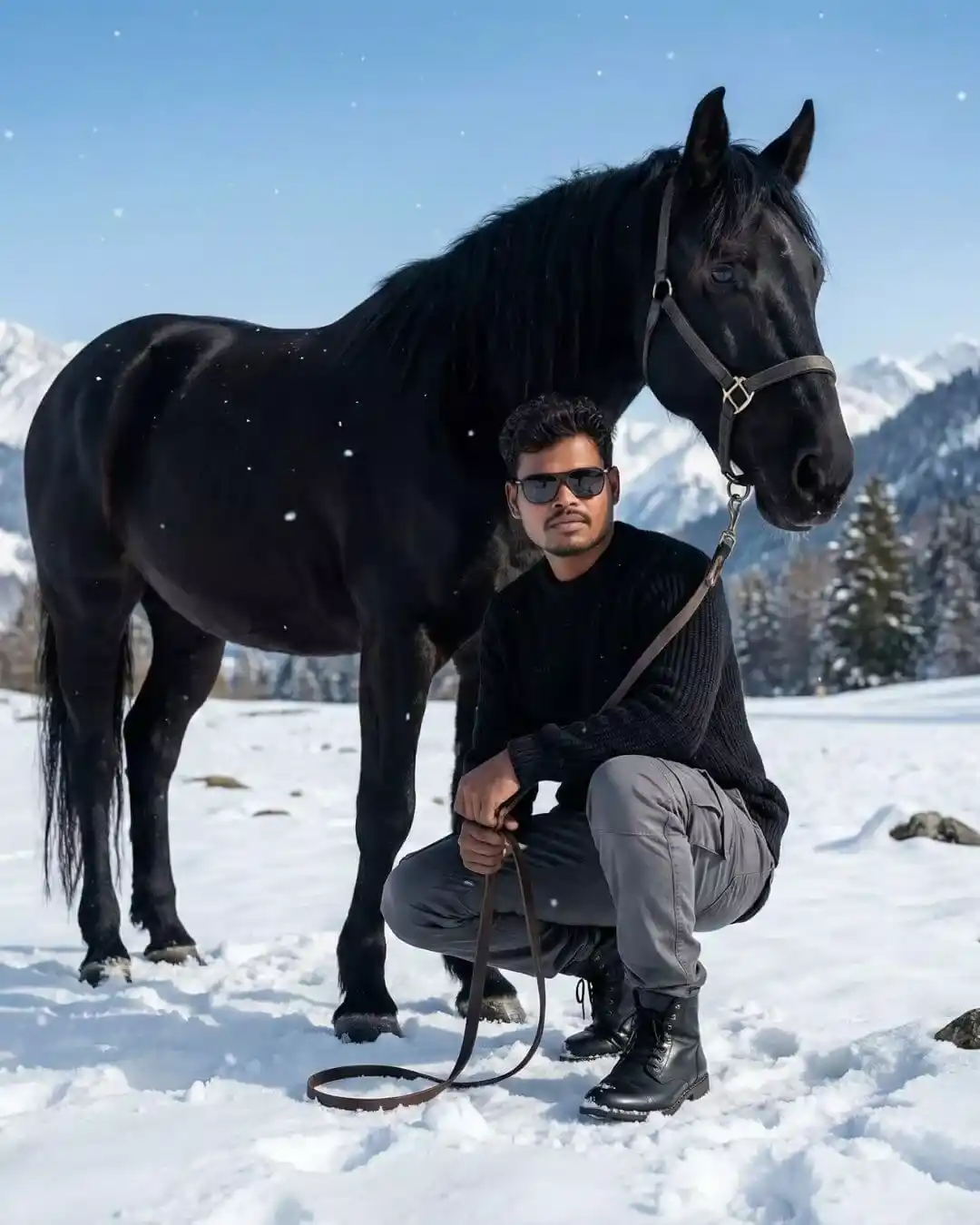
Ultra realistic, 8K resolution cinematic image of a slim-fit, stylish, handsome person crouching beside a powerful black horse in a snow-covered mountainous landscape. face with the face from the uploaded image, keeping the facial features the same. wavy hair, and wears dark sunglasses, a cozy black sweater, gray cargo pants, and black boots. He crouches with one knee bent, holding the reins of the horse with a relaxed yet confident posture. The horse is muscular, with a glossy jet-black coat, flowing mane, and expressive eyes, wearing a simple leather halter. Snow blankets the ground with footprints and scattered rocks visible. In the background, soft-focus snow-covered hills, pine trees, and distant mountain peaks stretch under a clear blue sky. Snowflakes gently fall around them, adding depth and softness to the scene. The lighting is soft and natural, highlighting details like the texture of the snow, fabric folds, and hair strands. The overall mood is calm, adventurous, and majestic, evoking a sense of freedom and harmony with nature.
Gemini Boy Photo Prompt
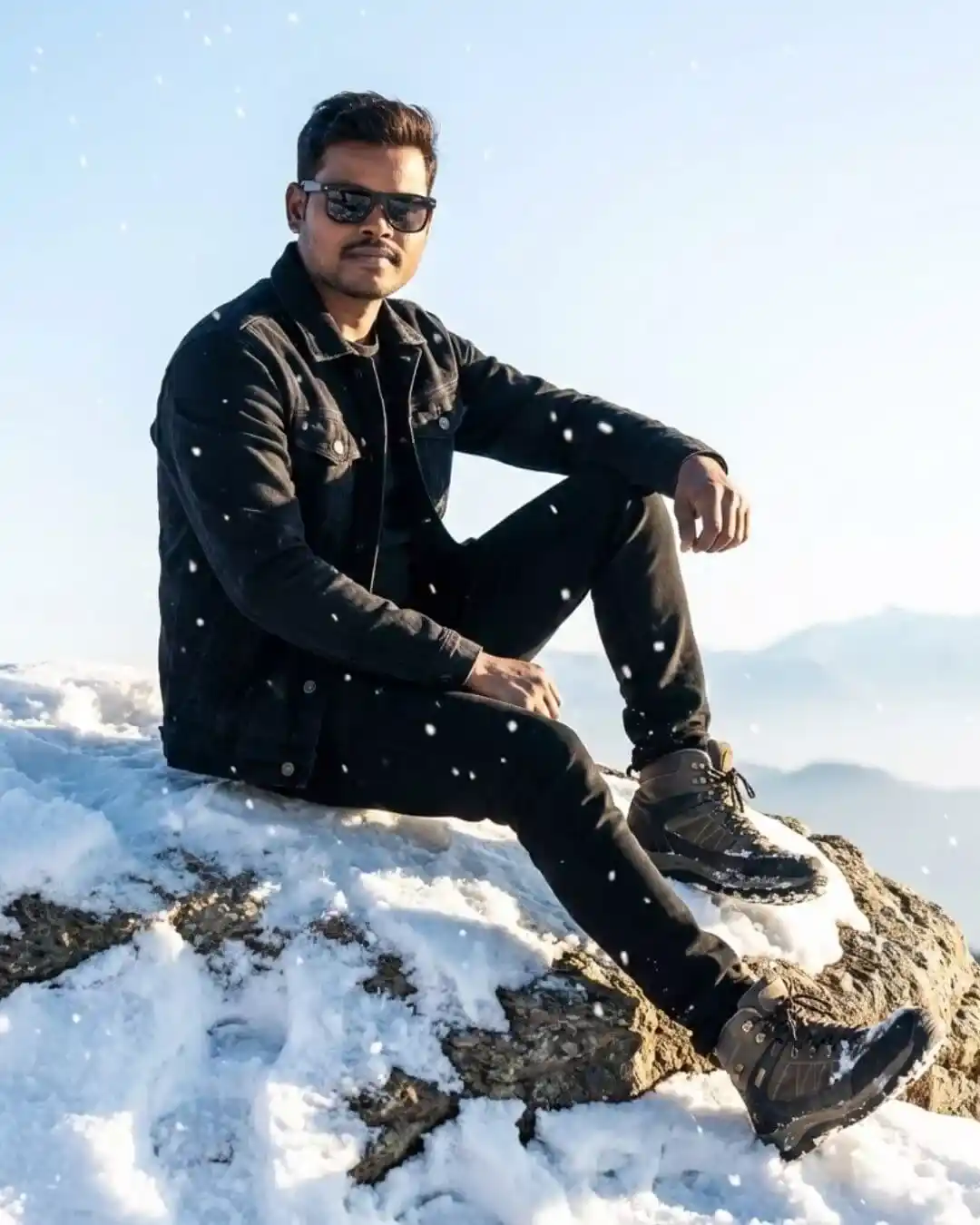
An old, handsome Asian young man with a slim, skinny body sits confidently on a rugged snow-covered rock during gentle snowfall. He is wearing a black denim jacket layered over a dark shirt, slim black pants, rugged winter boots, and bold black sunglasses. He sits in a relaxed but attitude-filled modelling pose – one leg bent higher on the rock, the other stretched down slightly, one elbow resting casually on his raised knee while his other hand hangs loosely by his side. His head is slightly tilted, giving a confident fashion-editorial expression. Šoft morning light hits his face and jacket, creating cinematic highlights as snowflakes drift around him. The clean sky above glows with early morning brightness, and distant mountains fade into a soft atmospheric haze. Ultra-detailed 8K realism, crisp textures, dramatic depth of field, and a high-fashion winter photoshoot aesthetic.
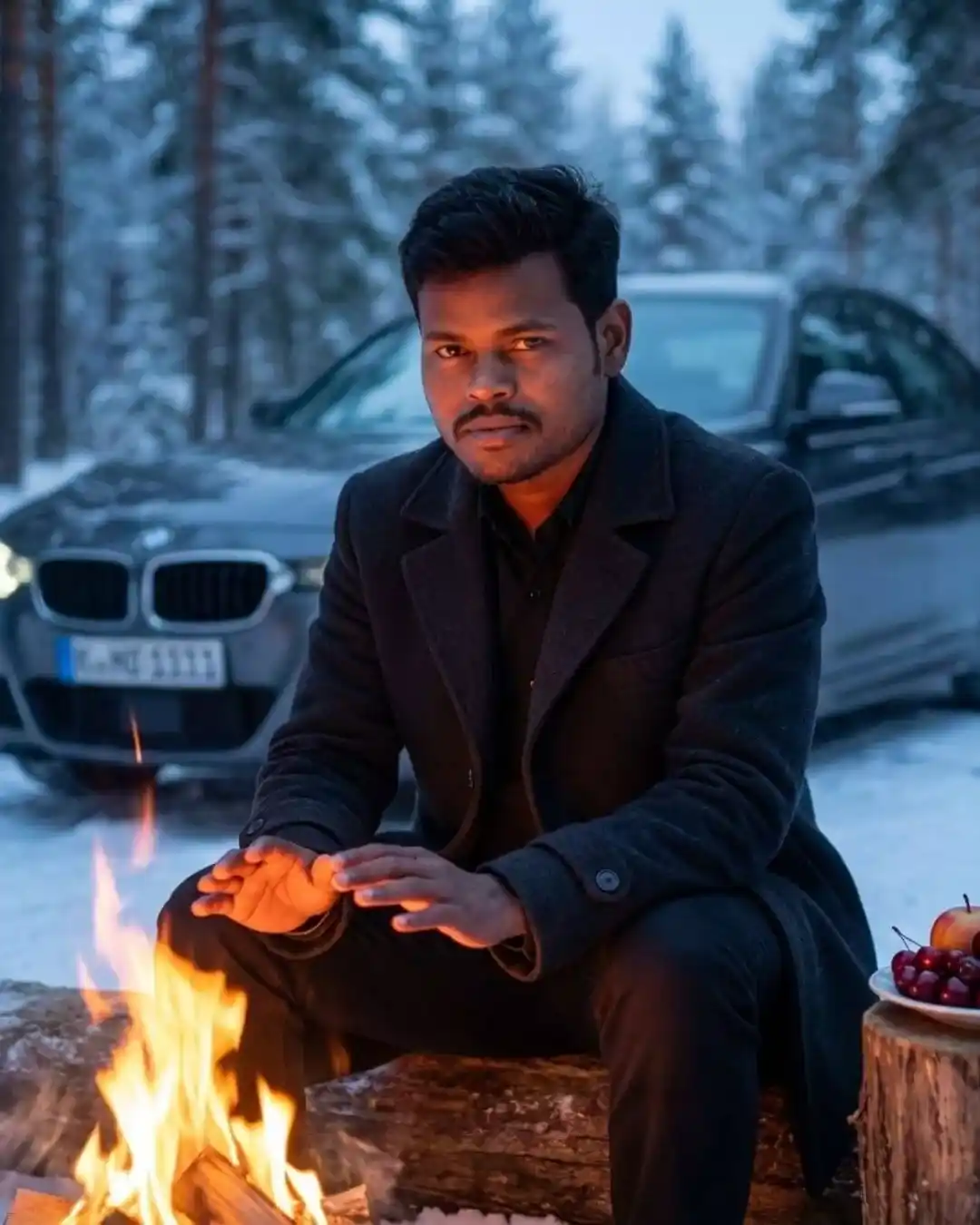
Create a highly realistic cinematic portrait of the same young man exactly as shown in the uploaded image. Do not add or remove facial hair. Do not change beard, mustache, skin texture, jawline, or any facial features. The face must remain 100% identical to the reference photo — no edits of any kind. He is sitting alone outdoors in a cold winter environment, warming himself beside a small campfire. The warm glow of the fire reflects softly on his face and clothing. Behind him, there is a BMW car with a softly blurred background to enhance the chilly winter atmosphere. Next to him is a plate containing fruits and cherries. The lighting should create a rich contrast between the warm fire and the cool winter surroundings, giving a calm, cozy, and cinematic mood.
Gemini Boy Photo Prompt
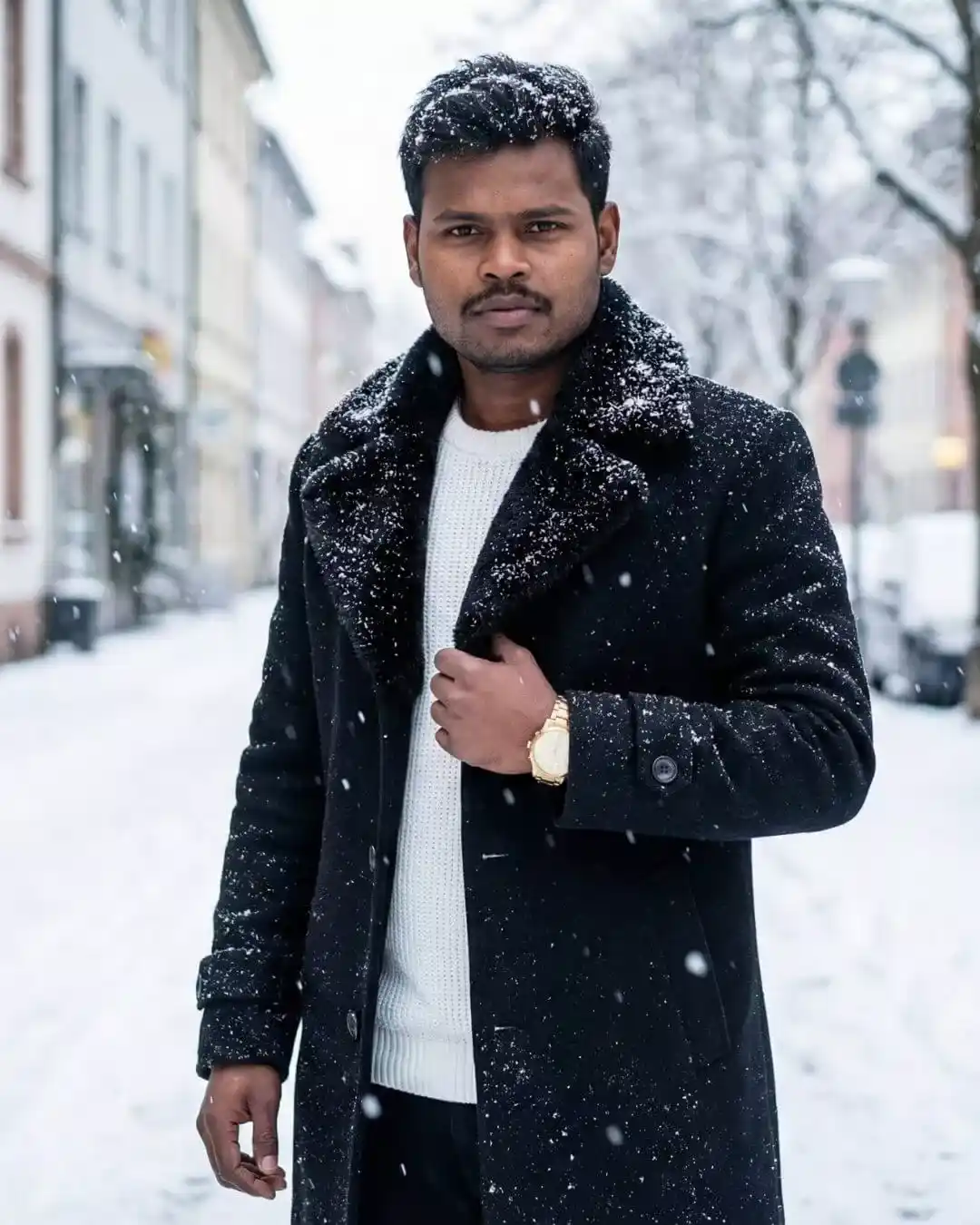
Ultra-realistic cinematic winter portrait of a handsome young man (use this face) standing outdoors during heavy snowfall. He’s wearing a thick black wool coat with á wide fur collar, layered over a white knitted sweater. He holds one side of the coat near his chest with one hand, while the other hand hangs relaxed byy his side. A golden wristwatch is visible on his left wrist. Snowflalkes gently fall around him and rest softly on his hair and coat, creating a realistic winter atmosphere. The background shows a European street covered in snow, with buildings and trees blanketed by a soft white layer, adding depth and a beautiful bokeh effect. Lighting is natural daylight – soft, cool, and diffused- highlighting the textures of the snow and his clothing. The overall mood is elegant, calm, and cinematic, resembling a high-end winter fashion photoshoot. Style: Ultra-realistic-soft, diffused lighting.
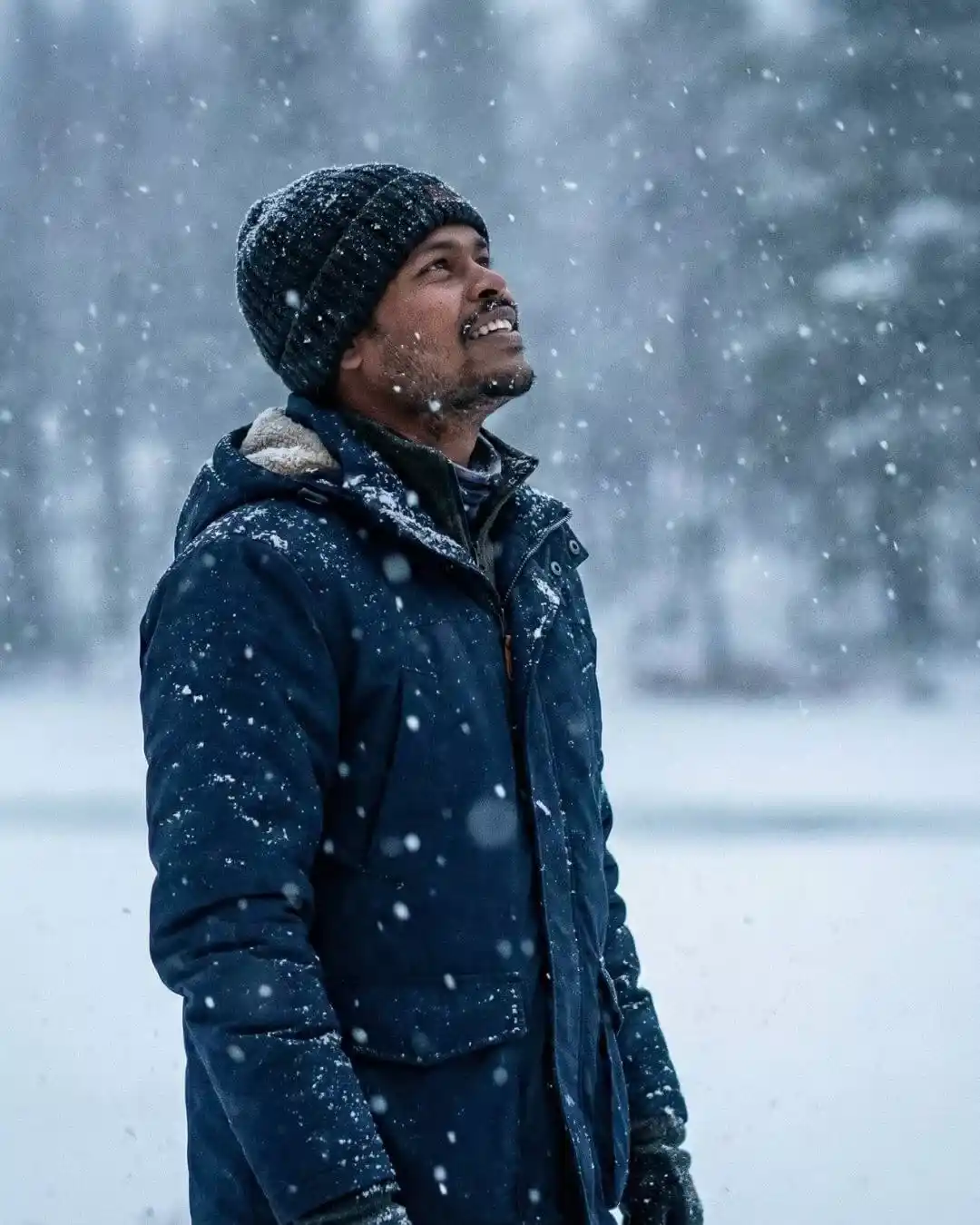
Create an ultra-realistic 8K cinematic portrait of the person from the uploaded image. Do NOT modify or alter the face, facial features, skin texture, hair, or expression in any way — the face must remain the same as the reference photo. The scene captures him admiring a heavy snowfall during a winter snowstorm. Composition MUST be framed from the waist up (kamar tak) — not chest-level. It is a left-side half-face angle, showing him wearing a warm winter cap and winter clothing. Snowflakes fall intensely around him as he looks upward in awe, with soft, cold winter lighting creating a dramatic cinematic atmosphere.