Create stylish rider photos using the ChatGPT bike prompt for photo editing. With the right prompts, ChatGPT can turn your bike photo into a stunning AI-edited picture.
Want a sporty superbike look, cinematic rider pose, or photoshoot-style image? These ChatGPT bike prompts give your pictures a fresh, powerful vibe.
The best part? You can get high-quality, aesthetic bike edits without changing your face, and the process is super easy — just upload your photo, paste the prompt, and enjoy the transformation. Perfect for Instagram, Reels, and stylish DP updates in 2025!
ChatGPT Bike Prompt for Photo Editing
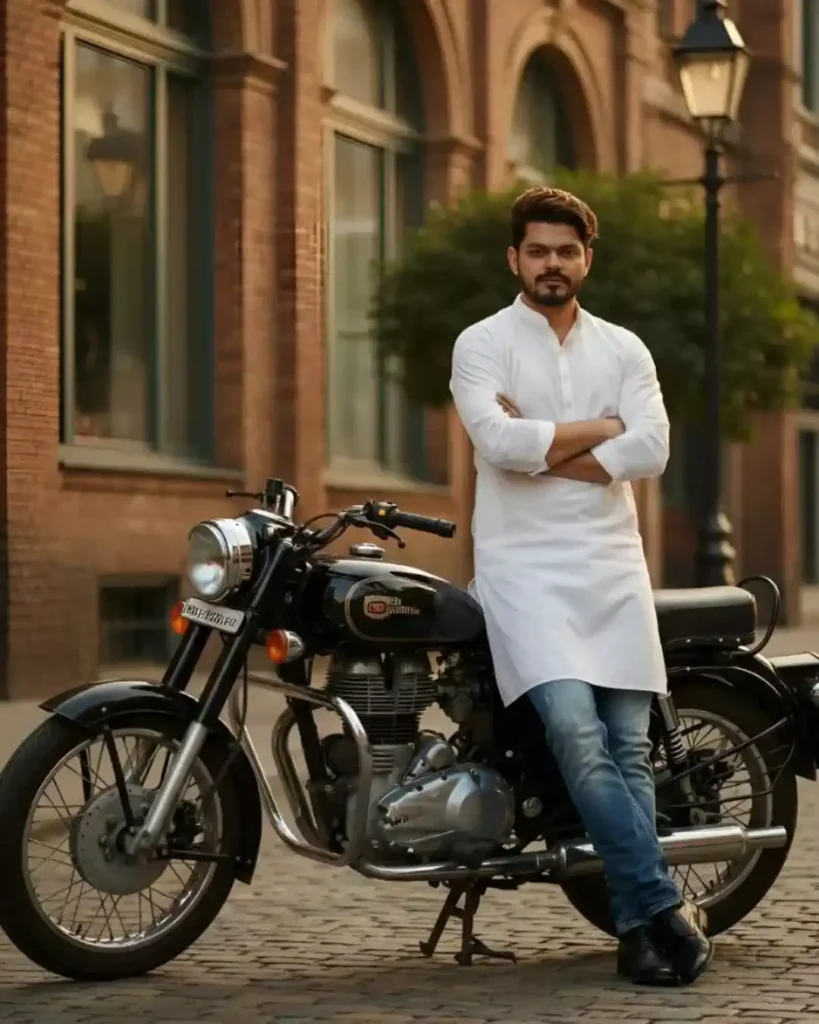
A distinguished South Asian man, mid-20s, with a stylish beard, standing confidently beside a classic black Royat Enfield motorcycle on a cobblestone strea He is wearing a pristine white kurta ancblue jeans with black shoes, with his arms crossed. The background, featukes warm, architectura brick buildings with arched windowNS anda classic,street lampi, suggesting an old European or colonial-era setting with soft natural lighting. Use same to same face as given reference pic.
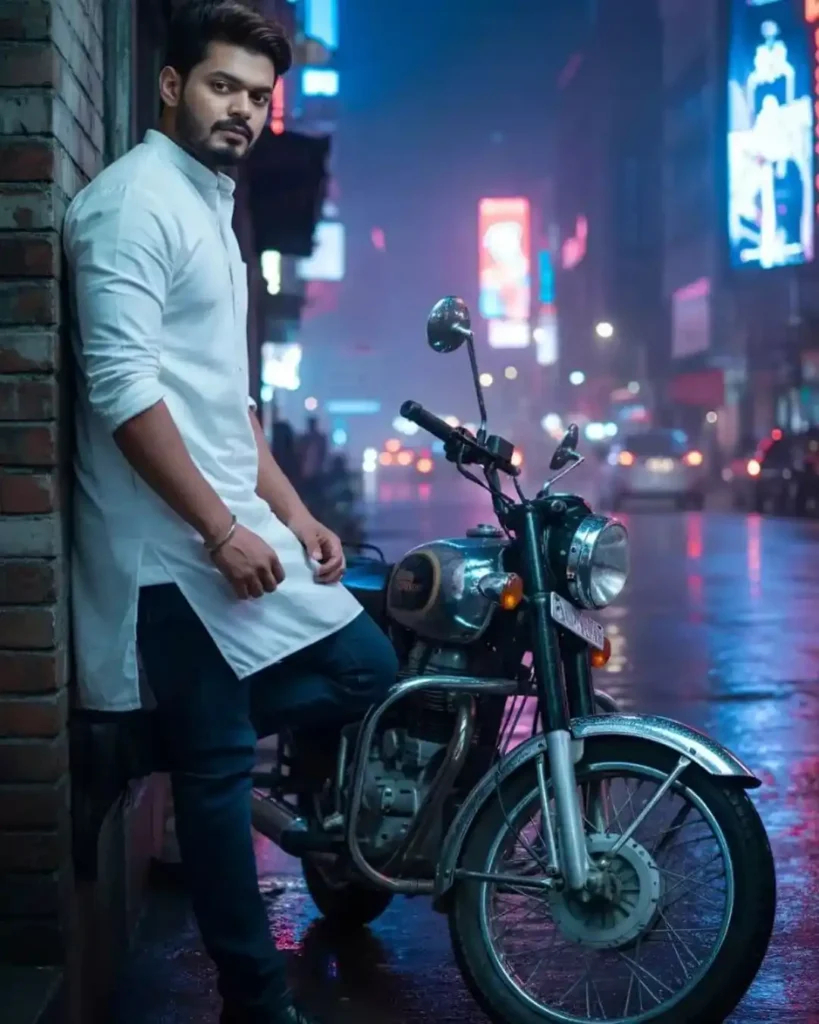
A stylish South Asian man, mid-20s, with a weIl-groomed beard leaning casually against a brick wall on a dark, wet city street at hight. A classic black Royal Enfield motorcycle is parked next to him: He is wearing a crisp white kurta and blue jeans with dark shoes. The background is a bustling urban street with blurred neon lights in vibrant blues, reds, and pinks, reflecting on the wet pavement, creating a futuristic moody atmosphere. Use same to same face as given reference pic.
ChatGPT Bike Prompt for Photo Editing
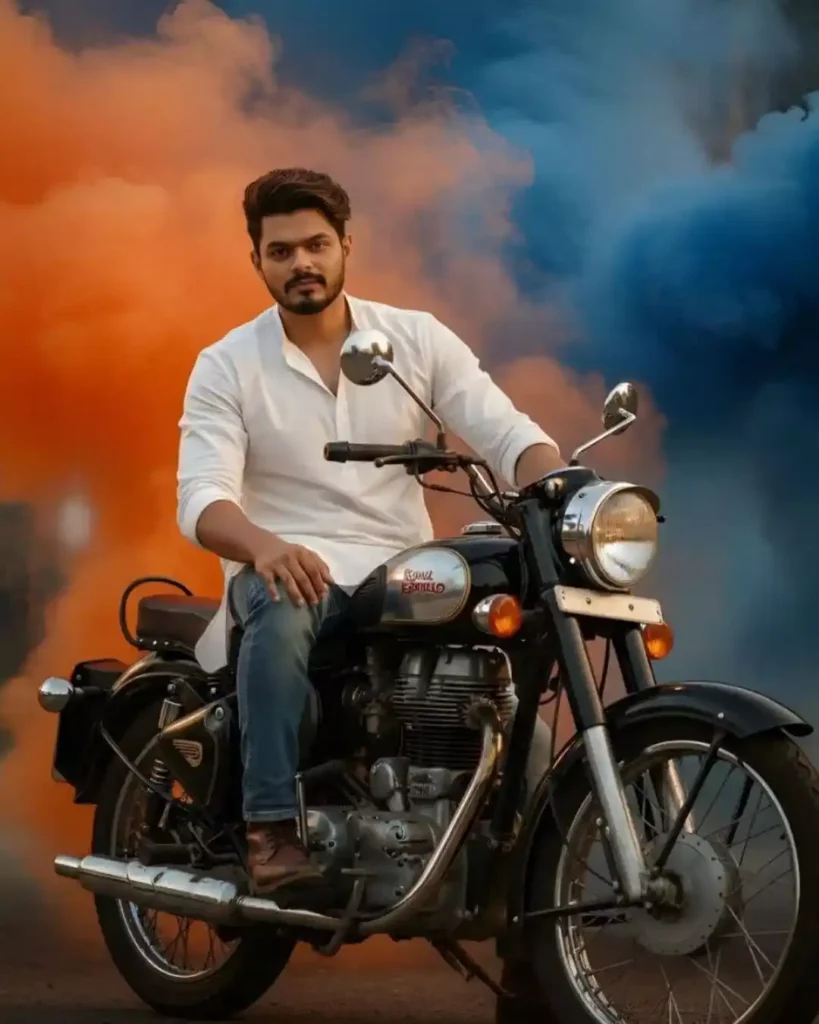
A confident South Asian man, mid-20s, with a stylish beard, sitting upright on a classic black Royal Enfield motorcycle. He is wearing a crisp white kurta and blue jeans, with brown shoes, and looks directly at the viewer. The background is filled with swirling, contrasting plumes of vibrant orange and deep blue smoke creating a dynamic and striking visual effect behind him. Use same to same face as given reference pic.
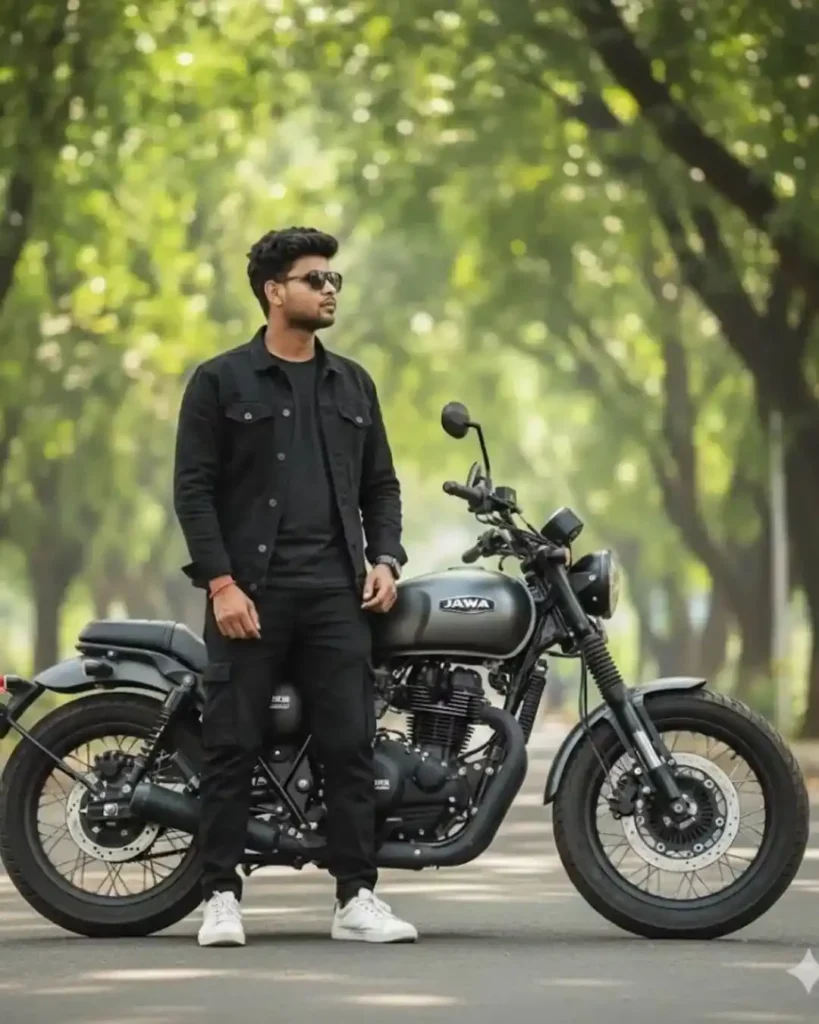
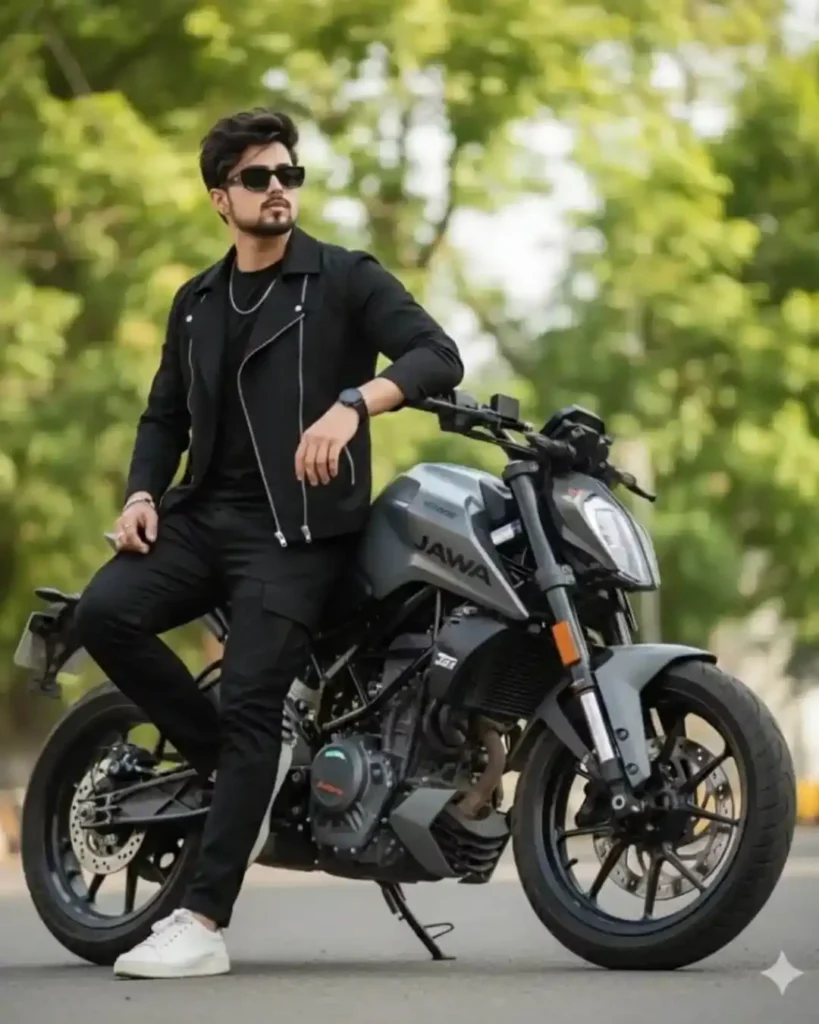
Ultra-realistic full-body shot of a stylish young man sitting confidently with a matte grey jawa 42 bobber motorcycle under lush green trees. He has short black hair, black sunglasses, black denim jacket over a T-shirt, baggy black cargo pants, and white sneakers. One leg on the ground, and other leg on brake or gear, ld looking *o the right. The bike has bold wide tires, dynamic retro design, black frame, and a jawa on the fuel tank. “A sleek modern bobber-style dont change my face stand still full body picture.
ChatGPT Bike Prompt for Photo Editing
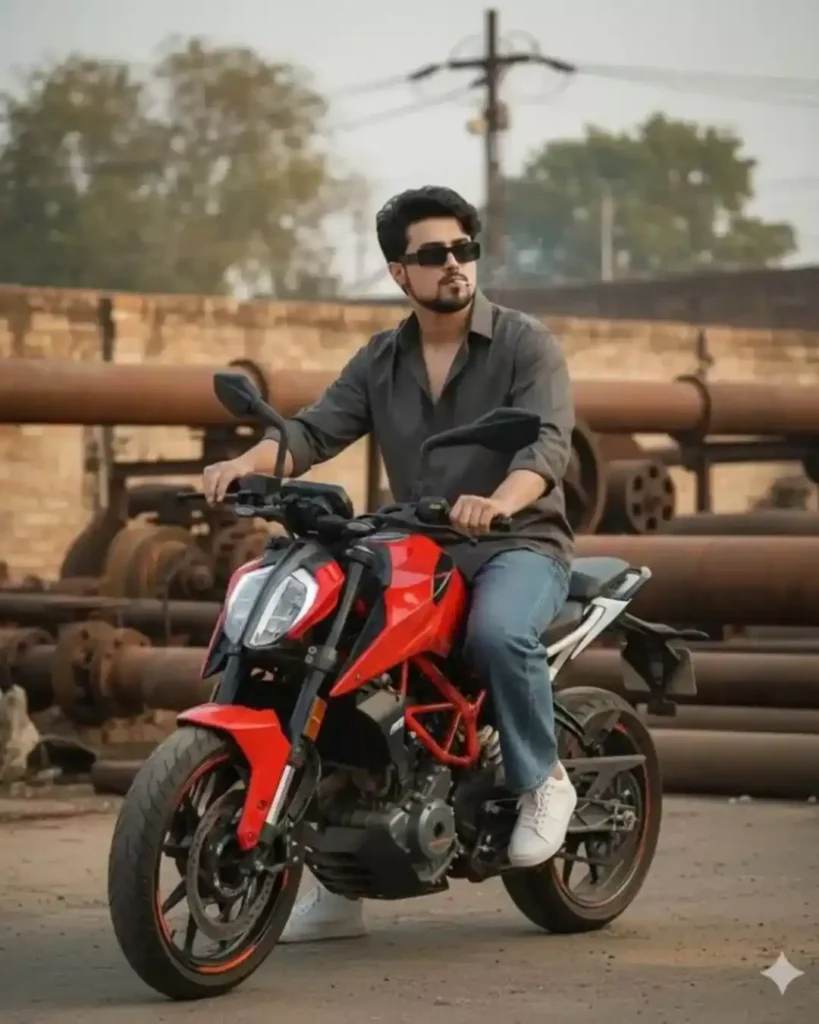
ULTRA-REALISTIC 8K PORTRAIT of a stylish young man [ keep it real face from uploaded image young man sits confidently on a Red KTM Duke 390 bike wearing a dark gray button-up shirt and baggy jeans white shoes. He is holding a ciggerate captured in a candid moment. The background features industrial equipment and machinery with rusty earthy tones, while trees and power lines are visible further back, The overall vibe is urban rugged and authentic blending modern style with, cigarette in mouth, rimless rectangular black sunglasses,
Ultra-realistic full-body shot of a stylish man leaning back against a matte grey KTM Duke 399 motorcycle, one leg crossed over the other, one hand in pocket, head tilted slightly up, looking confidently to the right. He wears fitted dark black asymmetrical jacket over a slim T-shirt, slim black cargo pants, and white sneakers. Lush green trees in the background. Bike with bold wide tires, dynamic retro design, black frame, and Jawa’ logo. Keep face details 100% same, rimless rectangular black sunglasses,full bike watching,